opencode
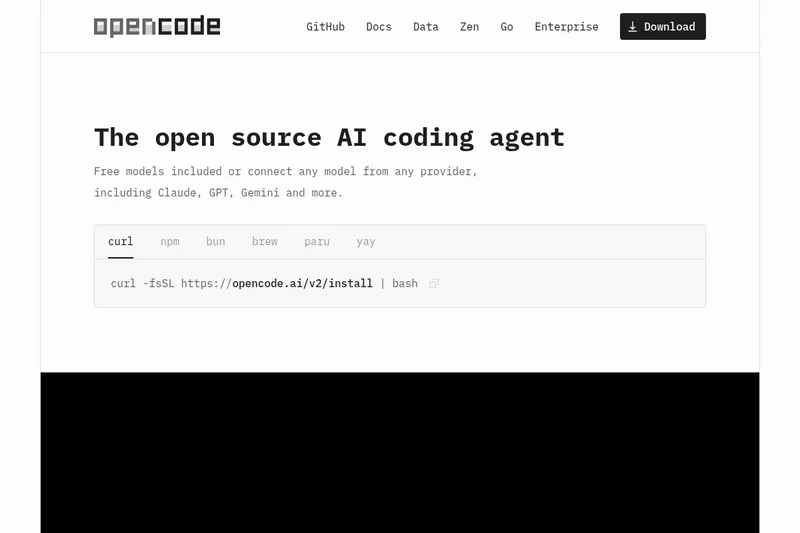
OpenCode is an open source AI coding agent that helps developers write and debug code from the terminal, IDE, or a desktop app, supporting many LLMs and editor integrations with privacy-first design.
opencode is ai coding assistants software teams evaluate for software & gaming. Use this page to review pricing, integration signals, and the best alternatives before you commit.
Profile facts come from the vendor source. AiMatch labels unknown pricing or API details instead of estimating them.
Review official source →Used in These Packs
Quick Overview
Best for: Software & Gaming
What it does
AI Coding Assistants software for decision-makers comparing workflow fit and alternatives.
Best fit
Software & Gaming
Pricing snapshot
Free
Next step
Compare opencode with similar tools before you shortlist it.
Compare this tool before you shortlist it
Review alternatives, pricing posture, and workflow fit side by side.
opencode
OpenCode is an open source AI coding agent designed to help developers write and debug code from the terminal, IDE, or a desktop application. It supports automatic loading of appropriate language servers (LSP), multi-session agents, shareable session links for collaboration or debugging, and logins to external AI accounts (GitHub Copilot, ChatGPT Plus/Pro via OpenAI). OpenCode is model-agnostic: it includes free models and can connect to 75+ LLM providers through Models.dev, including local models. The project emphasizes privacy-first operation and states that it does not store code or context data. The site highlights community adoption metrics (160K GitHub stars, 900 contributors, over 13,000 commits, and 7.5M monthly developers).
opencode is an open-source AI coding agent built for the terminal, featuring a native terminal user interface, multi-session support, and compatibility with various AI models including Claude, OpenAI, Google, and local models.
Own this listing?
Claim this page for a one-time $29 to add pricing, features, screenshots, verified owner details, and a clearly labeled 30-day category position after the profile is live.
Claim this listing for $29Key Features
LSP enabled
Automatically loads the right language servers (LSPs) for the selected LLM.
Multi-session
Start multiple agents in parallel on the same project.
Share links
Share a link to any session for reference or to debug.
GitHub Copilot integration
Log in with GitHub to use your Copilot account.
ChatGPT Plus/Pro support
Log in with OpenAI to use your ChatGPT Plus or Pro account.
Any model
Support for 75+ LLM providers through Models.dev, including local models.
Any editor
Available as a terminal interface, desktop app, and IDE extension.
Cross-platform desktop
Desktop beta available for macOS, Windows, and Linux, with tabs for organizing sessions.
Privacy-first
OpenCode states it does not store any of your code or context data.
Pricing
Includes free models by default; users can also connect external models from any provider.
Use Cases
Terminal-based coding assistance
Use OpenCode from the terminal to receive AI-assisted code generation, completion, and debugging.
IDE and desktop integration
Work inside an IDE or desktop app with OpenCode agents and language-server integrations.
Collaborative debugging
Share session links to allow collaborators to view or reproduce agent sessions for debugging and review.
Use with preferred LLMs or local models
Connect external AI subscriptions or local models via Models.dev to use validated or custom models for coding tasks.
Integrations
GitHub Copilot
Login with GitHub to use your Copilot account within OpenCode.
OpenAI / ChatGPT Plus/Pro
Login with OpenAI to use ChatGPT Plus or Pro accounts.
Models.dev (75+ providers)
Access and connect a large set of vetted LLM providers and local models through Models.dev.
Editors and IDEs
Available as a terminal interface, desktop app, and IDE extension to integrate with existing development tools.
Benefits
Limitations
Frequently Asked Questions
No verified FAQs are available.
Getting Started
- 1 Step 1: Install via the provided installer (example: curl -fsSL https://opencode.ai/install | bash).
- 2 Step 2: Download and run the desktop beta for macOS, Windows, or Linux (optional) or use the terminal/IDE integration.
- 3 Step 3: Read the documentation on the site and optionally log in with GitHub or OpenAI to connect Copilot or ChatGPT accounts and configure models.
Support
docs
Documentation available from the site (link: Docs).
changelog
Changelog available on the site for release notes.
discord
Community support via Discord (link listed on site).
social
Updates and contact via X (Twitter) and GitHub repository.
API
Compare opencode with similar tools
See how it stacks up against alternatives
Related Tools
View all 38 →
FixBugs
FixBugs is an AI debugging agent for SREs and on-call engineers that auto-triages alerts, performs AI-powered root cause analysis, reproduces issues, and generates validated code fixes with reproduction tests. Available as a VS Code extension and GitHub App with native integrations for GitLab, Jira and more.
please do not escape
A curated dataset of sandbox environments for AI coding agents, published with a raw YAML data file and hosted on GitHub; intended as a discoverable, contributor-driven collection of examples and primary-source references.
Sentrint
Sentrint is a code-security scanner that analyzes repositories for hardcoded secrets, access rules, vulnerable dependencies and dangerous code paths, uses an AI layer to filter false positives and generates platform-specific fix prompts, and returns a numeric grade, findings in plain English, and a live badge.
CodeTrain
CodeTrain is a local‑first, hands-on AI coding tutor that teaches developers by guiding them to write code in their own codebase step by step. It runs an agent on your machine, offers sandbox or repo modes, and provides team features (dashboards, onboarding journeys, SSO/SCIM, self‑host) for companies.
Deepsiteai
DeepSite is a browser-based AI web development platform that generates fully functional websites and games from simple text prompts using the DeepSeek V3-0324 model, delivering single-file HTML output, real-time preview, and one-click deployment.