Parsio
Parsio is an AI-powered document and email parser that automatically extracts structured data from PDFs, emails and other documents using AI, GPT, template-based parsing and OCR, intended for business automation and integrations.
Parsio is automation software teams evaluate for business operations. Use this page to review pricing, integration signals, and the best alternatives before you commit.
Profile facts come from the vendor source. AiMatch labels unknown pricing or API details instead of estimating them.
Review official source →Used in These Packs
Quick Overview
Best for: Business Operations
What it does
Automation software for decision-makers comparing workflow fit and alternatives.
Best fit
Business Operations
Pricing snapshot
Freemium from 3 credits/page (announcement: 'AI parser now costs 3 credits/page')
Next step
Compare Parsio with similar tools before you shortlist it.
Compare this tool before you shortlist it
Review alternatives, pricing posture, and workflow fit side by side.
Parsio is an AI-powered document and email parsing platform designed to automate data extraction from PDFs, emails and other document types. It offers multiple parsing engines—AI Parser, GPT Parser, Template Parser and an OCR Converter—so teams can parse both structured and unstructured documents, extract tables, and handle attachments. Parsio targets business automation workflows (invoicing, receipts, bank statements, business cards, IDs, lead capture) and provides no-code setup alongside an API for integration into existing systems.
Parsio is an AI-powered document and email parser that automatically extracts structured data from PDFs, emails and other documents using AI, GPT, template-based parsing and OCR, intended for business automation and integrations.
Own this listing?
Claim this page for a one-time $29 to add pricing, features, screenshots, verified owner details, and a clearly labeled 30-day category position after the profile is live.
Claim this listing for $29Key Features
AI Parser
AI-powered parser to automatically extract structured data from unstructured documents and PDFs.
GPT Parser
Parse unstructured documents using a GPT-based parser (listed among parsing engines).
Template Parser
Template-based parser best for stable layouts and repeated formats; templates can be created by highlighting text to extract.
OCR Converter
Convert PDFs and images to text using OCR for printed and handwritten text in Latin and European languages.
Email Parser & Attachment Parsing
Extract data from incoming emails and attachments (PDF, HTML, XLSX, CSV, DOCX, XML, TXT and more) and apply built-in templates for common platforms.
Table Extraction
Extract data from tables with variable numbers of rows.
Data Formatting & Business Logic
Apply custom formatting and business logic to parsed data before exporting.
Built-in Templates
Pre-built templates to parse emails from platforms like HARO, Airbnb, LinkedIn and more.
Multi-language Support
Trained to recognize handwritten and printed text in Latin and European languages.
Pricing
Start free — no credit card needed (site indicates a free start and 5 min. setup)
AI parser (credits-based)
3 credits/page (announcement: 'AI parser now costs 3 credits/page')- AI-based parsing billed in credits per page
Use Cases
Invoice & Accounts Payable Automation
Parse PDF invoices and import data into accounting software (e.g., QuickBooks) to automate accounts payable workflows.
Email Lead Capture
Extract leads and contact data from emails and signatures and send them to Google Sheets or CRM systems in real time.
Receipt & Expense Processing
Parse receipts and transaction documents to automate expense tracking and record-keeping.
Identity & Document Verification
Extract structured data from business cards, IDs, passports and W-2 forms for onboarding and verification processes.
Integrations
Google Sheets
Export parsed data (emails, invoices, receipts, PDFs) to Google Sheets in real time.
Slack
Send real-time notifications of parsed events (new leads, sales, alerts) to Slack channels.
QuickBooks
Sync captured data from receipts, bills and invoices to QuickBooks to automate accounts payable.
Google Drive
Automatically upload PDF files and email attachments to Cloud Storage.
Zapier / Make / Pabbly Connect / n8n / Integrately
Connect Parsio to other apps and automation platforms (listed integrations include Zapier, Make, Pabbly Connect, n8n, Integrately).
Benefits
Limitations
No verified limitations are available.
Frequently Asked Questions
No verified FAQs are available.
Getting Started
- 1 Step 1: Sign up and start free — no credit card required
- 2 Step 2: Choose a parser (AI, GPT, Template or OCR) or use a built-in template
- 3 Step 3: Create templates quickly by highlighting text to extract and connect outputs to your integrations (Google Sheets, QuickBooks, Slack, etc.)
Support
docs
Help Center (site references a 'Help Center' and 'Resources' sections)
developer docs
API & Developers documentation (site references 'API & Developers')
status
System Status page (site references 'System Status')
API
API & Developers (site references an API and developer resources)
Compare Parsio with similar tools
See how it stacks up against alternatives
Related Tools
View all 148 →

TamedTable, AI ETL in Natural Language
TamedTable is a source-available AI-first ETL tool that lets you load tabular data, issue natural-language commands to clean, enrich, classify, validate, and reshape data, and then replay or export those transformation recipes (browser and CLI).

Browser Tools SDK
Browser Tools SDK is an open-source npm package from Libretto that gives AI agents a small set of Playwright-backed browser tools so agents can open real browsers, read page snapshots, and run Playwright actions programmatically.

Document Automation
DocuQueue automates end-to-end document workflows using AI to detect and fill PDF form fields, generate business-ready documents, enforce templates/branding, and integrate with existing systems via API and webhooks. It's targeted at teams across legal, HR, sales, finance, and regulated industries.
WebScraping.AI
WebScraping.AI is an AI-powered web scraping API that handles proxies, headless browser rendering, and CAPTCHA solving to deliver clean HTML, plain text, or AI-extracted structured JSON from any website.

bewai-idp-documents-in-decision-out
Bewai Intelligent Document Processing (IDP) est une plateforme SaaS française d'automatisation du traitement documentaire pour frontoffice, backoffice et BPO : catégorisation, extraction, contrôles, workflows et intégration via API pour secteurs banque, assurance, immobilier, abonnement, etc.

Premium Alternatives

AI Content Labs
AI Content Labs is a multimodal AI content creation platform that lets teams design visual workflows, connect multiple AI providers (text, image, voice), and automate production of textual and visual content at scale.
Enquirygenie
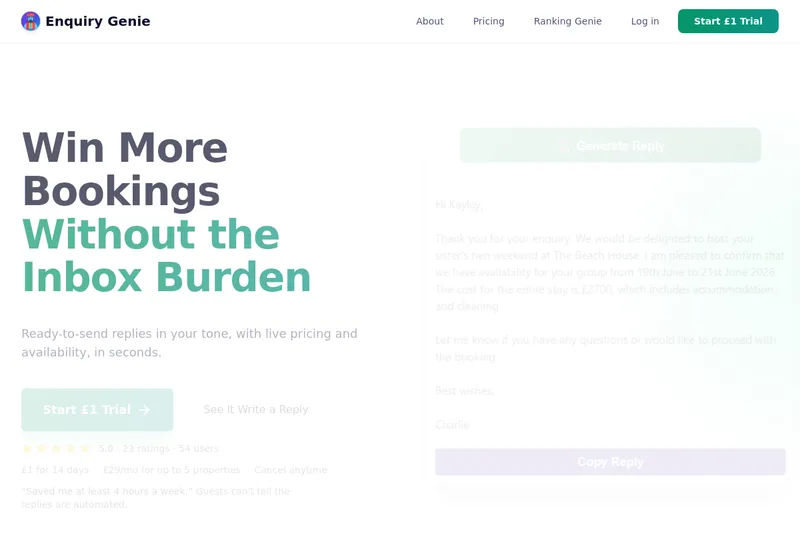
Enquiry Genie is an AI-powered email automation tool for property managers and hosts that drafts replies in your tone with live pricing and availability, integrating with Gmail/Outlook via a Chrome extension to speed up responses and increase bookings.

ExcelMaster
ExcelMaster is an AI agent add-in for Microsoft Excel on Windows that reads workbook structure, writes and runs VBA or Python, and verifies spreadsheet changes. Users describe a task in plain language and can watch the agent work inside Excel.
bewai-idp-documents-in-decision-out
Bewai Intelligent Document Processing (IDP) est une plateforme SaaS française d'automatisation du traitement documentaire pour frontoffice, backoffice et BPO : catégorisation, extraction, contrôles, workflows et intégration via API pour secteurs banque, assurance, immobilier, abonnement, etc.

ModularMind
ModularMind is a workflow automation product that lets users "automate your work by describing it," offered with a Maia Plus plan that unlocks advanced AI-powered features and higher usage limits.