
PicMiu
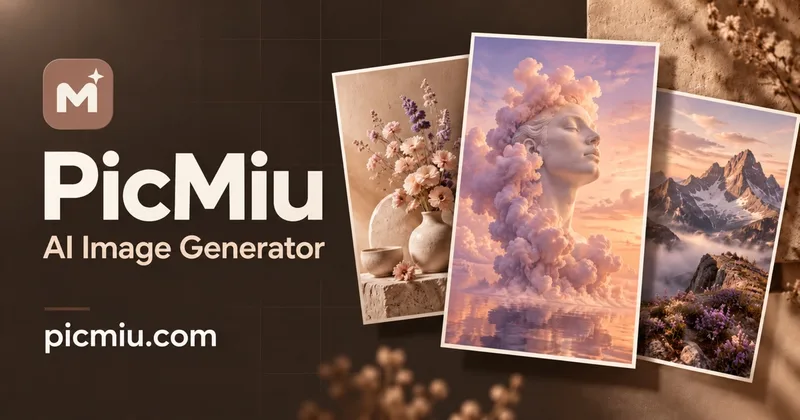
PicMiu generates downloadable images from text and, for members, edits or restyles uploaded photos. Creators, marketers, and online sellers can produce commercial-use visuals, with paid plans adding premium image and video models.
One of 382 tools in Image & Design
Who it's for
- E-commerce sellers who need product shots or lifestyle scenes from phone photos for Shopify, Etsy, or Amazon listings.
- Marketers and social media creators who need ad visuals, banners, posts, or avatars.
- Designers and concept creators who want to generate characters, scenes, or mood boards from text prompts.
Not the right fit if…
- People who need image-to-image editing without a membership: the page says that feature is available with a membership.
- People creating pornographic, nude, sexually explicit, or other NSFW material: PicMiu prohibits this content.
How it fits your workflow
Sign in with Google in a modern desktop or mobile browser. Enter a text prompt, or upload a photo for member image-to-image workflows; choose a style, aspect ratio, and 1K or 2K output.
Generate the image, adjust a detail to make a variation if needed, and download the result. Members can also use premium image models and image-to-video models.
Pricing
Free: Free daily credits provide up to 10 PicMiu Image text-to-image generations. Credits refresh daily and do not roll over; no credit card or subscription is required.
Free
Free; daily credits refresh every day and do not roll over.
- · Up to 10 PicMiu Image text-to-image generations per day
- · 1K or 2K output
- · Commercial use and no watermark
- · No credit card or subscription required
Basic
$9.90/month, billed monthly
- · 2,400 credits per month
- · Premium image and video models
- · Image-to-video and reference-to-video
- · Background remover and 4x image upscaler
Pro
$19.90/month, billed monthly
- · 5,200 credits per month
- · Premium image and video models
- · Image-to-video and reference-to-video
- · Background remover and 4x image upscaler
Studio
$39.90/month, billed monthly
- · 10,800 credits per month
- · Premium image and video models
- · Image-to-video and reference-to-video
- · Background remover and 4x image upscaler
Prices checked on Oct 19, 2026 from the vendor's site. They can change; confirm before you buy.
Key features
- Text-to-image generation
- Create images by describing a subject, scene, style, or lighting in a text prompt.
- Image-to-image editing
- Members can upload photos and restyle them, change outfits or backgrounds, or combine images. Supported upload formats are JPG, PNG, and WebP, with files up to 20 MB each.
- Creative photo effects
- Preset effects include anime, headshots, clothes changing, background changing, cartoon, sketch, action figure, and product-photo styles.
- Image size and aspect ratio choices
- Choose an aspect ratio and 1K or 2K output; the page lists ten aspect ratios and HD downloads.
- Image variations and downloads
- Generate an image, change a detail to make a variation, and download a preferred result.
- Premium image and video models
- Paid memberships include access to named premium image models and image-to-video models, including Nano Banana, GPT Image, Seedream, Veo, Kling, Seedance, and Wan.
Works with
- Google sign-in
Limitations to know
- Image-to-image generation requires a membership.
- Free daily credits do not roll over to the next day.
- Uploaded images must be JPG, PNG, or WebP and no larger than 20 MB each; the page states a limit of up to 14 images with Nano Banana 2.
- PicMiu disallows pornographic, nude, sexually explicit, and other NSFW content, and content that sexualizes minors.
Alternatives to consider
-
AI Image
Choose it if you want to run multiple leading image models side-by-side in one workspace rather than select models within PicMiu.
-
PicPicAI
Choose it if your main need is a suite of photo-editing tools for enhancement, background removal, restoration, and upscaling.
-
PicLumen
Choose it if you want a creative platform that includes templates, effects, and a built-in creator community alongside image and video generation.
Getting started
A modern desktop or mobile browser and Google sign-in; image-to-image generation requires a membership.
- Open PicMiu in a modern browser and sign in with Google to claim daily credits.
- Enter a text prompt or upload a photo for image-to-image generation if you have a membership.
- Choose a style or effect, aspect ratio, and 1K or 2K output, then generate and download your image.
Frequently asked questions
Is PicMiu free to use?
Yes. Sign in with Google to receive free daily credits; PicMiu Image uses 10 credits per image, so the daily credit gift covers up to 10 images. The page says no credit card, subscription, or watermark is required.
Can I use the images commercially?
Yes. The page permits personal and commercial use on free and paid plans, subject to the Terms and the rights of anyone shown in uploaded images.
Can I generate an image from an existing image?
Yes. Image-to-image generation is available with a membership. The page says it accepts JPG, PNG, or WebP images up to 20 MB each, and supports up to 14 images with Nano Banana 2.
Do I need to sign up?
Yes. Google sign-in is required to receive daily credits and keep images in a private library.
Can I turn images into videos?
Yes. Members can use image-to-video models such as Veo, Kling, and Seedance to animate images.
What happens to uploaded photos and generated results?
Uploaded photos are used to create the AI image and deleted automatically after 24 hours. Generated results stay private in the library for 30 days.
Does PicMiu work on phones?
The page says PicMiu works in modern desktop and mobile browsers.
Can I generate adult or NSFW content?
No. PicMiu disallows pornographic, nude, sexually explicit, and other NSFW content, as well as content that sexualizes minors. Prompts and generated images and videos are screened; blocked requests do not cost credits, and repeated attempts may lead to account restrictions.