

Pincel
Pincel is a browser-based suite of 50+ brand-safe AI tools for creating commercial-ready images, video, and audio for businesses — no install required and designed for production workflows.
Pincel is image & design software teams evaluate for creative & design. Use this page to review pricing, integration signals, and the best alternatives before you commit.
Profile facts come from the vendor source. AiMatch labels unknown pricing or API details instead of estimating them.
Review official source →Used in These Packs
Quick Overview
Best for: Creative & Design
What it does
Image & Design software for decision-makers comparing workflow fit and alternatives.
Best fit
Creative & Design
Pricing snapshot
Pricing available from 20 free credits, no credit card required
Next step
Compare Pincel with similar tools before you shortlist it.
Compare this tool before you shortlist it
Review alternatives, pricing posture, and workflow fit side by side.
Pincel is a browser-based platform offering more than 50 AI tools to create commercial-ready images, short marketing videos, and audio assets for business use. It is designed for production workflows—targeting e-commerce sellers, marketing teams, agencies, small businesses, and content/design teams that need polished visuals and media without installing software or requiring a designer. The product emphasizes brand-safety and commercial use, and provides immediate access via a free starter allocation of credits.
AI-powered online image editing app for simple and accessible photo manipulation.
Own this listing?
Claim this page for a one-time $29 to add pricing, features, screenshots, verified owner details, and a clearly labeled 30-day category position after the profile is live.
Claim this listing for $29Key Features
AI Photo Editor
Edit, enhance, restyle, and recolor photos via text prompts and editing tools for production-ready images.
AI Portraits
Generate studio-grade headshots and portraits from a single selfie and edit faces and expressions.
Marketing Video
Create short, social-ready videos from images and text (Image to Video, Text to Video, Video to Video).
AI Virtual Try-On
Preview apparel on models for storefronts and e-commerce listings to aid product presentation and conversion.
Background & Object Tools
Background Remover, Object Remover, and Generative Fill for cleaning and preparing assets for marketplaces and ads.
Enhance & Restore
Tools such as AI Upscaler, Detailer, Colorize, and Photo Extender to upscale, sharpen, and restore images.
Audio & Voice
Voiceovers, music generation, text-to-speech, voice changers, and sound effects for marketing and content.
Brand-safe content enforcement
All tools run under an enforced content policy intended to make outputs friendly for commercial use.
Pricing
Start free with 20 credits — no credit card required.
Free starter
20 free credits, no credit card required- Access to browser-based tools
- 20 free credits to test and create
Use Cases
E-commerce product imagery
Create commercial-ready product photos, remove backgrounds, relight, and stage assets for storefronts and marketplaces.
Marketing campaigns & social content
Produce on-brand visuals, short marketing videos, social posts, banners, and resized assets at scale.
Local business content
Generate professional team photos, menus, and local ads without a dedicated designer or photoshoot.
Design & content team workflows
Asset cleanup, mockups, object removal, generative fill, and variation generation to accelerate production.
Integrations
API
The site references "API Docs" (link in the site footer), indicating programmatic integration is available via an API.
Benefits
Limitations
No verified limitations are available.
Frequently Asked Questions
What is Pincel?
Is Pincel brand-safe for my business?
Who is Pincel for?
Do I need to install anything?
Getting Started
- 1 Sign up on the Pincel website.
- 2 Claim the free starter allocation (20 free credits) — no credit card required.
- 3 Open the browser-based tools and begin creating images, videos, or audio using the provided workflows and prompts.
Support
Contact
Contact page (site navigation includes a Contact link) for sales and support inquiries.
Docs
API Docs referenced in the site footer for developer and integration information.
Blog
Blog link available in the site navigation for product updates, guides, and announcements.
API
API Docs (referenced in the site's footer/navigation)
Compare Pincel with similar tools
See how it stacks up against alternatives
Related Tools
View all 386 →
Magicstudio
Magic Studio is a web and mobile image-editing studio that uses AI to generate and edit photos — from removing objects and changing backgrounds to creating images from text — aimed at consumers and professionals looking to produce headshots, product photos, ads, and social content quickly.
Generated Photos
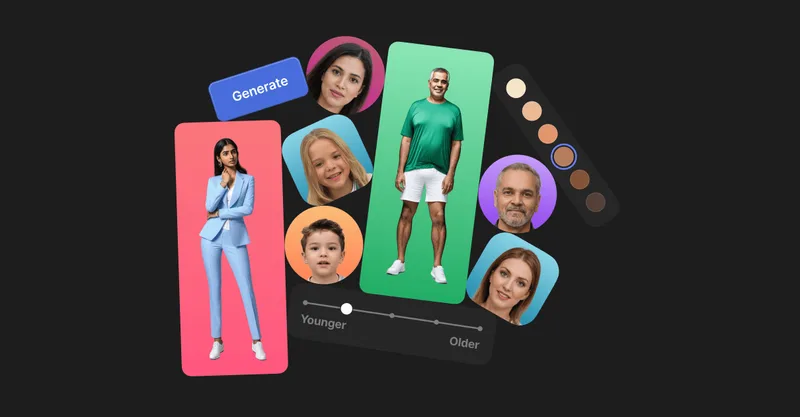
Generated Photos provides AI-generated, photorealistic faces and full-body humans for creative and commercial projects, offering searchable galleries, real-time generators, datasets, and API/bulk options to scale usage.

Background Removal
Background Removal is an api4ai computer vision API that automatically removes or replaces image backgrounds via a cloud-native, RESTful endpoint, intended for integration into image-processing applications and business workflows.

Image-to-prompt
Image to Prompt is a web-based generator that converts reference images into optimized, model-specific text prompts (General/GPT-Image, Stable Diffusion, Flux) and provides aspect ratio/resolution recommendations and one-click prompt generation for creating similar AI images.

insMind AI Image Generator
insMind AI Image Generator is a web-based platform that unifies multiple leading AI image models to generate, edit, and enhance images from text or image inputs, offering 50+ art styles, image-to-image editing, and mobile access.
Premium Alternatives

Ghibli Art Generator
Ghibli Art Generator is a web-based AI tool that transforms user photos into Studio Ghibli–inspired artwork using a proprietary deep-learning style generator, offering multiple film-style filters, batch processing, and downloadable high-resolution outputs.

drawingpics
DrawingPics is a native macOS app for Apple Silicon that converts sketches into photorealistic or stylized images in real time using Core ML and the Apple Neural Engine. It runs fully offline, is available as a one-time purchase, and targets creators and small studios.
Aiportraitgen
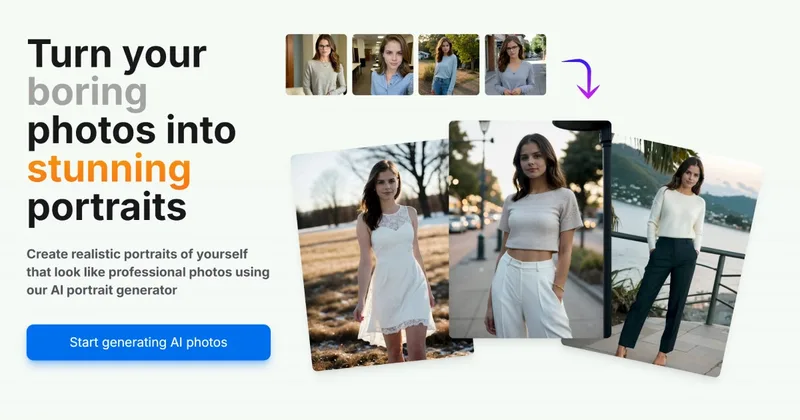
AI Portrait Gen is an online AI portrait generator that creates realistic, high-quality portrait photos from a few user-supplied photos. It offers customizable locations, outfits and styles, pay-as-you-go credits (no subscription), and privacy protections for uploaded images.

Realistic AI
Realistic AI is a web-based generator and editing suite for photorealistic images and videos. Users can create from text prompts or photos, choose from multiple AI models, and use additional tools to humanize, restore, upscale, or retouch images.
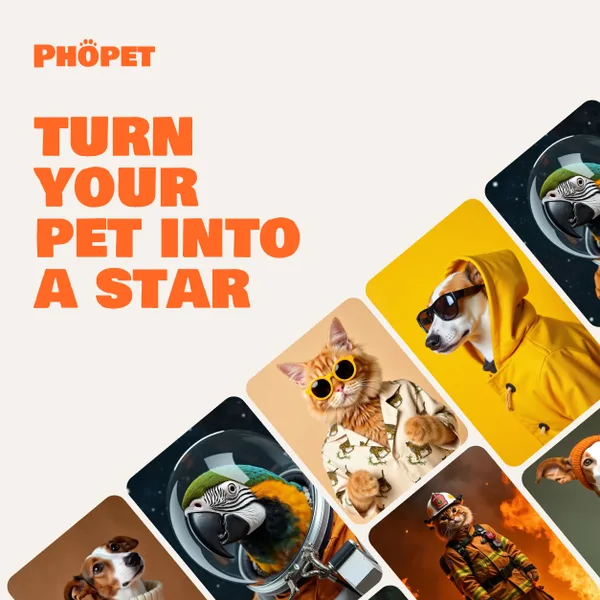
phopet
Phopet is a pet-focused image-generation service that trains a custom AI model from user-uploaded pet photos to produce themed, studio-quality images, upscaled prints, and merchandise-ready assets. It targets pet owners who want personalized photo packs and creative stories featuring their pets.