

Pixarmory
PixArmory is a web-based AI photo editor and image-generation toolkit that lets users edit, stylize, and generate images from plain-English prompts using models like Nano Banana (Google) and GPT Image 2 (OpenAI). It targets creators, designers, and professionals seeking fast, multi-model image editing workflows without advanced design skills.
Pixarmory is image & design software teams evaluate for image & design. Use this page to review pricing, integration signals, and the best alternatives before you commit.
Profile facts come from the vendor source. AiMatch labels unknown pricing or API details instead of estimating them.
Review official source →Used in These Packs
Quick Overview
Best for: Image & Design
What it does
Image & Design software for decision-makers comparing workflow fit and alternatives.
Best fit
Image & Design
Pricing snapshot
Freemium from 8 credits per edit
Next step
Compare Pixarmory with similar tools before you shortlist it.
Compare this tool before you shortlist it
Review alternatives, pricing posture, and workflow fit side by side.
PixArmory is a universal AI image editor and generator that lets users upload photos or combine reference images and describe edits in plain English to produce professional-style results. Users pick from multiple models—Nano Banana Lite, Nano Banana 2, Nano Banana Pro, or GPT Image 2—depending on the task; the editor shows credit costs before generation and supports iterative multi-turn editing. The product is positioned for creators, designers, and innovators who want fast, high-quality edits without needing advanced design skills.
PixArmory is a web-based AI photo editor and image-generation toolkit that lets users edit, stylize, and generate images from plain-English prompts using models like Nano Banana (Google) and GPT Image 2 (OpenAI). It targets creators, designers, and professionals seeking fast, multi-model image editing workflows without advanced design skills.
Own this listing?
Claim this page for a one-time $29 to add pricing, features, screenshots, verified owner details, and a clearly labeled 30-day category position after the profile is live.
Claim this listing for $29Key Features
Universal AI Image Editor
Upload an image, describe the change in plain English, and choose from models such as Nano Banana Lite, Nano Banana 2, Nano Banana Pro, or GPT Image 2 to perform edits.
Natural-Language Prompts
Type the change you want in plain English; the editor handles masking, lighting, and blending without manual masks or layers.
Consistent Likeness
Faces, pets, and products remain recognizable across edits so subjects keep identity and avoid uncanny drift.
Blend Multiple Images
Combine up to 14 reference photos into a single composition with consistent lighting and seamless blending.
Artistic Style Transfer
Apply the look, texture, or palette of one image to another in a single step.
Multi-Turn Editing
Refine images iteratively; each pass preserves subject identity and image quality for progressive editing.
Specialized Tools
Includes an AI Image Editor, Image Generator, Photo Enhancer, Image Upscaler (up to 4K), and Background Remover.
Pricing
New users receive 15 free credits upon registration (enough to try a Lite edit or one GPT Image 2 generation).
Lite edits
8 credits per edit- Fastest, cheapest option for everyday edits
GPT Image 2
15 credits per generation- Best for complex layouts and images requiring readable text
Nano Banana Pro / higher-resolution modes
Higher credit cost based on selected model and resolution (4K output available in Pro)- Higher-resolution output and aspect-ratio control for print-ready work
Use Cases
E-commerce visuals
Create product mockups, consistent product photos, and virtual try-on images for online stores and catalogs.
Marketing creatives
Generate posters, packaging, covers, and promotional imagery—GPT Image 2 is recommended when images require readable text or complex layouts.
Photo restoration and enhancement
Sharpen, restore, and enhance photos using the Photo Enhancer and Upscaler tools, including up to 4K output with Nano Banana Pro.
Style transfer and artistic edits
Apply artistic styles or textures from one image to another, or turn photos into themed or stylized artworks.
Virtual try-on & 3D figurines
Try-before-you-buy virtual try-on workflows and generate 3D figurine-ready images from moments and reference photos.
Integrations
Nano Banana models (Google / Gemini family)
Multiple Nano Banana variants (Lite, 2, Pro) are available for different balance of cost, speed, and quality; Pro supports 4K and more precise aspect control.
GPT Image 2 (OpenAI)
Alternate model optimized for complex layouts and images that require readable text, recommended for posters, packaging, and covers.
Marketing Partners
Listed partners and integrations for marketing workflows (e.g., MossAI, ToolsNav, Folders, Tool Pilot) as referenced on the site.
Benefits
Limitations
No verified limitations are available.
Frequently Asked Questions
What is PixArmory?
Do I need design skills to use it?
How fast is the processing?
What's included in the free tier?
How does pricing work?
Do I own the images I create?
What file formats are supported?
Can I use it for commercial projects?
Is my data secure?
Which AI model should I choose?
Getting Started
- 1 Create an account and register to receive 15 free credits.
- 2 Upload a JPG, PNG, or WebP photo (outputs delivered as JPG).
- 3 Type a plain-English prompt describing the edit, choose a model (Lite, Nano Banana 2, Pro, or GPT Image 2), review the credit cost, and generate.
Support
Support
Access the Support page linked in the site navigation/footer for help and resources.
Feedback
Send product feedback using the Feedback link available on the site.
Legal & Docs
Privacy Policy and Terms of Service are linked in the site footer for legal and usage information.
API
Compare Pixarmory with similar tools
See how it stacks up against alternatives
Related Tools
View all 375 →

Imagetoimage
Image to Image is a web-based AI creative platform that lets users upload photos or sketches and transform them via text-guided image-to-image generation, plus tools for text-to-image, video generation, editing, and enhancement.
Aithumbnail
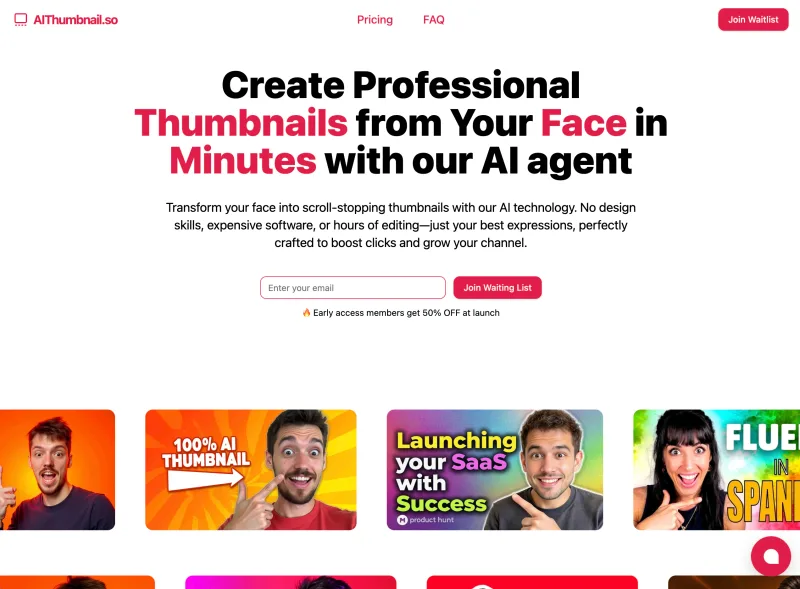
AIThumbnail.so is an AI-powered thumbnail maker for YouTube and creators that generates high-converting thumbnails in under a minute, offering features like Replica Mode, one-photo face integration, and AI smart suggestions to boost CTR and views.


pixpro
PixPro Library is a web-first AI image-processing library for PC and mobile that upgrades standard image upload buttons into an AI-driven image processing center offering features like AI erasure, background removal, upscaling, cropping, enhancement and compression.
Premium Alternatives

PreCheck
PreCheck is an AI-powered facial recognition and face-search platform that lets users upload a single photo to find where that face appears across the web, and also provides reverse phone and email lookups for identity, reputation management, and fraud prevention.

Prophotos
ProPhotos is a commercial AI-powered headshot generator that creates photorealistic, industry-specific professional headshots from user-uploaded photos, aimed at individuals and enterprises wanting quick, production-ready portraits for LinkedIn, resumes, and corporate use.

drawingpics
DrawingPics is a native macOS app for Apple Silicon that converts sketches into photorealistic or stylized images in real time using Core ML and the Apple Neural Engine. It runs fully offline, is available as a one-time purchase, and targets creators and small studios.


GPT Image 2.5
GPT Image 2.5 is a prompt-based image generation and editing workspace offering two model modes—Flare for fast creative exploration and Sunburst for detail-focused edits—designed for product visuals, portraits, campaigns, and other content creation workflows.

Artiphoria AI
Artiphoria AI is a web-based AI image generation software that creates unique images in one click using neural networks and machine learning, aimed at artists, designers, creators and businesses.