
Pixal3D
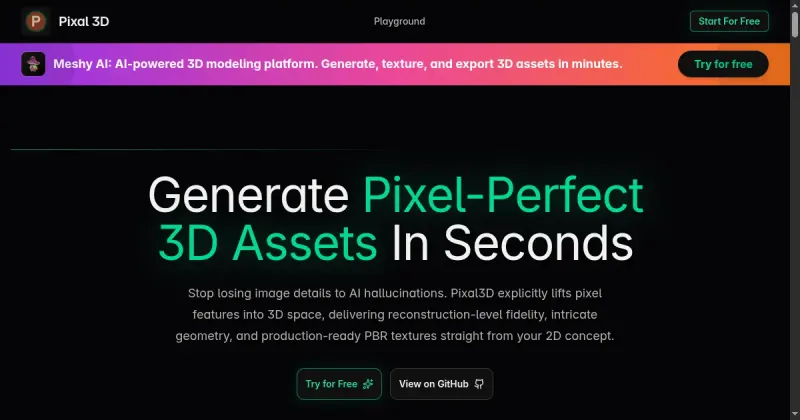
Pixal3D turns single or multi-view images into pixel-aligned 3D assets with geometry and PBR textures, then exports them as GLB. It is aimed at 3D artists, game developers, and researchers who need generated assets to match their reference images.
Who it's for
- 3D artists turning concept art or sketches into textured GLB assets for 3D software.
- Game developers who need image-derived props or scene assets for Unity or Unreal Engine workflows.
- Researchers exploring image-to-3D generation who want a browser demo or local inference scripts.
Not the right fit if…
- Teams that require exports in formats other than GLB: the page lists GLB as the output format.
- People running the local implementation without a modern dedicated GPU: the page recommends one for local use, though its browser demo requires no installation.
How it fits your workflow
Open the browser-based Gradio demo or use the GitHub implementation locally. Upload a single image or multiple views of the object, character, or scene.
Pixal3D back-projects image features into a 3D feature volume, generates geometry and PBR textures, and lets you download the result as a GLB asset for use in 3D software or game engines.
Pricing
Free: The page advertises a free trial or free access, but does not specify limits or detailed terms.
Free access
Try for free; price and plan details are not stated.
- · The page offers a browser demo.
- · The page invites users to try Pixal3D for free.
Prices checked on Nov 8, 2026 from the vendor's site. They can change; confirm before you buy.
Key features
- Pixel back-projection
- Lifts multi-scale 2D image features into a 3D feature volume to establish direct pixel-to-3D correspondence and preserve the reference view's details.
- Single- and multi-view generation
- Generates from a single image or aggregates features from multiple views to improve consistency around the model and account for details from different angles.
- PBR textures
- Generates assets with physically based material maps. The page names base color, normal, and roughness maps.
- GLB export
- Exports generated geometry and textures as GLB assets for use in 3D software and game engines.
- Modular scene synthesis
- The page describes a pipeline that can parse complex images into object-separated 3D scenes.
- Browser demo and open-source implementation
- Pixal3D offers a Hugging Face Gradio web demo and describes code, models, documentation, and inference scripts as available for custom or local use.
Works with
- Unity
- Unreal Engine
- Blender
- Hugging Face
- GitHub
Limitations to know
- A modern dedicated GPU is recommended for local use, according to the page.
- The stated downloadable output format is GLB; other export formats are not listed.
Alternatives to consider
-
Imgto3d
Choose it if you want to add an English text prompt to a single image and preview the GLB in the browser.
-
Image to 3D AI
Choose it if you need options for geometry-only outputs, auto-retopology, or exports beyond GLB.
-
3D AI Studio
Choose it if you need PLY export, trial credits, or stated commercial licensing.
Getting started
A modern dedicated GPU is recommended for local use; the browser demo can be used without installation.
- Open the browser demo or use the GitHub repository for local inference.
- Upload a single reference image or multiple views.
- Generate geometry and PBR textures, then download the GLB asset.
Frequently asked questions
What is Pixal3D?
Pixal3D is a pixel-aligned 3D generation system that creates high-fidelity 3D assets from images, with generation designed to remain consistent with the input view.
Can I use multiple reference images?
Yes. Pixal3D supports multi-view generation by aggregating back-projected feature volumes from different angles.
What file formats does Pixal3D output?
The page says Pixal3D generates GLB meshes with detailed geometry and PBR textures.
Can Pixal3D generate full scenes?
Yes. Its modular pipeline is described as producing object-separated 3D scenes from images.
Who developed Pixal3D?
The page says Pixal3D was developed by Dong-Yang Li and researchers from Tsinghua University in collaboration with TencentARC.
Do I need powerful hardware to run Pixal3D?
The browser demo can be tried without installation. For local use through the GitHub repository, the page recommends a modern dedicated GPU.
What architecture is Pixal3D based on?
The page says the original paper used Direct3D-S2 and the latest open-source implementation is built on the Trellis.2 backbone.