Imgto3d
Imgto3d is a browser-based AI tool that converts a single 2D image plus an English text prompt into a ready-to-use 3D .glb model, with an interactive preview and export for use in Blender, Unity, Unreal Engine and web AR.
Imgto3d is image & design software teams evaluate for image & design. Use this page to review pricing, integration signals, and the best alternatives before you commit.
Profile facts come from the vendor source. AiMatch labels unknown pricing or API details instead of estimating them.
Review official source →Used in These Packs
Quick Overview
Best for: Image & Design
What it does
Image & Design software for decision-makers comparing workflow fit and alternatives.
Best fit
Image & Design
Pricing snapshot
Free from Free
Next step
Compare Imgto3d with similar tools before you shortlist it.
Compare this tool before you shortlist it
Review alternatives, pricing posture, and workflow fit side by side.
Imgto3d is an online tool that converts a single 2D image and an English text prompt into a ready-to-use 3D mesh and texture exported as a .glb file. The service runs in the browser—no heavy software installation is required—and provides an interactive preview so users can inspect the generated asset before downloading. It targets creators from hobbyists to developers and lists compatibility with Blender, Unity, Unreal Engine and web AR viewers for immediate integration into production pipelines (https://imgto3d.app/).
Imgto3d is a browser-based AI tool that converts a single 2D image plus an English text prompt into a ready-to-use 3D .glb model, with an interactive preview and export for use in Blender, Unity, Unreal Engine and web AR.
Own this listing?
Claim this page for a one-time $29 to add pricing, features, screenshots, verified owner details, and a clearly labeled 30-day category position after the profile is live.
Claim this listing for $29Key Features
Single-image to 3D conversion
Generates a full 3D mesh and texture from a single 2D picture using the site's AI pipeline.
Prompt-guided generation
Accepts an English text prompt to provide context (e.g., 'a red chair') so the AI can better infer object shape and context.
Neural-network depth and texture inference
Uses neural networks to infer depth and texture automatically to construct the 3D geometry and appearance.
Interactive preview
Provides an in-browser interactive viewer to inspect the generated model before downloading.
.glb export
Downloads high-quality .glb files ready for immediate use.
Browser-based
Operates directly in the browser with no heavy software installation required.
Optimized for game and AR engines
Generated assets are optimized for import into Blender, Unity, Unreal Engine, and web AR viewers.
Pricing
The site is presented as a free image-to-3D converter available online (page title: 'Free Image to 3D AI Model Online').
Free
Free- Browser-based image to 3D conversion
- Export high-quality .glb files
- Interactive preview
Use Cases
Rapid prototyping
Quickly turn concept images into 3D prototypes to iterate designs and obtain feedback within minutes.
E-commerce visualization
Convert product photos into interactive 3D models to improve online product presentation and customer engagement.
AR experiences
Generate lightweight models suited for augmented reality on mobile and web platforms.
Game development and background assets
Create props and background assets that can be imported into game engines like Unity and Unreal.
Accessible 3D for hobbyists and creators
Enables users without advanced modeling skills to produce professional-looking 3D models.
Integrations
Blender
Exported .glb models can be imported into Blender for further editing and rendering.
Unity
Generated assets are optimized for import into Unity game projects.
Unreal Engine
Models can be imported into Unreal Engine for use in games and real-time experiences.
Web AR viewers
Produces lightweight models suitable for web-based augmented reality viewers.
Benefits
Limitations
Frequently Asked Questions
No verified FAQs are available.
Getting Started
- 1 Step 1: Upload Your 2D Image — select or drag and drop a clear photo with even lighting.
- 2 Step 2: Enter a Descriptive Text Prompt — type an English prompt describing the object (e.g., 'a red chair').
- 3 Step 3: Generate the 3D Model — click Generate and wait for the AI to build the mesh and texture.
- 4 Step 4: Preview and Download — inspect the asset in the interactive viewer and download the .glb file.
Support
Contact via [email protected] (address provided on the site).
docs
Site includes links to Privacy Policy, Terms of Service and Cookie Policy under Resources.
API
Compare Imgto3d with similar tools
See how it stacks up against alternatives
Related Tools
View all 386 →

AI Horde (stable-horde)
AI Horde (stable-horde) is a free, community-powered image and text generation service where volunteers run open-source workers to share spare GPU/CPU power for on-demand AI generation, accessible via web frontends or an open REST API.



StockLibrary.ai
StockLibrary.ai is an AI-powered platform for generating customized, royalty-free stock images on demand using user-provided descriptions and adjustable style, size, and brand preferences.
Premium Alternatives
Illusion Diffusion
Illusion Diffusion is a web-based AI photo-to-art generator that transforms designs, text, or photos into illusion-style artwork using ControlNet, OpenPose, and Stable Diffusion models. It offers credit-based image generation, downloadable results, and presets for text-to-image and brand/logo reimagining.
Realistic AI
Realistic AI is a web-based generator and editing suite for photorealistic images and videos. Users can create from text prompts or photos, choose from multiple AI models, and use additional tools to humanize, restore, upscale, or retouch images.

GPT Image 2.5
GPT Image 2.5 is a prompt-based image generation and editing workspace offering two model modes—Flare for fast creative exploration and Sunburst for detail-focused edits—designed for product visuals, portraits, campaigns, and other content creation workflows.

Hairstyleai
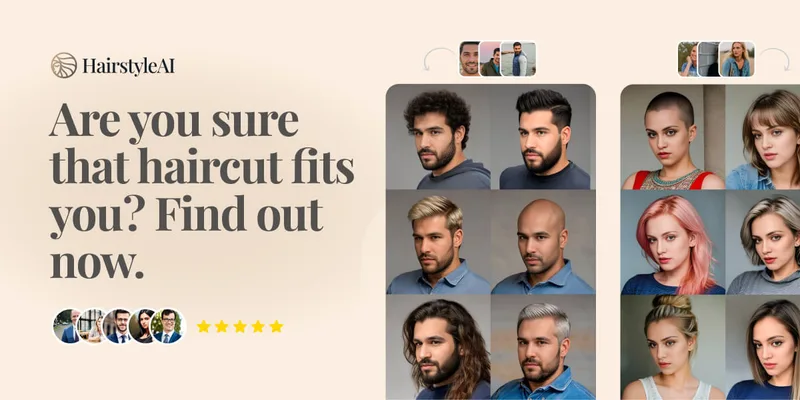
HairstyleAI is a virtual AI hairstyle try-on service (powered by HeadshotPro.com) that lets users preview new haircuts on their photos before committing to a real cut, offering dozens of generated looks and downloadable HD images.