
PNGTo3D
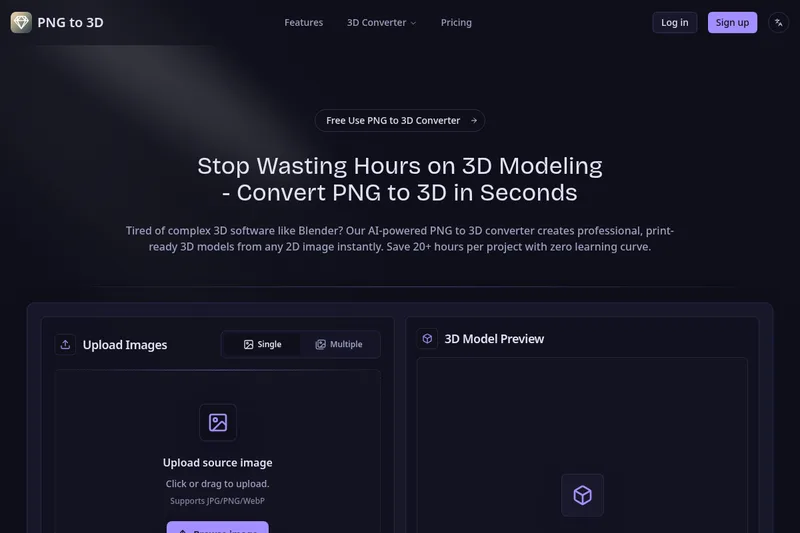
PNGTo3D converts uploaded images into previewable, downloadable 3D models. Designers, game developers, and 3D printing teams can export models for compatible software, game engines, or printing workflows.
Who it's for
- Indie game designers converting character sprites or other 2D assets for 3D workflows.
- Product designers who want to create 3D prototypes from sketches or images.
- 3D print shops converting customer graphics into STL geometry for review and printing.
Not the right fit if…
- Teams with source images larger than 50 MB or above 8K resolution: the page states these upload limits.
How it fits your workflow
Upload one or more images; the page lists JPG, PNG, and WebP as accepted upload formats. The AI analyzes depth and builds a 3D model.
Inspect the result in the interactive viewer, rotate or zoom, and adjust depth, smoothing, or mesh density if needed.
Download a model in a listed format such as OBJ, STL, GLTF, FBX, or PLY for use in compatible 3D software, game engines, or printing workflows.
Pricing
Free: The first PNG-to-3D conversion is free, with no credit card required. The page does not state a recurring free-plan allowance.
Free
First conversion is free; no credit card required.
- · Free first PNG-to-3D conversion
Basic
$14.99 per month, or $12 per month with yearly billing (20% savings)
- · 300 credits per month
- · Multiple model types
- · Email support
- · Multi-view PNG to 3D
Pro
$29.99 per month, or $24 per month with yearly billing (20% savings)
- · 1,000 credits per month
- · Multiple model types
- · Priority processing queue
- · Priority email support
Max
$89.99 per month, or $72 per month with yearly billing (20% savings)
- · 3,500 credits per month
- · All premium model types
- · Highest priority processing
- · Priority email support
Prices checked on Nov 26, 2026 from the vendor's site. They can change; confirm before you buy.
Key features
- AI depth detection
- The converter analyzes image depth, edges, and surfaces to generate depth maps and build 3D geometry.
- Batch conversion
- Upload and convert multiple images at once; the page says batch generation can process more than 100 PNGs.
- Interactive 3D preview
- Inspect generated models in a viewer, with controls to rotate and zoom before downloading.
- Model customization
- Adjust depth intensity, smooth surfaces, control mesh density, and optimize output for uses such as printing or gaming.
- Multiple export formats
- Download models as OBJ, STL, GLTF, FBX, or PLY for use with compatible 3D tools and workflows.
- Cloud processing
- The page says conversion runs on GPU-accelerated servers and typically completes in under 30 seconds.
Works with
- Blender
- Unity
- Unreal Engine
- ZBrush, Maya, and Cinema 4D
- 3D printers and slicers
Limitations to know
- The page states an upload size limit of 50 MB and an image resolution limit of 8K.
- The page recommends high-resolution images with clear subjects, good contrast, defined edges, and minimal transparency for more accurate results.
Alternatives to consider
-
Pixal3D
Choose it if you need single- or multi-view image input and PBR-textured GLB assets, rather than PNGTo3D's listed range of export formats.
-
Image to 3D AI
Choose it if you want text-prompt input or tools such as auto-retopology, which are listed for Image to 3D AI.
-
Imgto3d
Choose it if your workflow specifically uses an English text prompt alongside a single image to generate a GLB model.
Getting started
The page states that images can be up to 50 MB and 8K resolution; it does not state additional system requirements.
- Upload or drag in an image.
- Wait for the AI to generate the model and inspect it in the preview.
- Adjust settings if desired, then download the model in a supported format.
Frequently asked questions
Which images work best for 3D conversion?
The page recommends high-resolution images (1080p or higher) with clear subjects and good contrast. It says photos, logos, illustrations, and game sprites can be converted, and that defined edges and minimal transparency produce the most accurate depth.
How accurate is the AI conversion?
The page claims 95%+ accuracy in depth detection for most images and says results depend on the image.
Can I use the generated models commercially?
The page says models created with the converter are royalty-free and that users have commercial rights to sell, distribute, or use them.
What file formats can I export?
The feature list names OBJ, STL, GLTF, FBX, and PLY. The FAQ specifically names OBJ and STL.
Is there a file size limit?
The page says uploaded PNG files can be up to 50 MB and describes support for images up to 8K resolution.