
ProtoFlow
ProtoFlow is an AI-native, desktop-first PCB design companion that helps hardware teams go from idea to a cleaner schematic and export faster, with AI-assisted part discovery, circuit generation, and cleanup — free to start.
ProtoFlow is ai tools software teams evaluate for other. Use this page to review pricing, integration signals, and the best alternatives before you commit.
Profile facts come from the vendor source. AiMatch labels unknown pricing or API details instead of estimating them.
Review official source →Used in These Packs
Quick Overview
Best for: Other
What it does
AI Tools software for decision-makers comparing workflow fit and alternatives.
Best fit
Other
Pricing snapshot
Freemium from Free to start
Next step
Compare ProtoFlow with similar tools before you shortlist it.
Compare this tool before you shortlist it
Review alternatives, pricing posture, and workflow fit side by side.
ProtoFlow is an AI-native desktop tool for accelerating the early stages of PCB design. It lets users describe a board or circuit in plain language, drafts a first-pass schematic with AI assistance, places key parts and cleans up repetitive wiring work, and exports a tidier project to mainstream EDA tools (KiCad or Altium). The product is positioned for hardware engineers, makers, students, startups, educators, and researchers and is free to start with optional paid plans for higher AI usage and limits. The site emphasizes a desktop-first workflow (Get for Mac) designed to keep work local and collaborative features such as live collaboration and Git integration.
AI-powered PCB design tool for engineers and hardware teams Discussion | Link
Own this listing?
Claim this page for a one-time $29 to add pricing, features, screenshots, verified owner details, and a clearly labeled 30-day category position after the profile is live.
Claim this listing for $29Key Features
AI Part Generator
Generates parts and assists with part selection using AI (advertised as 'Free AI Part Generator').
Find Parts / Part Discovery
Search every distributor at once to locate components and unify part discovery into a single place.
Generate Circuits
Describe the circuit you want in plain language and get a cleaner first draft assembled by ProtoFlow.
Cleanup & Export
Automatically clean up the first-pass schematic and export a tidy project to KiCad or Altium.
Desktop-first PCB Editor
A desktop-focused editor reimagined for the early, awkward part of hardware design with commenting and custom themes.
Live Collaboration
Work together in real time on designs when multiple contributors are needed.
Git Integration & Visual Diff
Keep design changes versioned and view visual git diff overlays directly in the editor.
Pricing
Free to start; users can move up to paid plans for more AI help and higher limits.
Free
Free to start- Access to core AI-assisted drafting features
- Local desktop workflow
Paid plans
Paid plans available (details on site)- Higher AI usage limits
- Additional AI help and enterprise options
Use Cases
Rapid schematic drafting
Describe a board or block in plain language and get a first-pass schematic drafted and cleaned up automatically.
Part discovery and selection
Search multiple distributors at once to find parts and populate a component library for your design.
Prototyping for startups and makers
Move from idea to board faster to prototype hardware before pitching or producing.
Teaching and learning
Educators and students can build real boards and learn by doing with guided AI-assisted schematics.
Research & test rigs
Spin up test rigs quickly using AI-assisted drafting to iterate on hardware experiments.
Integrations
KiCad export
Export cleaned projects into KiCad to continue deeper PCB layout work.
Altium export
Export cleaned projects into Altium for further layout and production workflows.
Git Integration
Version design changes and see visual git diffs directly in the editor.
Distributor search
Search across component distributors to populate parts and component libraries from one place.
Benefits
Limitations
Frequently Asked Questions
What is ProtoFlow?
Does it replace KiCad or Altium?
Is ProtoFlow free?
Can I use it for private projects?
Getting Started
- 1 Download: Click 'Get for Mac' to install the desktop app and start a free account.
- 2 Describe: Explain the board or block you want in plain language to generate a first-pass schematic.
- 3 Refine & Export: Use cleanup tools and part discovery, then export the cleaned project to KiCad or Altium.
Support
Documentation
Documentation, guides, and references available on the site (Docs, Guides & references).
Contact
Contact Us page on the site for questions and enterprise inquiries.
Discord
Community and discussion via Discord (link referenced on site).
System status
System status page for operational updates (Status referenced on site).
API
Compare ProtoFlow with similar tools
See how it stacks up against alternatives
Related Tools
View all 41 →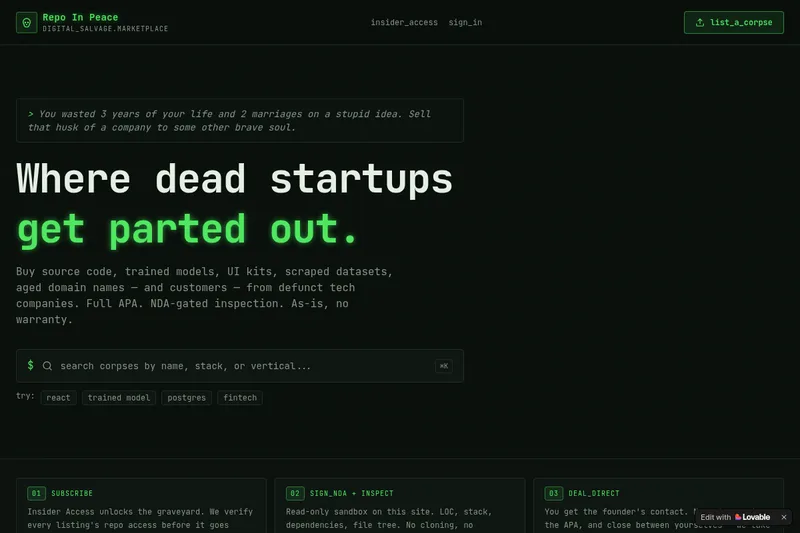
RepoInPeace
Repo In Peace is a digital salvage marketplace for buying and selling assets from defunct tech startups — source code, trained models, UI kits, scraped datasets, aged domains and customers — sold as-is under a full APA with NDA-gated inspection.



Domainfinderai
Domain Finder AI is an AI-powered domain discovery platform that generates unique, SEO-optimized domain name suggestions, checks availability, and links users to registrars. It targets entrepreneurs, startups, developers, and businesses with free and paid plans.

Tryonhaul
TryOnHaul AI is a web-based fashion discovery platform that uses AI-powered search and virtual try-on to surface popular try-on haul videos, aggregate product reviews, and let users virtually try clothing by uploading a photo. It targets shoppers, content creators, and e-commerce professionals.


SkyLoad iQ
SkyLoad iQ is an AI-driven air cargo load planning and ULD build-up solution that provides visualized 3D loading plans, optimization of cargo space and weight distribution, and integration options for enterprise systems to improve revenue and operational efficiency.