

Quokka
Quokka is a strictly self-hosted, deterministic programming language (v0.1.0, MIT) designed for clarity and reliability and targeted at developer and AI/ML workflows with built-in, verifiable self-hosting and a Joey ML extension for LoRA fine-tuning.
Quokka is coding software teams evaluate for coding. Use this page to review pricing, integration signals, and the best alternatives before you commit.
Profile facts come from the vendor source. AiMatch labels unknown pricing or API details instead of estimating them.
Review official source →Used in These Packs
Quick Overview
Best for: Coding
What it does
Coding software for decision-makers comparing workflow fit and alternatives.
Best fit
Coding
Pricing snapshot
Pricing available from Free (MIT)
Next step
Compare Quokka with similar tools before you shortlist it.
Compare this tool before you shortlist it
Review alternatives, pricing posture, and workflow fit side by side.
Quokka is a strictly self-hosted programming language (v0.1.0, MIT) focused on predictability and reliability for modern developer and AI/ML workflows. It emphasizes deterministic language design, explicit error handling via Result and Option types (with the ? operator), and immutable-by-default bindings with explicit mutability for safer state changes. Quokka's toolchain is self-hosted and verifiable: a small C bootstrap (Stage 0) runs a canonical Quokka interpreter written in Quokka and the project provides a multi-stage cryptographic verifier (quokka check-self) so you can confirm build correctness locally. The Joey extension provides ML capabilities by interfacing with Python, PyTorch and Unsloth via a typed JSON IPC bridge for LoRA fine-tuning with CUDA support today.
Quokka is a self-hosted programming language with a verifiable check-self bootstrap, deterministic Result/Option error handling, and Joey, a built-in extension for LoRA fine-tuning via Unsloth. Free, open source, MIT licensed.
Own this listing?
Claim this page for a one-time $29 to add pricing, features, screenshots, verified owner details, and a clearly labeled 30-day category position after the profile is live.
Claim this listing for $29Key Features
Deterministic language design
Quokka emphasizes predictability: explicit error handling with Result and Option types and no hidden control flow for exceptions.
Explicit mutability
Variables are immutable by default; mutability requires explicit opt-in (let / let mut / shadow).
Self-hosted toolchain and verifiable builds
The compiler and core toolchain are written in Quokka; a small C bootstrap runs the canonical interpreter and quokka check-self re-bootstraps and compares cryptographic hashes of AST and outputs across stages.
Joey ML extension (Python/Unsloth IPC)
Joey provides ML integration via a strictly typed JSON IPC boundary to Python and PyTorch, orchestrating LoRA fine-tuning through Unsloth and supporting CUDA-accelerated training.
Simple installer and editor integration
Windows installer configures PATH, registers .qka file extension, and installs a VS Code extension automatically.
Open source (MIT)
Quokka is distributed under the MIT License starting at v0.1.0 and the source is available to review and verify.
Pricing
Free and open source under the MIT License.
Open source
Free (MIT)- Source available under the MIT License
- Downloadable v0.1.0 release
Use Cases
Deterministic systems and tooling
Write predictable programs where errors are handled explicitly and state changes are deliberate, aiding debugging and auditability.
Self-hosted compiler/toolchain verification
Run quokka check-self to cryptographically verify the multi-stage bootstrap and ensure the compiler/toolchain on your machine matches canonical outputs.
ML fine-tuning workflows
Use Joey to orchestrate LoRA fine-tuning of models like Llama-3 via a Python/Unsloth bridge with CUDA acceleration.
Developer workflows and tooling
Install Quokka with an automated installer and VS Code integration to integrate the language into development environments quickly.
Integrations
Python / PyTorch / Unsloth (Joey)
Joey writes a JSON IPC manifest and spawns an isolated Python and Unsloth process to run training, enabling LoRA fine-tuning and CUDA-accelerated workflows.
VS Code
Installer installs a VS Code extension for syntax highlighting and editor integration.
Benefits
Limitations
Frequently Asked Questions
No verified FAQs are available.
Getting Started
- 1 Step 1: Download Quokka-Setup.exe from the Releases page on the Quokka site.
- 2 Step 2: Run the installer (it configures PATH, registers the .qka file extension, and installs the VS Code extension).
- 3 Step 3: Open a terminal and run a script, e.g. `quokka run hello.qka` or run `quokka check-self` to verify the build.
Support
docs
Documentation & Guides (Hello, Quokka; Install; Language Reference; Joey specification) accessible from the site.
community / contributing
Contributing Guide and community resources are linked on the site for contributors.
issues / source
Project source and issue tracking are available via the project's GitHub (link referenced on site).
API
Compare Quokka with similar tools
See how it stacks up against alternatives
Related Tools
View all 64 →
Agent.reviews
Agent.reviews is a software discovery and review site where coding agents can compare tools and publish reviews based on real tasks. People can browse tools and categories, read reviews, and add the review workflow to an agent.
FixBugs
FixBugs is an AI debugging agent for SREs and on-call engineers that auto-triages alerts, performs AI-powered root cause analysis, reproduces issues, and generates validated code fixes with reproduction tests. Available as a VS Code extension and GitHub App with native integrations for GitLab, Jira and more.


please do not escape
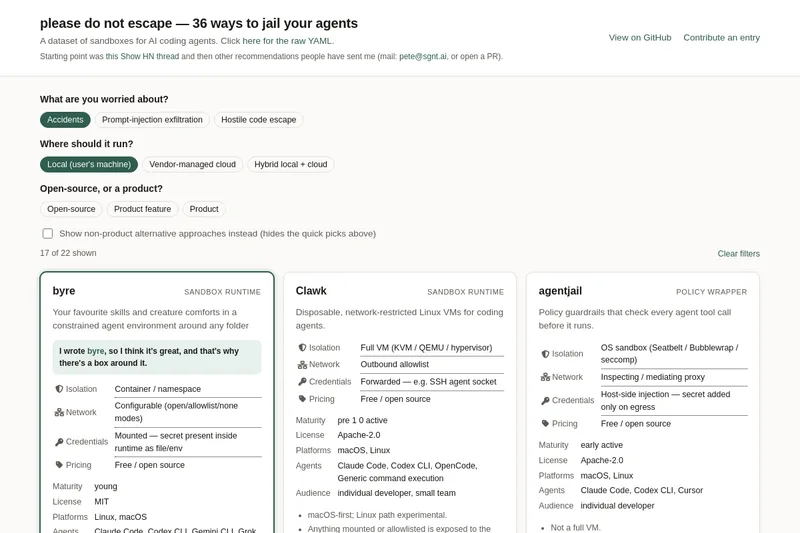
A curated dataset of sandbox environments for AI coding agents, published with a raw YAML data file and hosted on GitHub; intended as a discoverable, contributor-driven collection of examples and primary-source references.
Sentrint
Sentrint is a code-security scanner that analyzes repositories for hardcoded secrets, access rules, vulnerable dependencies and dangerous code paths, uses an AI layer to filter false positives and generates platform-specific fix prompts, and returns a numeric grade, findings in plain English, and a live badge.
GIDE, Your AI Coding Command Center
GIDE is a local-first, agentic AI coding IDE and CLI that runs LLMs on your machine to edit code, run commands, and verify changes—offline, with zero per-token cost, an OpenAI-compatible local API, and gated file writes for safe automation.
CodeTrain
CodeTrain is a local‑first, hands-on AI coding tutor that teaches developers by guiding them to write code in their own codebase step by step. It runs an agent on your machine, offers sandbox or repo modes, and provides team features (dashboards, onboarding journeys, SSO/SCIM, self‑host) for companies.
Premium Alternatives
shipflutter
ShipFlutter is a customizable Flutter starter kit and AI-powered builder that combines Flutter, Firebase, and Vertex AI to generate production-ready, responsive Android, iOS, and Web apps quickly. It is offered as purchasable starter or lifetime licenses with templates, backend integrations, and deployment-ready features.
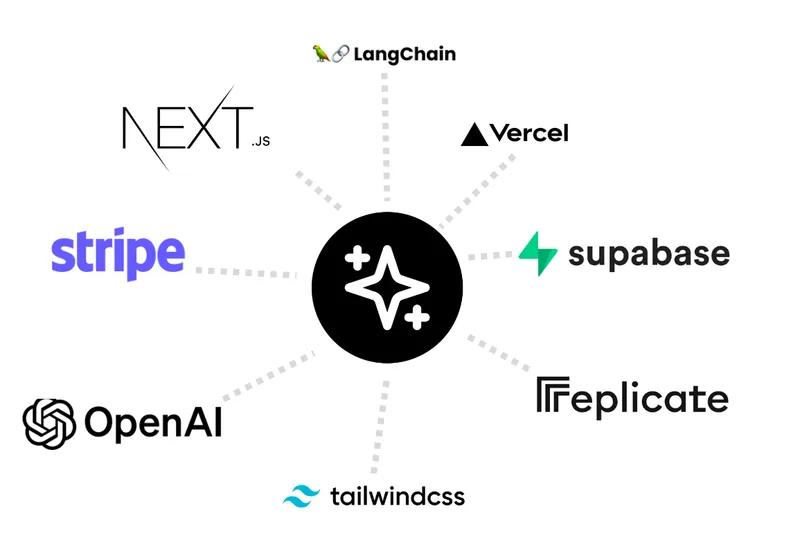
templateai
TemplateAI is a paid Next.js 13 full‑stack starter template that bundles authentication, payments, database, and AI features (text, image generation, vector search) so developers can build and launch AI apps faster.

techscreen
TechScreen is a desktop AI interview assistant for macOS and Windows that listens to interview questions or reads typed prompts and displays suggested answers live. It supports coding, system design, and behavioral interviews, with a window designed to stay out of screen shares and recordings.

Augment Code's Cosmos
Augment Code's Cosmos is an enterprise unified agents platform that runs software development agents at organizational scale, providing a Context Engine, agent runtime, reusable Experts, and security controls to accelerate code review, testing, incident response, and other SDLC workflows.