
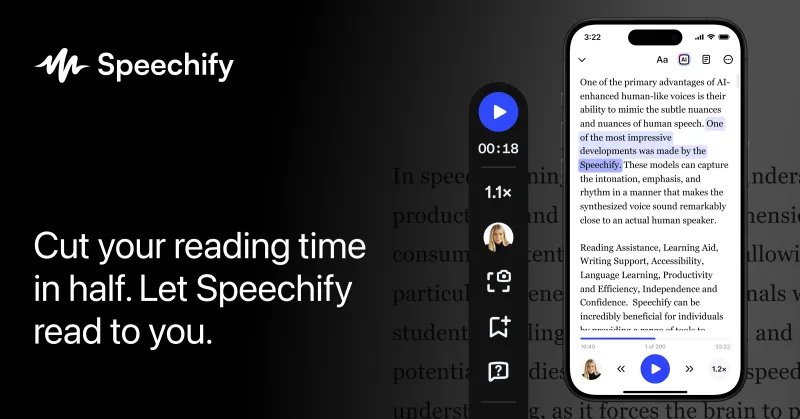
Speechify
Speechify is a cross-platform Voice AI productivity assistant that provides natural-sounding text-to-speech, AI voice assistant conversations, voice typing/dictation, voice cloning, podcast creation, and developer APIs to convert text and documents into speech and voice-first workflows.
Speechify is voice & speech software teams evaluate for voice & speech. Use this page to review pricing, integration signals, and the best alternatives before you commit.
Profile facts come from the vendor source. AiMatch labels unknown pricing or API details instead of estimating them.
Review official source →Quick Overview
Best for: Voice & Speech
What it does
Voice & Speech software for decision-makers comparing workflow fit and alternatives.
Best fit
Voice & Speech
Pricing snapshot
Freemium from Free (trial available)
Next step
Compare Speechify with similar tools before you shortlist it.
Compare this tool before you shortlist it
Review alternatives, pricing posture, and workflow fit side by side.
Speechify is a voice-first AI productivity platform that combines natural-sounding text to speech, a conversational Voice AI assistant, voice typing/dictation, voice cloning, podcast creation, OCR-based scanning, and developer APIs. It is available across web, browser extensions (Chrome and Edge), native desktop apps (macOS, Windows), and mobile apps (iOS, Android). The product targets a broad audience—students, professionals, creators, and people with reading challenges—by enabling faster consumption of written content, hands-free writing, and voice-driven workflows.
Speechify also provides developer-facing capabilities via a Text to Speech API and Voice Agents APIs, and offers enterprise and education plans for bulk deployments. The site highlights accessibility use cases (e.g., dyslexia), productivity gains (faster listening and voice typing), and creator features such as turning documents into podcasts and using a library of AI voices.
Speechify is a cross-platform Voice AI productivity assistant that provides natural-sounding text-to-speech, AI voice assistant conversations, voice typing/dictation, voice cloning, podcast creation, and developer APIs to convert text and documents into speech and voice-first workflows.
Own this listing?
Claim this page for a one-time $29 to add pricing, features, screenshots, verified owner details, and a clearly labeled 30-day category position after the profile is live.
Claim this listing for $29Key Features
Text to Speech (TTS)
Convert PDFs, docs, web pages and other text into lifelike, emotional AI voices with support for 1,000+ voices and 60+ languages; includes speed control and text highlighting.
Voice Typing / Dictation
AI-powered dictation that turns spoken words into polished text across apps with automatic grammar correction and filler-word removal; described as available on the free plan.
Voice AI Assistant
A conversational voice assistant that can summarize content, answer questions about pages, take meeting notes, and provide context-aware responses while you listen.
AI Voice Generator & Voice Cloning
Create custom voices and clone a speaker's voice (with the speaker’s permission) for reading content, voice-overs, and dubbing.
AI Podcast Creator
Create podcasts from documents or short descriptions in one click with controls for style and depth.
Scan & OCR
Scan physical pages or images using OCR to read aloud and convert text to speech.
Cross-platform Apps & Browser Extensions
Available as Web app, Chrome and Edge extensions, iOS & Android apps, and native Mac & Windows apps for synchronized voice-first workflows.
Developer APIs
Text to Speech API (same API powering Speechify products) with features like instant voice cloning, streaming, SSML, emotional controllability, speech marks, and language support.
Pricing
Speechify offers a free plan and a free trial of premium; Voice Typing (AI dictation) is available on the free plan.
Free
Free (trial available)- Access to basic Text to Speech and Voice Typing features
- Voice Typing (dictation) available on free plan
Premium / Paid
Not specified on page- Advanced voices, faster playback speeds
- Offline listening (Premium users)
- Expanded features for creators and faster limits
Enterprise / Education
Contact sales- Bulk plans for school districts and teams
- Dedicated support for large deployments
Use Cases
Reading & Accessibility
Listen to PDFs, articles, and documents with natural-sounding voices to improve comprehension and accessibility for dyslexia, visual impairment, or fatigue.
Faster Writing & Dictation
Use Voice Typing to dictate emails, notes, and documents hands-free and up to several times faster than typing.
Research & Summarization
Ask the Voice AI assistant to summarize pages, extract key points, and answer questions about long-form content.
Podcast & Content Creation
Turn articles, documents, or short prompts into produced podcasts and voice content quickly.
Enterprise & Education Deployments
Deploy Speechify at scale for school districts, teams, and organizations using bulk plans and enterprise offerings.
Integrations
Browser Extensions (Chrome, Edge)
Read web pages aloud, voice type in browser, and query the Voice AI assistant directly in-browser.
Native Apps (iOS, Android, macOS, Windows)
Use Speechify across mobile and desktop apps for synced listening, dictation, and content creation.
APIs (Text to Speech, Voice Agents)
Developer APIs enable programmatic TTS, instant voice cloning, streaming, SSML, and other advanced speech features.
In-app usage across other applications
Speechify's voice typing is described as working across apps such as Slack and Outlook to produce polished text.
Benefits
Limitations
Frequently Asked Questions
What is Speechify?
Does Speechify have an AI Voice API or TTS API?
Is Voice Typing / dictation available on the free plan?
Can Speechify be used offline?
What devices and platforms does Speechify support?
Getting Started
- 1 Step 1: Visit Speechify and create an account or click 'Try For Free' on the web or mobile app.
- 2 Step 2: Download the appropriate app or extension (Web, Chrome/Edge extension, macOS, Windows, iOS, Android).
- 3 Step 3: Upload or add content (Upload on Web/Mac, 'New' on Web app, 'Add Files' on Mac, 'Upload' on mobile) and choose a voice or enable Voice Typing.
- 4 Step 4: For developer usage, sign up and access the Text to Speech API docs to obtain API credentials and review integration options.
Support
Help Center
Access product documentation, FAQs, and guides via the Speechify Help Center linked from the site.
Contact / Sales
Contact page and sales team for enterprise, education, and bulk licensing inquiries (page lists 'Contact' and 'sales team for schools or teams').
API Documentation
Developer docs for Text to Speech and Voice Agents APIs available on Speechify (requires account to use APIs).
API
Text to Speech API and Voice Agents API documentation are available on Speechify's website (requires account to access and use).
Compare Speechify with similar tools
See how it stacks up against alternatives
Related Tools
View all 98 →
Join the Mic Captions beta
Mic Captions (beta) is a TestFlight beta app that turns spoken audio into real-time, easy-to-read captions on iPhone and iPad, with translation, session saving, transcript replay, and navigation by Topics and Words.




Wispr Flow
Wispr Flow is an AI voice-to-text app that turns speech into polished writing across apps on Mac, Windows, iPhone, and Android. Its subscription also includes an AI meeting notetaker for recording meetings and producing transcripts, summaries, and next steps.
Speechtonote
Speech to Note is a cross-platform voice-to-text note-taking app (desktop, mobile, web) that records, transcribes, summarizes, and organizes spoken content using advanced AI models to produce editable notes in 100+ languages.

Flowspeech
FlowSpeech is an AI-powered, context-aware text-to-speech studio that generates lifelike, emotion-aware voice audio with fine-grained pause and accent controls and multi-speaker casting for professional audio production.
Premium Alternatives




Bswan
Bswan is a managed conversion infrastructure platform that uses AI voice and messaging funnels to activate new users, recover early churn, and increase lifetime value by running telephony, messaging, routing, tracking and continuous optimization for campaigns at scale.


SigmaMind AI (sigma-ai)
SigmaMind AI (sigma-ai) is a voice AI platform that creates deployable voice agents for call centers to handle outbound and inbound campaigns—lead generation, debt collection, appointment setting, and customer support—integrating with existing dialers and CCaaS stacks.