

Teediy
TeeDIY is an online, beginner-friendly custom apparel design and printing service that lets users create T-shirt and hoodie designs in minutes using uploads, prompts, or templates. Design previews are free; orders are printed in California and fulfilled when you choose to buy.
Teediy is design generators software teams evaluate for software & gaming. Use this page to review pricing, integration signals, and the best alternatives before you commit.
Used in These Packs
Quick Overview
Best for: Software & Gaming
What it does
Design Generators software for decision-makers comparing workflow fit and alternatives.
Best fit
Software & Gaming
Pricing snapshot
Free
Next step
Compare Teediy with similar tools before you shortlist it.
Compare this tool before you shortlist it
Review alternatives, pricing posture, and workflow fit side by side.
Teediy
TeeDIY is a web-based design and print-on-demand service focused on custom apparel (T-shirts, hoodies, sweatshirts and similar products). The editor targets people with no design experience by offering templates, AI/assistive tools, and instant mockups so users can upload a photo, type a prompt, or start from a layout and get a print-ready design quickly. Creating and previewing designs is free; customers only pay when placing an order. Orders are printed in California and shipped to customers.
The product is aimed at casual creators, gift buyers, small creators and fans who want quick, polished wearable designs without learning complex design software. TeeDIY emphasizes fast turnaround, easy tools (background removal, auto-layout, style filters), and free edits before purchase.
TeeDIY is an online, beginner-friendly custom apparel design and printing service that lets users create T-shirt and hoodie designs in minutes using uploads, prompts, or templates. Design previews are free; orders are printed in California and fulfilled when you choose to buy.
Own this listing?
Claim this page to add pricing, features, screenshots, and verified owner details.
Claim this listingKey Features
Free design editor
Designers can upload photos, type a prompt, or start from templates and generate unlimited free previews; payment is required only when placing an order.
Templates & starting layouts
Ready-made templates and categorized starter layouts (Collage, Memorial, Fun Pets, Pet Avatars, etc.) to jump-start the design process.
Magic cleanup (background removal)
Automatic background removal and edge refinement to produce print-ready images without manual masking.
Style Assist and one-click styles
Apply vintage, comic, sporty and other stylistic treatments automatically without manual tweaking.
Auto layout & Smart spacing
Automatic spacing and alignment to keep designs balanced across different product mockups.
Smart edit
Edit specific elements of an image by describing the change (e.g., remove or refine elements) for precise adjustments.
Instant mockups
See how designs look on tees and hoodies with generated previews before ordering.
California printing & fast shipping
Orders are printed in California, with fast shipping options and free edits before purchase.
No credit card required to design
Users can create and refine designs without entering payment details until they decide to order.
Pricing
Designing and generating unlimited previews is free. Payment is required only when you place an order for printed products.
Use Cases
Personal apparel and gifts
Create custom tees, hoodies or sweatshirts for birthdays, events, or personal style using photos or prompt-driven designs.
Pet and memorial designs
Design pet avatars, memorial shirts and personalized keepsakes using templates and photo cleanup tools.
Small-batch merch for creators
Quickly mock and order small runs of merchandise for creators, community events, or limited drops without design expertise.
Event and team shirts
Produce event tees or team apparel fast by using templates and auto-layout to ensure consistent, print-ready results.
Integrations
Claim this listing to add integrations.
Benefits
Limitations
Frequently Asked Questions
Is designing really free?
Do I need design experience?
How long does it take?
What products can I print on?
Getting Started
- 1 Step 1: Click Start Designing to open the editor (no credit card required).
- 2 Step 2: Upload a photo, type a short prompt describing your design, or pick a template to begin.
- 3 Step 3: Use smart tools (auto layout, style assist, magic cleanup) to refine the design and view instant previews. Place an order when you’re happy.
Support
Docs / FAQ
Quick answers and onboarding information available via the site FAQ and help resources (linked in the footer).
Contact form
Contact page available from the site footer for customer service inquiries: https://www.teediy.com/contact
Order History / Account
Account area provides order history, favorites, coupons and account management (accessible after login).
API
Compare Teediy with similar tools
See how it stacks up against alternatives
Related Tools
View all 180 →
bevelify
Bevelify is an AI-powered 3D model generator that transforms text prompts and images into high-quality, detailed 3D models quickly and easily, requiring no design skills. It is ideal for creators, designers, and developers seeking fast and realistic 3D content creation.



mondial3d-ai-3d-model-generator
Mondial3D AI is a platform offering AI-powered 3D model generation, collections, and tools for creators and developers in the 3D modeling space.


Plusvector
PlusVector is an AI-powered vector illustration engine that generates scalable SVG and PNG graphics from simple prompts or templates, aimed at designers, developers, and teams who need editable, resolution-independent visuals for web and print.

Thearabicnamegenerator
Free, browser-based Arabic calligraphy generator that converts English input into authentic Arabic styles (Kufi, Naskh, Thuluth, Diwani, Nastaliq and 10+ others) with customization and high-resolution export for print or digital use.
Premium Alternatives

Aidancevideo
AI Dance Video is a web tool that turns any still photo (people, pets, or objects) into a short, shareable dancing video using motion-control AI models — aimed at social creators and casual users who want quick, humorous dance clips.
Headshotsbyai
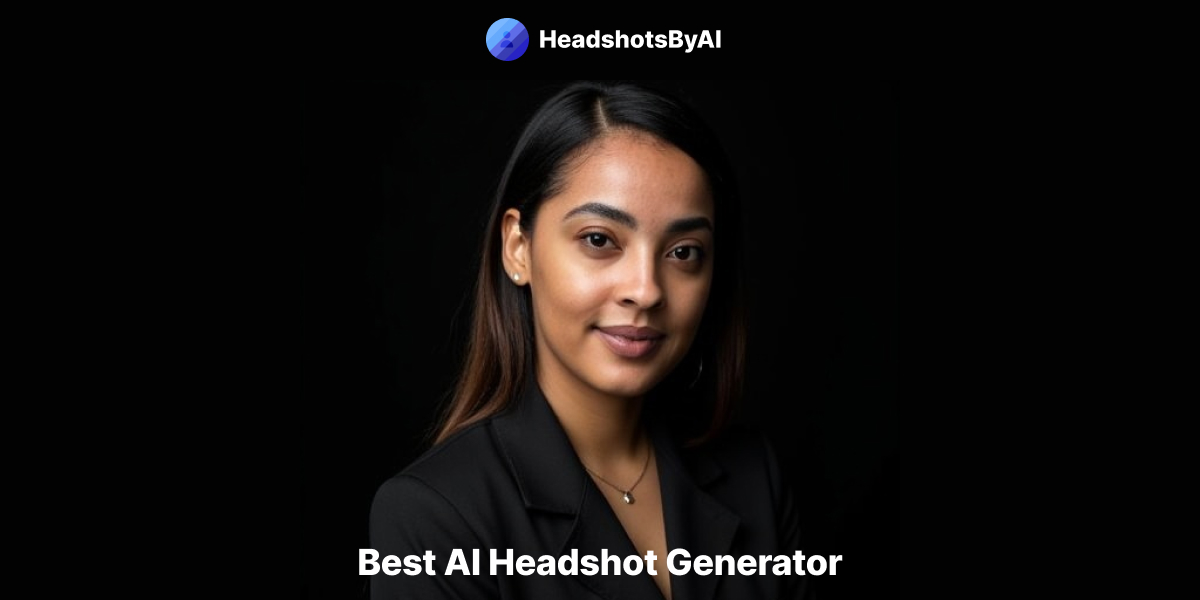
HeadshotsByAI is a photorealistic AI headshot generator that creates professional headshots in under 10 minutes from 1–5 casual photos, aimed at individuals and teams who need consistent, studio-quality images without an in-person photoshoot.

pitch-patterns
Pitch Patterns is an AI-powered conversation analytics platform that provides real-time insights, coaching, and automated analysis for call centres, sales teams and customer service operations to improve performance and compliance.
analog-assistant
Analog AI offers self-learning, emotionally intelligent digital employees designed for virtual tours, short interviews, and customer service. These digital humans combine advanced emotional intelligence with common-sense reasoning to autonomously make decisions and escalate complex cases to human agents.
%22%2F%3E%20%3Ctext%20x%3D%2250%25%22%20y%3D%2250%25%22%20dominant-baseline%3D%22central%22%20text-anchor%3D%22middle%22%20font-family%3D%22system-ui%2C-apple-system%2Csans-serif%22%20font-weight%3D%22700%22%20font-size%3D%2250%22%20fill%3D%22white%22%3EA%3C%2Ftext%3E%20%3C%2Fsvg%3E)

Documentpro
DocumentPro is an AI-powered document processing and workflow automation platform that extracts structured data from any document format and exports it to downstream systems, delivered via API or a web app for rapid embed and deployment.

Corner Time
Corner Time is a minimalist macOS app that displays a native-like clock in the screen corner, even when the menu bar is hidden or in fullscreen mode, enabling distraction-free workflows and digital minimalism.
