

Toolpilotai--timebolt
TimeBolt is a waveform-first video editing tool that automatically removes silence, filler words, and bad takes with 0.01s precision, offers local/on‑prem processing for privacy-sensitive workflows, and includes a built-in 4K screen & webcam recorder plus captioning and export options.
Toolpilotai--timebolt is video software teams evaluate for video. Use this page to review pricing, integration signals, and the best alternatives before you commit.
Used in These Packs
Quick Overview
Best for: Video
What it does
Video software for decision-makers comparing workflow fit and alternatives.
Best fit
Video
Pricing snapshot
Freemium from Free (download/trial available)
Next step
Compare Toolpilotai--timebolt with similar tools before you shortlist it.
Compare this tool before you shortlist it
Review alternatives, pricing posture, and workflow fit side by side.
Toolpilotai--timebolt
TimeBolt is a video editing and recording application designed to dramatically shorten edit time by automatically removing silence, filler words, and bad takes using waveform-precision jump cuts and transcription intelligence. It combines a native 4K screen and webcam recorder with an editor that applies ultra-precise silence detection (0.01s) so words are never cut off and edits require little to no manual cleanup. TimeBolt targets creators (YouTubers, podcasters, streamers), freelancers, and enterprise teams that need fast, accurate edits with strong privacy controls.
TimeBolt offers multiple processing modes: local processing where video never leaves the device, a hybrid mode that extracts audio for temporary transcription (AWS Transcribe) with immediate deletion, and a Vault on-premises option for fully offline speech recognition suitable for HIPAA/finance/government compliance. It also includes caption generation and a variety of export formats and integrations for common NLEs.
TimeBolt is a waveform-first video editing tool that automatically removes silence, filler words, and bad takes with 0.01s precision, offers local/on‑prem processing for privacy-sensitive workflows, and includes a built-in 4K screen & webcam recorder plus captioning and export options.
Own this listing?
Claim this page to add pricing, features, screenshots, and verified owner details.
Claim this listingKey Features
Automatic Silence & Filler Removal
Detects silence and removes it automatically to create jump cuts; can process an hour of video in seconds and aims to produce edits that require no cleanup.
Waveform-Precision Jump Cuts
On-device waveform analysis detects silence with 0.01s precision (not dependent on transcript timing) so words are not clipped and breath room can be fine-tuned.
UMCHECK™ — Multi-layer Detection
Three-layer approach combining waveform precision, AI transcription, and custom phrases to remove filler words, phrases, and bad takes with high accuracy.
Local Processing & Privacy Modes
Options for fully local processing or hybrid modes; video can remain 100% on device, with audio-only transcription handled transiently or fully on-prem via TimeBolt Vault for sensitive environments.
Built-in 4K Screen & Webcam Recorder
Native 4K recording of screen and webcam simultaneously, smart crop/auto-frame, live camera switching and multi-source capture.
Captions & SRT Export
Auto-generate burn-in styled captions that stay synced after edits and export SRT files for downstream use without re-syncing.
Rich Export & NLE Integration
Export workflows include MP4 clips, SRT captions, Premiere Pro extension and XML, FCPXML for Final Cut, DaVinci Resolve, Camtasia, XML-Sequence, TSCPROJ, and more.
Turbo Mode & Time Compression
Exclusive time-compression mode that accelerates speech up to a point (claims ~12% faster speech retention) while preserving natural sound for faster consumption.
Stitch & Teaser Creator
Create preview teasers or stitched highlights from best moments automatically to promote content quickly.
Fine Control Over Padding & Look-ahead
Adjust padding between cuts to preserve natural breath and control how far the algorithm looks ahead before marking a take as bad.
Pricing
A free download / trial is available (details and limitations not provided on the referenced page).
Free
Free (download/trial available)- Access to the free download/trial version
- Basic capture and automatic cut features (details not specified on page)
Use Cases
YouTube Creators
Convert long-form recordings into polished videos quickly — reduce hours of footage to publish-ready content with minimal manual editing and generate vertical/shorts variants.
Podcasters
Clean timelines by removing ums, long pauses, and bad takes, then fine-tune the transcripted text for publication and captioning.
Streamers & Gamers
Process multi-track stream recordings to create highlight reels and condensed clips for social sharing.
Enterprise & Compliance Workflows
On-prem Vault option and offline ASR enable use in healthcare, finance, government, and other regulated environments requiring strict data control and retention policies.
Freelancers & Agencies
Speed up client edits by automating tedious silence/filler removal and exporting NLE-compatible project files for final polish.
Integrations
Adobe Premiere Pro (Extension & XML)
Export sequence XML or use the Premiere Pro extension to continue editing in Premiere.
Final Cut Pro (FCPXML & Multi-Cam)
Export FCPXML and multi-cam compatible sequences for Final Cut workflows.
DaVinci Resolve
Export timelines compatible with DaVinci Resolve for color grading and finishing.
Camtasia
Export projects for Camtasia editing and production.
SRT & Caption Files
Export SRT files or burn-in styled captions that remain synced after edits.
AWS Transcribe (hybrid mode)
In the hybrid processing mode, extracted audio may be sent to AWS Transcribe for speech recognition and is deleted immediately after transcription.
Benefits
Limitations
Frequently Asked Questions
How does TimeBolt achieve precise cuts without clipping words?
Does my video get uploaded to the cloud?
What is UMCHECK™?
Can I export to professional NLEs?
Is there an option for regulated environments like healthcare?
Getting Started
- 1 Step 1: Download the free TimeBolt app or join the free trial from the TimeBolt website.
- 2 Step 2: Capture your content using the built-in 4K screen & webcam recorder or import existing footage.
- 3 Step 3: Use the VideoSubtractor/editor to auto-remove silence, filler words and bad takes, adjust padding as needed, then export to your preferred format or NLE.
Support
Docs
Product documentation and feature pages available on the TimeBolt website (links referenced on site).
Blog
Product blog with updates, tips, and workflow examples.
Forum
Community forum for discussion, troubleshooting, and user support.
Account/Support
Account-level support and help options referenced on the site (specific contact details not provided on the page).
API
Compare Toolpilotai--timebolt with similar tools
See how it stacks up against alternatives
Related Tools
View all 81 →
Videocaption
Videocaption is a browser-based tool that auto-generates and burns stylish, editable subtitles into videos for social and professional use, using AI transcription and support for .srt/.vtt files. It's aimed at creators, marketers, educators and teams who need fast, accessible captioning without heavy desktop software.



Cinemadrop
CinemaDrop is an all-in-one AI filmmaking studio that turns a single idea into a full script, storyboard, and finished video using generative image, video and audio models with built-in character & scene consistency.
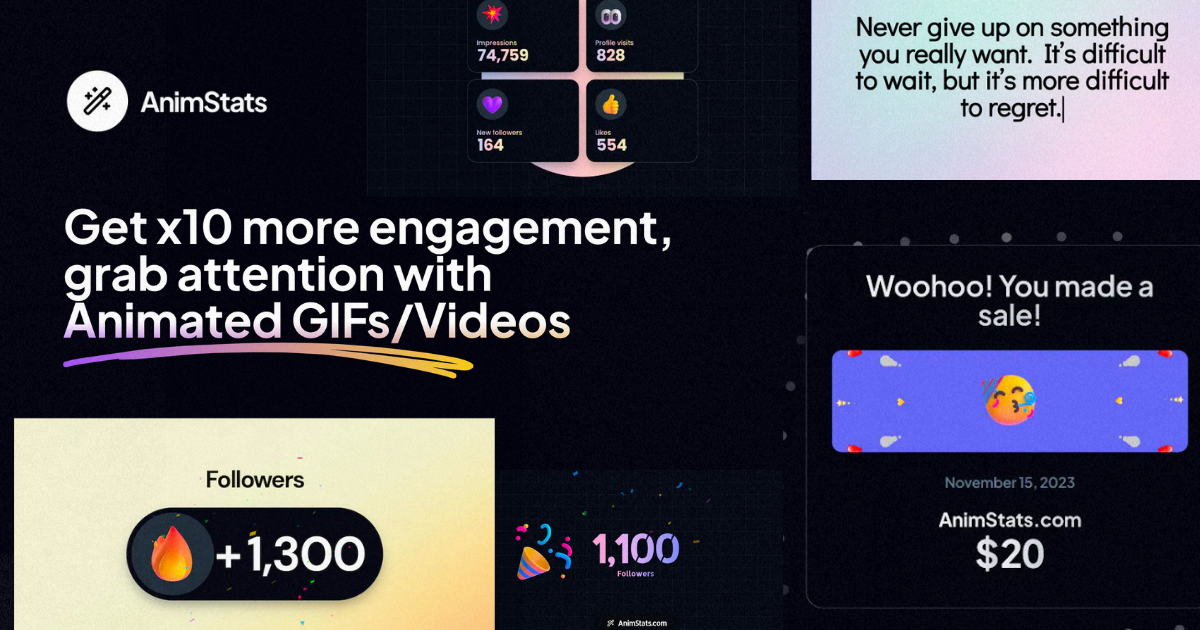

Checkout-ds24
TubeMagic is an AI-powered suite for YouTube creators that generates video scripts, ideas, titles, tags, descriptions and other channel optimization assets, matching your channel voice and optimizing for SEO and discoverability.


Premium Alternatives



Writingmate
WritingMate.ai appears to be an AI-powered writing product sold through Lemon Squeezy. The public page provides pricing information but includes minimal product detail.

Momentum AI
Momentum AI is a production-ready Retrieval-Augmented Generation (RAG) starter kit that provides a complete full-stack application for building AI chatbots capable of understanding documents. It offers a fast setup, free local LLM integration, and comprehensive documentation, designed for developers, indie hackers, companies, and students.

writegenic-ai
Writegenic AI is an advanced AI-powered writing assistant designed to generate full-length technical, business, and project management documents quickly and efficiently, optimized for SEO and tailored to your brand voice.

prefixbox-com
Prefixbox is an AI-powered product search and discovery solution designed for e-commerce retailers to increase conversion rates and online revenue through personalized search, AI agents, and product recommendations.