
turbodoc
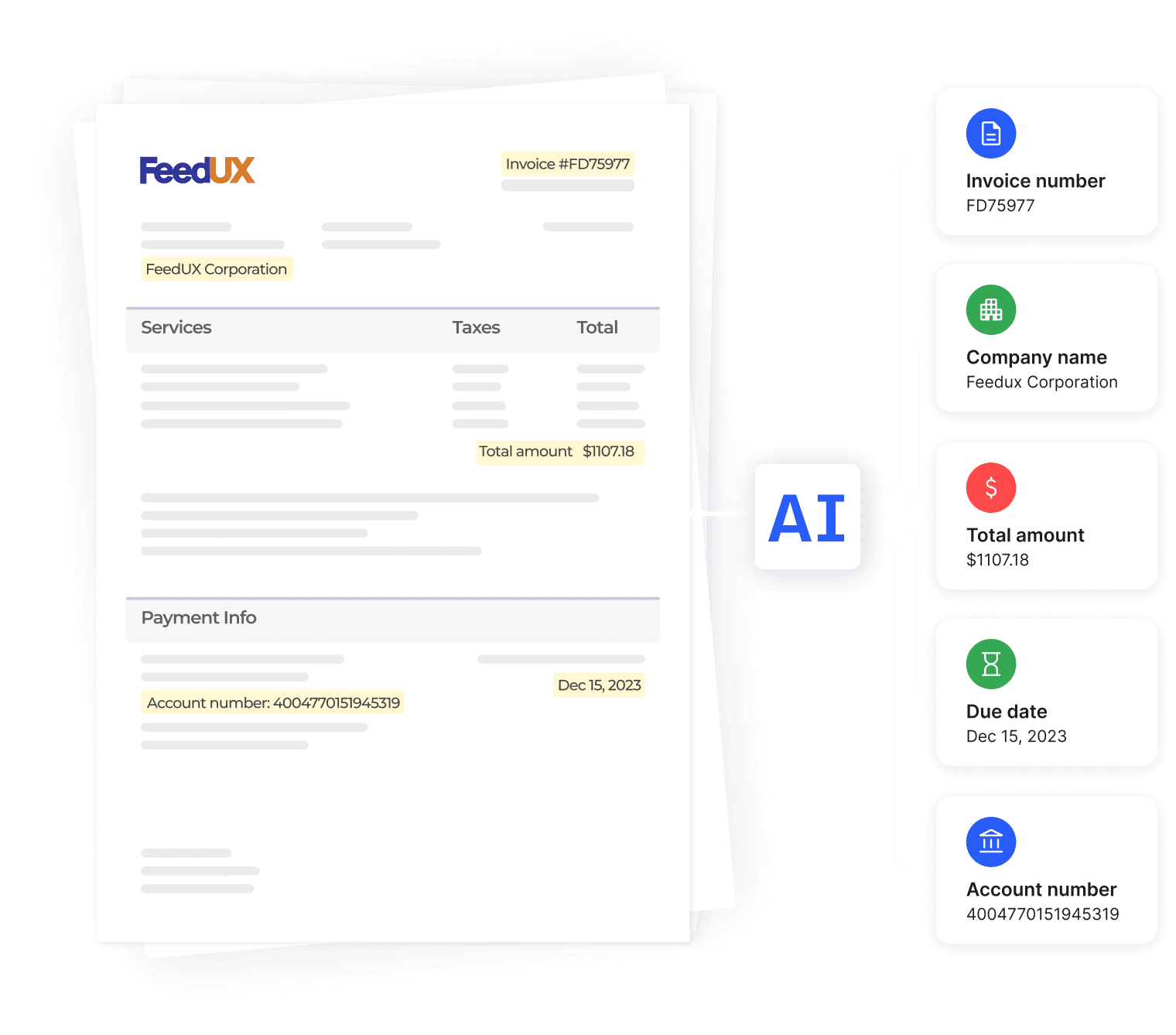
TurboDoc is an AI-powered document processing SaaS that extracts structured data from invoices, receipts and bank statements, automates capture from email (Gmail/Outlook), and provides a centralized dashboard for review, editing and export to CSV/XLS for accounting workflows.
turbodoc is automation software teams evaluate for business operations. Use this page to review pricing, integration signals, and the best alternatives before you commit.
Profile facts come from the vendor source. AiMatch labels unknown pricing or API details instead of estimating them.
Review official source →Used in These Packs
Quick Overview
Best for: Business Operations
What it does
Automation software for decision-makers comparing workflow fit and alternatives.
Best fit
Business Operations
Pricing snapshot
Freemium from $6 /month
Next step
Compare turbodoc with similar tools before you shortlist it.
Compare this tool before you shortlist it
Review alternatives, pricing posture, and workflow fit side by side.
TurboDoc is an AI-driven document processing service focused on extracting structured data from invoices, receipts and bank statements. The product offers a live demo and free trial, a centralized dashboard where extracted data and original documents are stored, and the ability to export extracted data to CSV/XLS for accounting and audit purposes. It targets accounting teams and businesses looking to automate accounts payable, reduce manual data entry, and improve budget planning and control.
AI-powered invoice processing and automation tool.
Own this listing?
Claim this page for a one-time $29 to add pricing, features, screenshots, verified owner details, and a clearly labeled 30-day category position after the profile is live.
Claim this listing for $29Key Features
AI data extraction
Powered by an advanced AI model trained on a large corpus of documents to provide precise data extraction from invoices, receipts and bank statements.
Import from email
Link Gmail or Outlook to automate invoice and receipt capture directly from your mailbox.
File upload and live demo
Upload .pdf, .jpeg, .png, .webp, .heic, .tiff files in the demo to see extracted results; demo includes on-page upload and immediate extraction example.
Export to CSV / XLS
Export extracted data in xls and csv formats for downstream accounting and reporting.
Centralized secure workspace
All extracted data and original documents are organized in a dashboard where you can view, edit and download originals.
View and Edit mode
Open a document from the dashboard to review the original and extracted fields side-by-side, update fields and save corrections instantly.
Enterprise-level encryption
Data protection with AES256 enterprise-level encryption; data stored on TurboDoc servers in the USA.
Multi-language document support
Processes documents in English, Spanish, German, French, Italian, Dutch, Portuguese, and Catalan.
Pricing
Free trial available (demo on page and 'Get trial for free' offers); early-bird one month free access promotion mentioned.
Simple
$6 /month- 50 invoice processing per month
- 10 bank statements processing per month
- Automatic invoice processing from Gmail or Outlook
- Connect 1 account for document collection
Pro
$30 /month- 300 invoice processing per month
- 50 bank statements processing per month
- Automatic invoice processing from Gmail or Outlook
- Connect 3 accounts for document collection
Business
$100 /month- 1000 invoice processing per month
- 200 bank statements processing per month
- Automatic invoice processing from Gmail or Outlook
- Connect 10 accounts for document collection
Use Cases
Invoice processing automation
Automatically capture and extract invoice fields (amounts, invoice number, dates, payment details) to speed up accounts payable workflows.
Receipt and bank statement extraction
Extract structured data from receipts and bank statements for reconciliation, expense tracking and bookkeeping.
Audit and accounting exports
Export data in CSV/XLS for accounting periods, audits and downstream financial reporting.
Mailbox-driven document capture
Connect Gmail or Outlook to automatically ingest incoming invoices and receipts without manual upload.
Budget planning and control
Use extracted accounts payable data to support budgeting and financial controls.
Integrations
Gmail
Connect to automatically capture invoices and receipts from your mailbox.
Outlook
Connect to automatically capture invoices and receipts from your mailbox.
CSV/XLS export
Export extracted data in CSV or XLS formats for import into accounting systems.
Benefits
Limitations
Frequently Asked Questions
How can I try out data extraction feature?
Can I compare extracted data with the original document?
In what ways does automating invoice processing lead to cost savings?
Can the system process documents with poor image quality?
Is there technical support available for users?
What languages does the web service support for documents processing?
Getting Started
- 1 Step 1: Try the live demo on the page by uploading an invoice or receipt (.pdf, .jpeg, .png, .webp, .heic, .tiff).
- 2 Step 2: Sign up for a free trial account to get full access to features.
- 3 Step 3: Connect Gmail or Outlook to enable automatic document ingestion and begin processing; review and edit extracted data in the dashboard.
Support
FAQ / Docs
On-site FAQ and Academy resources linked in the site navigation.
Contact form / Email
Contact us / request a call options and support contact accessible via site (Contact us / Book a call).
Premium support (paid plans)
Pro and Business plans include premium technical support with faster response times.
API
Compare turbodoc with similar tools
See how it stacks up against alternatives
Related Tools
View all 148 →

TamedTable, AI ETL in Natural Language
TamedTable is a source-available AI-first ETL tool that lets you load tabular data, issue natural-language commands to clean, enrich, classify, validate, and reshape data, and then replay or export those transformation recipes (browser and CLI).

Browser Tools SDK
Browser Tools SDK is an open-source npm package from Libretto that gives AI agents a small set of Playwright-backed browser tools so agents can open real browsers, read page snapshots, and run Playwright actions programmatically.


Document Automation
DocuQueue automates end-to-end document workflows using AI to detect and fill PDF form fields, generate business-ready documents, enforce templates/branding, and integrate with existing systems via API and webhooks. It's targeted at teams across legal, HR, sales, finance, and regulated industries.


bewai-idp-documents-in-decision-out
Bewai Intelligent Document Processing (IDP) est une plateforme SaaS française d'automatisation du traitement documentaire pour frontoffice, backoffice et BPO : catégorisation, extraction, contrôles, workflows et intégration via API pour secteurs banque, assurance, immobilier, abonnement, etc.

Bettersheets
Better Sheets offers Google Sheets-focused courses, tutorials, templates and web tools — including AI-assisted formula generators, Apps Script helpers, export/URL utilities, and OnlySheets to publish or sell spreadsheets — aimed at analysts, operators, and creators who build production spreadsheets and automations.
Premium Alternatives

ikapture
iKapture is an AI-fueled accounts payable automation platform that uses AI/ML/NLP and human intelligence in a no-code environment to extract document data, automate invoice processing and integrate with ERPs to improve cash flow monitoring and AP efficiency.



AI Content Labs
AI Content Labs is a multimodal AI content creation platform that lets teams design visual workflows, connect multiple AI providers (text, image, voice), and automate production of textual and visual content at scale.
chatwithcloud
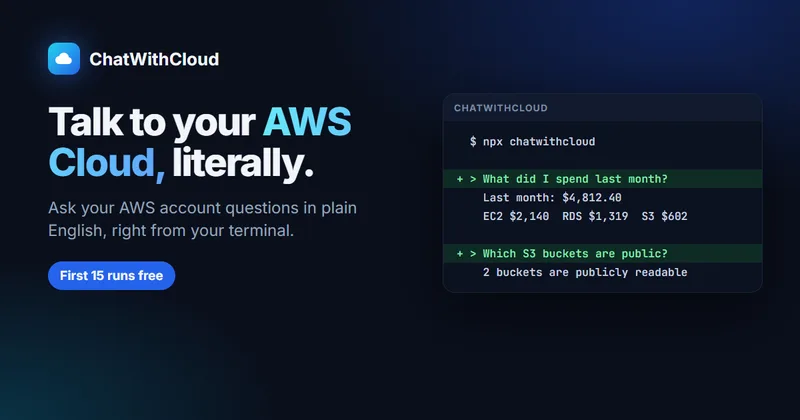
ChatWithCloud is an AI-powered command-line tool for asking questions about an AWS account in plain English. It runs AWS SDK calls locally, explains account-specific results, and can make infrastructure changes when the active IAM permissions allow them.

ModularMind
ModularMind is a workflow automation product that lets users "automate your work by describing it," offered with a Maia Plus plan that unlocks advanced AI-powered features and higher usage limits.

Productify.ai
Productify.ai is an API-first platform that ingests and normalises unstructured product content (images, packaging, text, tables) into structured, compliant, reusable product data for retailers, agencies, and enterprise teams.