
Wave
Wave.video is an all-in-one online video platform that combines a live streaming studio, multistreaming, video editor, recorder, thumbnail maker, video hosting, and a built-in stock library, aimed at creators and businesses who produce social and marketing videos.
Wave is video software teams evaluate for content & marketing. Use this page to review pricing, integration signals, and the best alternatives before you commit.
Profile facts come from the vendor source. AiMatch labels unknown pricing or API details instead of estimating them.
Review official source →Used in These Packs
Quick Overview
Best for: Content & Marketing
What it does
Video software for decision-makers comparing workflow fit and alternatives.
Best fit
Content & Marketing
Pricing snapshot
Free
Next step
Compare Wave with similar tools before you shortlist it.
Compare this tool before you shortlist it
Review alternatives, pricing posture, and workflow fit side by side.
Wave.video is an online platform that combines a live streaming studio, multistreaming, an online video editor, video recorder, thumbnail maker, video hosting, and a built-in stock library into a single product. It targets creators and businesses who need tools for producing, streaming, hosting, and sharing social and marketing videos, offering features like multistreaming to multiple channels, customizable live broadcasts, secure video hosting with analytics, and AI-assisted video generation.
Wave.video is an all-in-one online video platform that combines a live streaming studio, multistreaming, video editor, recorder, thumbnail maker, video hosting, and a built-in stock library, aimed at creators and businesses who produce social and marketing videos.
Own this listing?
Claim this page for a one-time $29 to add pricing, features, screenshots, verified owner details, and a clearly labeled 30-day category position after the profile is live.
Claim this listing for $29Key Features
Live Streaming Studio & Multistreaming
Unbeatable multistreaming software to create fully-customized live streams, broadcast pre-recorded videos to multiple channels simultaneously, and invite guests.
Online Video Editor
Resize and trim videos, combine clips, change layouts, add text animations, stickers, transitions, and editable auto-generated captions and custom subtitles.
Video Recorder
Online video recording tool with customizable layouts, scene planning/management, and the ability to share tabs or videos and invite guests to pre-record.
Thumbnail Maker
Remove background from photos, apply layouts, and add titles to create attention-grabbing video thumbnails.
Video Hosting
Upload and store videos, create editable video landing pages, personalize video players, embed videos, password protect videos, and track analytics.
Built-in Stock Library
Extensive library of stock videos, images, and audio tracks from top-rated providers available inside the platform.
AI Video Generation
"Generate video with AI" workflows to create videos from text, templates, blog posts, or stock assets.
Automatic Captions & Subtitler
Add editable auto-generated captions and custom subtitles quickly.
Pricing
Sign up free — a free tier is advertised on the site.
Use Cases
Social media video creation
Make videos for Instagram, YouTube, Facebook, including templates for stories, reels, covers, and posts.
Live streaming and broadcasts
Stream live or broadcast pre-recorded videos to multiple channels simultaneously and invite guests for interviews or shows.
Marketing and ad videos
Create video ads, promo videos, and testimonial videos using templates and AI-assisted tools.
Video hosting and analytics
Host videos with branded players, embed on websites, password protect content, and track viewer analytics.
Content repurposing and thumbnails
Generate thumbnails, intros/outros, and convert text or blog posts into video assets.
Video recording and podcasts
Pre-record podcasts or shows with guest invites, scene planning, and layout customization.
Common creator workflows
Use cases explicitly listed: Facebook Video Cover, Text on Video, Intro and Outro, Video in Email, Combine Video Clips, Add Gifs to Videos.
Integrations
Facebook Live
Support for Facebook live streaming and related social media templates.
YouTube Live / YouTube
YouTube live streaming support and ability to import video content from YouTube.
Import from Instagram and create Instagram-sized/video templates like Reels & Stories.
Embed & Website
Embed hosted videos on blogs and websites using the platform's video player.
Benefits
Limitations
No verified limitations are available.
Frequently Asked Questions
No verified FAQs are available.
Getting Started
- 1 Sign up free on the Wave.video website.
- 2 Create a new project: choose Blank video, Blank image, or Generate video with AI from text, templates, or blog posts.
- 3 Use the video editor, live streaming studio, or recorder to customize your video; then host, embed, or multistream as needed.
Support
Contact Us
Contact page linked from the site for direct inquiries.
Knowledge Base / Docs
Knowledge Base and Video Tutorials listed as resources for self-help.
Community
Facebook Community referenced for peer support and engagement.
Newsletter
Subscribe to the newsletter for updates and tips.
API
Compare Wave with similar tools
See how it stacks up against alternatives
Related Tools
View all 103 →
Renderforest
Renderforest is an AI creative platform for making videos, images, designs, logos, and websites. It combines generative tools, customizable templates, and a video editor for creators and professional teams.

TotalMedia Clean
TotalMedia Clean is an AI-powered online video cleanup tool that removes watermarks and subtitles using advanced AI inpainting to reconstruct backgrounds and produce flicker-free results, aimed at creators, marketers, subtitlers, and filmmakers.



Autocaption
AutoCaption is an AI-powered web app that automatically generates styled, animated captions and ready-to-post videos for TikTok, Instagram Reels, YouTube Shorts, LinkedIn and other platforms, aimed at creators and teams who want fast captioning and cross-platform exports.

Premium Alternatives

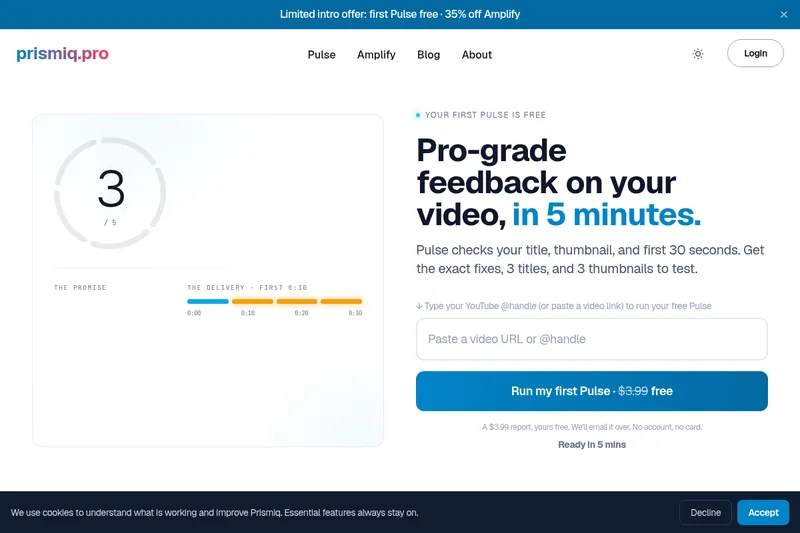
Prismiq
Prismiq Pulse is a post-publish video audit for YouTube that evaluates your title, thumbnail, and first 30 seconds, returns a Pulse score, timestamped friction points, and delivers 3 test-ready title variations plus 3 thumbnail concepts. Reports are ready in about five minutes and can be run by pasting any public YouTube URL.

Sendpotion
Potion (Sendpotion) is an AI video personalization platform that generates hyper-realistic videos in your own face, voice, and gestures for sales, marketing, support, and education, enabling scalable personalized outreach and video content creation.

Topaz Video
Topaz Video is Topaz Labs’ AI-powered desktop and cloud video enhancement application for filmmakers and videographers, offering model-based upscaling, denoising, stabilization, SDR→HDR conversion and other production-grade restoration and finishing tools.

reccloud-cn
录咖(reccloud)是一款面向创作者与企业的在线AI音视频处理平台,提供语音转文字、字幕生成、文字转语音、视频翻译、视频生成、去水印、人声分离、音视频总结等一键化AI工具与开发者API。


Text Remover
Text Remover is an online AI video cleanup tool that detects and removes text, captions, subtitles, and other overlays, reconstructing the background while aiming to preserve video quality. It is designed for creators, editors, and teams preparing videos for reuse or localization.
