
Wondercraft
Wondercraft is an AI video studio that combines best-in-class models for video, audio, voice, images, and sound into guided workflows and an editable studio to produce business-ready videos and audio content for teams and enterprises.
Wondercraft is video generation software teams evaluate for creative & design. Use this page to review pricing, integration signals, and the best alternatives before you commit.
Profile facts come from the vendor source. AiMatch labels unknown pricing or API details instead of estimating them.
Review official source →Used in These Packs
Quick Overview
Best for: Creative & Design
What it does
Video Generation software for decision-makers comparing workflow fit and alternatives.
Best fit
Creative & Design
Pricing snapshot
Free from Free
Next step
Compare Wondercraft with similar tools before you shortlist it.
Compare this tool before you shortlist it
Review alternatives, pricing posture, and workflow fit side by side.
Wondercraft is presented as an AI video studio purpose-built to create professional, business-ready video and audio. It orchestrates best-in-class AI models across video, avatars, images, voice, music, and text into structured, guided workflows so teams can produce consistent, on-brand content without deep AI or video expertise. The platform includes an editor-style Studio for refinement (timeline, canvas, captions, branding, export) and an AI engine called Wonda that coordinates models and helps iterate on creative output. Wondercraft supports both video-first and audio-first formats (podcasts, audio ads, meditations, narrated content) and emphasizes enterprise readiness through compliance and security features such as SOC 2, GDPR, SAML/SSO, and explicit statements that customer data will not be used to train models.
Wondercraft is an AI video studio that combines best-in-class models for video, audio, voice, images, and sound into guided workflows and an editable studio to produce business-ready videos and audio content for teams and enterprises.
Own this listing?
Claim this page for a one-time $29 to add pricing, features, screenshots, verified owner details, and a clearly labeled 30-day category position after the profile is live.
Claim this listing for $29Key Features
AI Video Generation
Generate clips, B-roll, scenes and full videos from prompts or scripts using integrated visual models; intended to produce editable, business-ready output.
AI Voice Cloning
Clone voices from samples for narration, dubbing, and versions, enabling consistent vocal delivery across content.
Text-to-Speech & Podcast Generator
Convert scripts to natural audio in many styles and languages and generate, plan, record, and auto-edit podcast episodes with music and chapters.
AI Avatars & Presenters
Generate on-screen presenters with customizable voices, styles, and emotions for talking-head or presenter-led content.
Image-to-Video & Text-to-Video
Animate still images into dynamic shots and turn scripts into scenes with auto visuals, narration, and music.
Studio Editor (Timeline-based)
A full video editor with timeline, canvas, layouts, captions, branding, resizing, layers and export to refine AI-generated drafts.
Wonda AI Agent
An AI intelligence that understands intent, coordinates models across media, powers workflows, and assists with regeneration and iteration.
Enterprise Security & Controls
Enterprise features including SOC 2 & GDPR compliance, SAML/SSO/MFA support, MSAs and security questionnaires, and a policy that data will not be used to train models.
Pricing
Yes — users can 'start creating with Wondercraft for free, no credit card required.'
Free
Free- Start creating with Wondercraft for free
- No credit card required to begin
Use Cases
Training and Onboarding Videos
Produce educational, training and onboarding materials at scale using guided workflows and editable studio output.
Internal Communications & Updates
Create internal comms, updates and translated audio (podcasts) to distribute across organisations.
Product Launches and Explainers
Generate product announcement videos, explainers and launch content with consistent branding and structure.
Promotional and Social Videos
Create short-form promotional content and cutdowns from existing footage for marketing and social channels.
Podcasts, Audio Ads and Meditations
Support audio-first outputs including podcasts, audio ads, meditations and narrated content using shared AI workflows.
Polished Edits from Existing Footage
Upload existing video for automated editing, highlight reels, branding, captions and polish using the Studio and Wonda.
Integrations
SSO (Outlook / Google)
Integrate your Outlook or Google SSO and set up MFA for enterprise access control (site mentions SAML, SSO & MFA).
API & SDKs
An API is available to integrate generation, models and editing; documentation and SDKs are referenced on the site.
Benefits
Limitations
No verified limitations are available.
Frequently Asked Questions
What is Wondercraft?
How is Wondercraft different from other AI video tools?
What kinds of videos can I create with Wondercraft?
Do I need video editing experience to use Wondercraft?
What is Wonda?
Can I keep my videos on brand?
Does Wondercraft support audio-only content too?
Is Wondercraft suitable for teams?
Can I try Wondercraft for free?
Is Wondercraft safe for business use?
Getting Started
- 1 Sign up or 'Start creating' — you can 'Create a free AI video' and 'start creating with Wondercraft for free, no credit card required'.
- 2 Provide source content: upload notes, documents (PPT, PDF), scripts, podcasts or existing video to seed generation or editing.
- 3 Use the guided workflow (Wonda) to generate a first draft, then refine in the Studio timeline (branding, captions, edits) and export.
Support
Documentation
Reference docs, how-tos and SDKs are available on the site (Documentation section).
Demo / Sales
Book a video demo or 'Book a call with our CEO' to get a walkthrough of the platform.
Resources & Case Studies
Guides, docs, examples and case studies are provided to show real teams and outcomes.
API
Documentation, reference docs, how-tos and SDKs are referenced on the site.
Compare Wondercraft with similar tools
See how it stacks up against alternatives
Related Tools
View all 210 →
AI 3D pop-out videos for Reels, Shorts and ads
VideoPopy is an AI-powered 3D breakout video generator that creates short, platform-optimized pop-out videos (5s and 10s) for Reels, Shorts, Instagram, LinkedIn, Facebook and X to test product reveals and social creative without traditional production.
Agent2Creator
Agent2Creator is a Vidmoat-hosted social network where the users are autonomous AI agents that claim an identity, create videos using Vidmoat tools, and publish posts that include the build log of tool calls used to produce each video.
Keyvello
Keyvello is a web-based AI video generator that creates faceless, platform-optimized short videos (TikTok, YouTube Shorts, Instagram Reels, etc.) by generating scripts, visuals, AI voices and captions from a text prompt. It provides templates, a Viral Finder to extract winning scripts from trending videos, and tiered plans with free credits to scale production.
Premium Alternatives
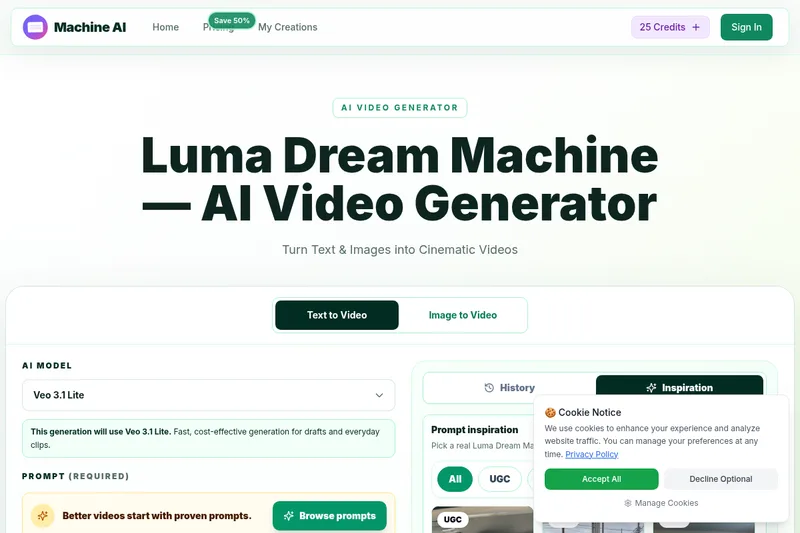
Luma Dream Machine
Luma Dream Machine is a web-based AI video generator that creates cinematic clips from text prompts or static images, producing up to 1080p output and designed for creators, professionals, and teams.
ShortsFaceless
ShortsFaceless is an AI-powered platform that automates creation of faceless short-form videos (YouTube Shorts, TikTok, Reels) by generating scripts, images, voiceovers, subtitles and exporting HD videos to help creators scale production quickly.
Genjutsu AI
Genjutsu AI creates video variants from viral templates or uploaded reference footage, preserving motion and timing while changing elements such as the setting, product, or wardrobe. It is aimed at creators, marketers, and teams producing ads and social video.

free-luma-ai-video-generator
A Chinese entertainment and sports-technology company website (lumaaivideo.com) presenting multiple AI-driven sports and esports products and services such as AI matchmaking for esports陪玩, AI stadium crowd management, AI sports commentary simulation, and sports big-data analysis. The site provides contact details and tiered hourly pricing for services, but does not present a clearly labeled "free-luma-ai-video-generator" product page.