
zookish
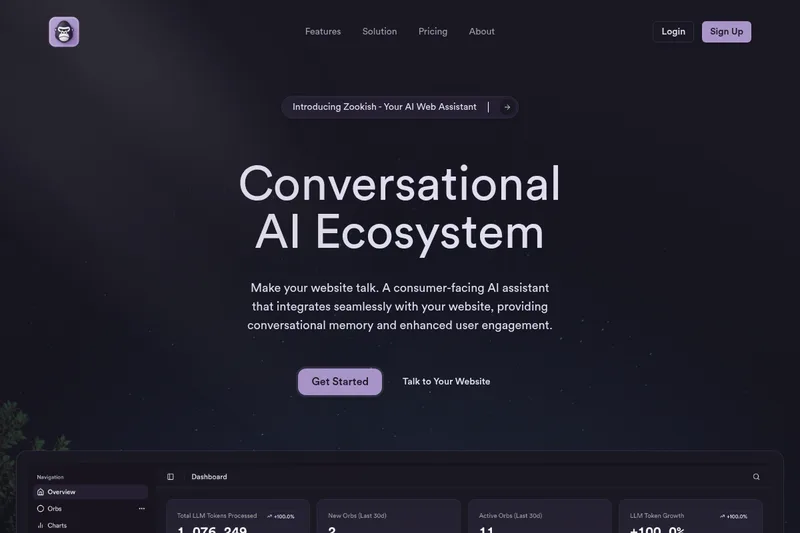
Zookish adds a voice- and text-enabled AI assistant to a business website, where visitors can ask questions and engage with the business. Website teams can train the assistant on business information and review interaction and conversion analytics.
One of 161 tools in Chatbots & Assistants
Who it's for
- Website owners who want to embed a conversational voice and text assistant using a one-line script.
- Marketing teams using a website assistant for visitor engagement and lead generation.
- Customer-facing teams that want to train an assistant on business documents or a knowledge base and review visitor interactions.
How it fits your workflow
Sign up, use the dashboard to copy the widget script, and paste it into the website's HTML. The assistant then appears on the site for visitors to use by voice or text.
Customize the widget's appearance and train the AI with uploaded documents, a connected knowledge base, or the guided training interface. Review interactions, popular questions, conversion rates, and AI performance in the dashboard.
Pricing
Goblin Mode
$100 / month (billed monthly) — annual billing option advertised (Save 20%)
- · Natural Conversations
- · Voice Commands
- · One-Line Install
- · Custom Branding
Silverback
$50 / month (billed monthly)
- · Natural Conversations
- · Voice Commands
- · One-Line Install
- · Custom Branding
Mojo
$10 / month (billed monthly)
- · Natural Conversations
- · Voice Commands
- · One-Line Install
- · Custom Branding
Prices checked on Jul 15, 2026 from the vendor's site. They can change; confirm before you buy.
Key features
- Conversational Memory
- Remembers past interactions to provide a seamless and personalized experience for returning visitors.
- AI-Powered Voice Recognition
- Supports natural voice interactions so users can speak to the AI instead of typing.
- One-Line Install
- Embed the AI widget by copying a single script snippet from the dashboard into the website's HTML.
- Custom Branding
- Customize the widget's colors, size, position, and branding through dashboard controls to match site design.
- Usage Analytics
- Dashboard provides analytics on user interactions, popular questions, conversion rates, and performance metrics.
- Conversation Tracking
- Tracks conversations to help optimize customer experience and measure AI performance.
Works with
- AssemblyAI
Alternatives to consider
-
Myzone
Choose it if you want a trainable ChatGPT chatbot for website or URL deployment and support, sales, marketing, HR, or training workflows.
-
Quiksbot
Choose it if you need a website chatbot that also supports WhatsApp, appointment and email campaigns, and training from PDFs, website content, or text.
Getting started
- Sign up or get started to access the platform and dashboard.
- Copy the widget script from the dashboard and paste it into your website's HTML.
- Customize the widget and train it using business information, if needed.
Frequently asked questions
How do I embed the AI widget on my website?
Simply add our one-line script to your website's HTML. Copy and paste the code snippet from your dashboard, and the widget will automatically appear on your site.
Can I customize the appearance of the AI widget?
Yes! You can fully customize the colors, size, position, and branding of the widget to match your website's design through our simple dashboard controls.
Does the AI widget support voice commands?
Absolutely. Our widget supports natural voice interactions, allowing your users to speak directly to the AI instead of typing if they prefer.
How does the AI learn about my business?
You can train the AI by uploading documents, connecting to your knowledge base, or through our guided training interface.
Can I track conversations and analytics?
Yes, our dashboard provides comprehensive analytics on user interactions, popular questions, conversion rates, and AI performance metrics.
Will the AI widget work on mobile devices?
Yes, our widget is fully responsive and works seamlessly across all devices including desktops, tablets, and mobile phones.