wonder-studio
Autodesk Flow Studio (formerly Wonder Studio) is a cloud-based, AI-powered 3D toolset that converts live-action footage and text/images into controllable, production-ready CG characters and scenes with auto-rigging, markerless AI mocap, and editable exports for common 3D tools.
wonder-studio is other software teams evaluate for other. Use this page to review pricing, integration signals, and the best alternatives before you commit.
Profile facts come from the vendor source. AiMatch labels unknown pricing or API details instead of estimating them.
Review official source →Quick Overview
Best for: Other
What it does
Other software for decision-makers comparing workflow fit and alternatives.
Best fit
Other
Pricing snapshot
Freemium from Pay monthly (no long-term commitment); specific prices not listed on the overview page
Next step
Compare wonder-studio with similar tools before you shortlist it.
Compare this tool before you shortlist it
Review alternatives, pricing posture, and workflow fit side by side.
Autodesk Flow Studio (formerly Wonder Studio) is a cloud-based, AI-driven 3D toolset designed to transform live-action footage, text prompts, or images into controllable, production-ready CG scenes and characters. It targets storytellers, artists, filmmakers, and VFX teams, enabling users to generate 3D assets from text/images, auto-rig characters, capture motion from video (markerless AI mocap), and compose CG characters into live-action footage. The platform emphasizes editable outputs and integration with common DCC tools and game engines, and is available via subscription with a credit-based processing model and a free tier for exploration.
AI-powered tool for animating and composing CG characters into live-action scenes online.
Own this listing?
Claim this page for a one-time $29 to add pricing, features, screenshots, verified owner details, and a clearly labeled 30-day category position after the profile is live.
Claim this listing for $29Key Features
3D asset generation from text and images
Generate fully textured 3D characters and objects from text prompts or uploaded images using models such as Wonder 3D and Trellis 2.0.
AI motion capture (markerless)
Capture body, hand, and facial motion from any video or camera and transfer motion directly onto CG characters without markers.
Neural Layer rendering with LoRA
AI-driven rendering and enhancement for stronger character consistency across angles, motion, and cuts using the Neural Layer with LoRA.
Editable exports
Export production-ready assets and data such as mocap, camera tracking, clean plates, alpha masks, and character passes for use in Maya, Blender, Unreal, 3ds Max, or via USD.
Cloud-based workflow and credit system
Cloud processing with a monthly credit system for different project types (AI Motion Capture, Live Action, Animation / Video to 3D Scene) and an available free tier.
Integration with standard tools and pipelines
Direct exports and compatibility with industry tools and pipelines including Maya, Blender, Unreal Engine, 3ds Max, USD, and 3D printing software.
Pricing
Flow Studio offers a free tier for creators; access via the Compare page by selecting "Access now".
Monthly
Pay monthly (no long-term commitment); specific prices not listed on the overview page- Flexible month-to-month access
- Credits reset monthly
Annual / 3-year term
Annual or 3-year subscriptions available; overview states you can save 33% versus monthly by choosing a 1-year or 3-year term- Includes purchases benefits such as 8x5 support, SSO, and usage reporting
- Protects from price increases for the selected term
Use Cases
Turn live-action footage into CG scenes
Import video to auto-track cameras, generate alpha masks and clean plates, and place CG characters into live-action footage for compositing and final renders.
Create and rig 3D characters from prompts or images
Produce fully textured, auto-rigged characters from text descriptions or reference images for animation or previsualization.
Markerless motion capture from any camera
Record performances with any camera and extract body, hand, and facial animation for direct application to CG characters.
Asset generation for games and 3D printing
Generate 3D models and export via USD or other formats to bring assets into game engines or 3D printing pipelines.
Iterative shot refinement for VFX pipelines
Refine AI results with editable outputs and exportable data so artists can continue finishing shots in Maya, Blender, or Unreal.
Integrations
Autodesk Maya
Export camera tracking, mocap and scene assets for finishing shots and animation in Maya.
Blender
Bring exported characters, mocap, and scene data into Blender for refinement and rendering.
Unreal Engine
Import USD and other exported assets into Unreal for real-time rendering and game engine workflows.
Autodesk 3ds Max
Export assets and scene data for use in 3ds Max pipelines.
USD and 3D printing software
Export via USD for wide tool compatibility and into 3D printing software where applicable.
Benefits
Limitations
Frequently Asked Questions
What is Autodesk Flow Studio?
How do I use Flow Studio for free?
How do Flow Studio credits work?
Getting Started
- 1 Step 1: Create an Autodesk account and visit the Flow Studio Compare page to select Access now for the free tier or choose a subscription.
- 2 Step 2: Upload footage or provide text/images for asset generation, or record a performance with any camera for AI mocap.
- 3 Step 3: Process projects using monthly credits, then export mocap, camera tracking, clean plates, and other assets to your preferred 3D tools.
Support
Community
Community resources include a Flow Studio community group, YouTube channel, blog, and forum to watch tutorials, read case studies, and ask questions.
Support (purchased plans)
Purchases include benefits such as 8x5 support, single sign-on (SSO), and usage reporting.
Documentation / Reports
Product materials include an AI report and blog posts described on the overview page for learning and production guidance.
API
Compare wonder-studio with similar tools
See how it stacks up against alternatives
Related Tools
View all 41 →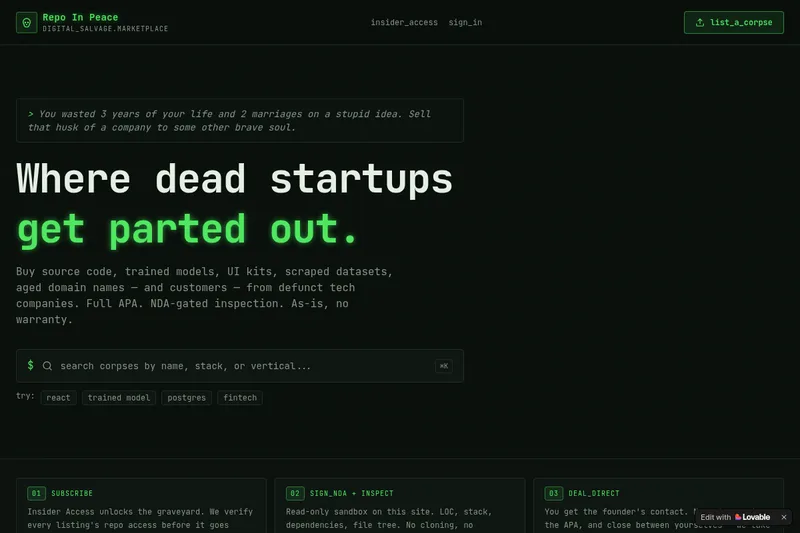
RepoInPeace
Repo In Peace is a digital salvage marketplace for buying and selling assets from defunct tech startups — source code, trained models, UI kits, scraped datasets, aged domains and customers — sold as-is under a full APA with NDA-gated inspection.


Hypotenuse
Hypotenuse AI is an AI-first product experience management (PXM) platform for ecommerce that automates product data enrichment, generates on-brand SEO-optimized product content, and enhances catalog imagery at scale for retailers and enterprise ecommerce teams.


Instant Domain Search
Instant Domain Search is a fast domain name search engine and ICANN-accredited registrar that checks availability in real time across 800+ extensions, offers an AI domain name generator, bulk lookup, aftermarket marketplace search, and domain research tools.


Tryonhaul
TryOnHaul AI is a web-based fashion discovery platform that uses AI-powered search and virtual try-on to surface popular try-on haul videos, aggregate product reviews, and let users virtually try clothing by uploading a photo. It targets shoppers, content creators, and e-commerce professionals.