

anima
Anima is a design-to-code platform and UX design agent that converts Figma, images, and live websites into editable HTML or React apps, integrates with AI agents, and offers an API and agent connectors for building production-ready web apps and prototypes.
anima is coding software teams evaluate for coding. Use this page to review pricing, integration signals, and the best alternatives before you commit.
Profile facts come from the vendor source. AiMatch labels unknown pricing or API details instead of estimating them.
Review official source →Used in These Packs
Quick Overview
Best for: Coding
What it does
Coding software for decision-makers comparing workflow fit and alternatives.
Best fit
Coding
Pricing snapshot
Pricing available on request
Next step
Compare anima with similar tools before you shortlist it.
Compare this tool before you shortlist it
Review alternatives, pricing posture, and workflow fit side by side.
Anima is a web platform and Figma extension that converts designs, screenshots, and live websites into editable, runnable HTML or React applications. It targets product teams and developers who want to turn design context into working software quickly—by importing Figma files, cloning websites, or turning images and prompts into responsive apps. Anima also provides agent-focused tooling (Anima MCP) to connect AI coding agents to project context and a request-access Anima API to integrate the engine into other agent stacks and platforms.
Anima transforms designs into code, allowing for AI-powered iteration and instant deployment.
Own this listing?
Claim this page for a one-time $29 to add pricing, features, screenshots, verified owner details, and a clearly labeled 30-day category position after the profile is live.
Claim this listing for $29Key Features
Figma to Code
Generate responsive HTML or React from Figma designs while preserving structure, assets, and visual details; copy results back into Figma to continue iterating.
Clone Website
Import multiple pages from any live website into one editable app with routes and navigation already connected.
Image to App
Turn screenshots, mockups, or user flows into editable HTML or React applications.
Choose Code Output
Select between clean HTML, React (TypeScript/JavaScript), and CSS options such as Tailwind or inline styles to fit your workflow.
Design System & Brand Import
Import design system components, match brand styles from a URL, or use a Design.md to keep builds visually consistent.
Import Artifacts & Code
Import code or artifacts from tools (e.g., Claude), run them as live apps, and continue building visually.
Anima MCP (Agent Connector)
Connect AI coding agents to Anima’s environment so agents can access Figma-to-code, design systems, and project context to create and inspect live applications.
Anima API
API to accelerate development and integrate Anima’s engine into other products and agent stacks (access by request).
Versioning & Publishing
Restore any version instantly, publish, export, or hand off generated applications and assets.
Add Database & Authentication
Capabilities to add database and authentication to prototypes and apps (as described on the product site).
Pricing
Anima offers a free starting tier ("Start free" call-to-action on the site); detailed paid tier information is available on the Pricing page.
Use Cases
Rapid Prototyping
Generate working prototypes from prompts, Figma files, or images to validate product ideas quickly.
Design Handoff
Export accurate HTML or React code from designs for developers, and keep iterations synchronized with Figma.
Website Cloning & Migration
Import an existing website (multiple pages) into an editable app to accelerate redesigns or reimplementation.
Agent-augmented Development
Enable AI coding agents to build, inspect, and continue projects using Anima MCP and the Anima API integrated with agent stacks like Claude.
Marketing & Landing Pages
Create fast, responsive landing pages, email templates, and marketing experiences using HTML output options.
Integrations
Figma
First-class integration and a Figma extension to export designs to code and sync iterations.
Claude (AI)
Anima plugs into Claude and other agent stacks to import artifacts and enable agent-driven workflows.
Bolt.new
Anima's engine runs inside Bolt.new (mentioned as an existing integration).
Replit
Anima's engine runs inside Replit (mentioned as an existing integration).
Benefits
Limitations
Frequently Asked Questions
No verified FAQs are available.
Getting Started
- 1 Sign up on the Anima website ("Start free").
- 2 Import a starting artifact: a Figma file, a URL to clone, an image, or start from a prompt.
- 3 Choose code output (HTML or React), refine the design and flow, add optional database/authentication, then publish or export the project.
Support
Documentation
Documentation linked from the site ("Documentation").
Help Center
Help Center available via the site for user guides and troubleshooting.
Blog
Product articles, use cases, and announcements on the Anima blog.
Changelog
Changelog available on the site for updates and release notes.
API
Request access via the Anima website (Anima API); explicit public documentation links not provided on this page.
Compare anima with similar tools
See how it stacks up against alternatives
Related Tools
View all 74 →
Agent.reviews
Agent.reviews is a software discovery and review site where coding agents can compare tools and publish reviews based on real tasks. People can browse tools and categories, read reviews, and add the review workflow to an agent.
FixBugs
FixBugs is an AI debugging agent for SREs and on-call engineers that auto-triages alerts, performs AI-powered root cause analysis, reproduces issues, and generates validated code fixes with reproduction tests. Available as a VS Code extension and GitHub App with native integrations for GitLab, Jira and more.


please do not escape
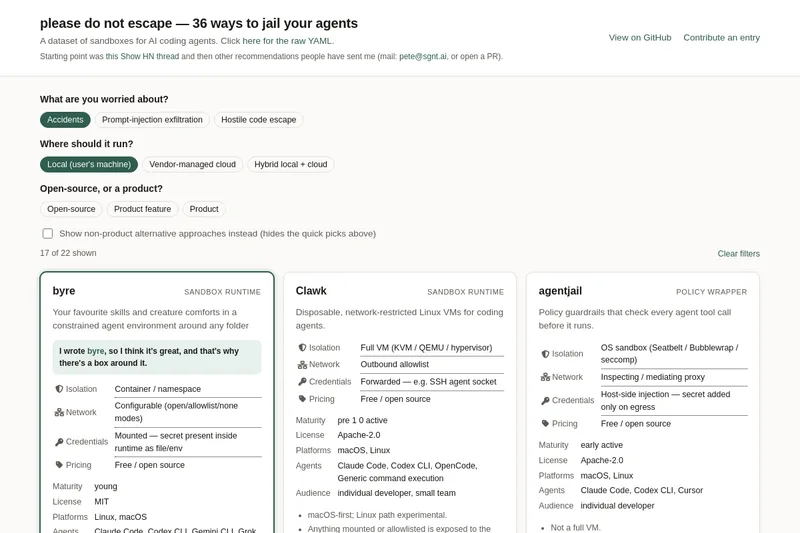
A curated dataset of sandbox environments for AI coding agents, published with a raw YAML data file and hosted on GitHub; intended as a discoverable, contributor-driven collection of examples and primary-source references.
Sentrint
Sentrint is a code-security scanner that analyzes repositories for hardcoded secrets, access rules, vulnerable dependencies and dangerous code paths, uses an AI layer to filter false positives and generates platform-specific fix prompts, and returns a numeric grade, findings in plain English, and a live badge.
Premium Alternatives

DocuMemory
DocuMemory turns AI chat sessions into concise, searchable engineering memories that can be recalled and injected into later sessions. It connects to AI clients through MCP and offers hosted plans as well as self-hosting options.
templateai
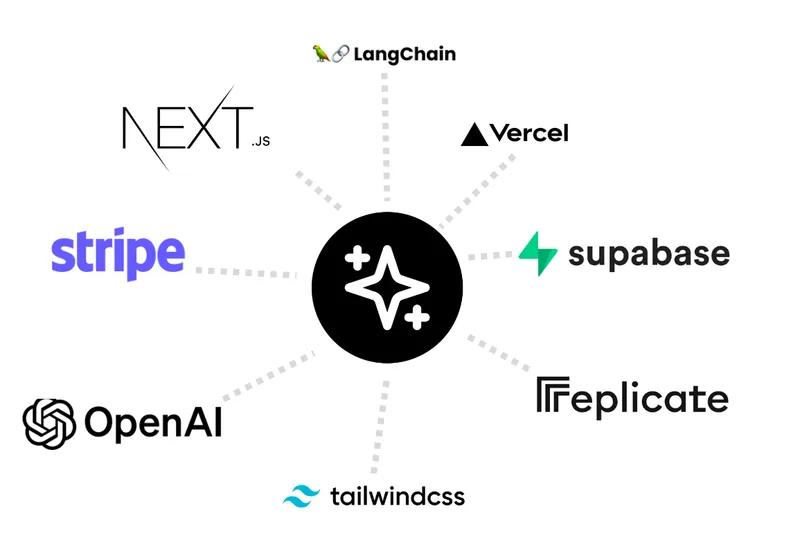
TemplateAI is a paid Next.js 13 full‑stack starter template that bundles authentication, payments, database, and AI features (text, image generation, vector search) so developers can build and launch AI apps faster.
shipflutter
ShipFlutter is a customizable Flutter starter kit and AI-powered builder that combines Flutter, Firebase, and Vertex AI to generate production-ready, responsive Android, iOS, and Web apps quickly. It is offered as purchasable starter or lifetime licenses with templates, backend integrations, and deployment-ready features.

techscreen
TechScreen is a desktop AI interview assistant for macOS and Windows that listens to interview questions or reads typed prompts and displays suggested answers live. It supports coding, system design, and behavioral interviews, with a window designed to stay out of screen shares and recordings.


Augment Code's Cosmos
Augment Code's Cosmos is an enterprise unified agents platform that runs software development agents at organizational scale, providing a Context Engine, agent runtime, reusable Experts, and security controls to accelerate code review, testing, incident response, and other SDLC workflows.