
Appto
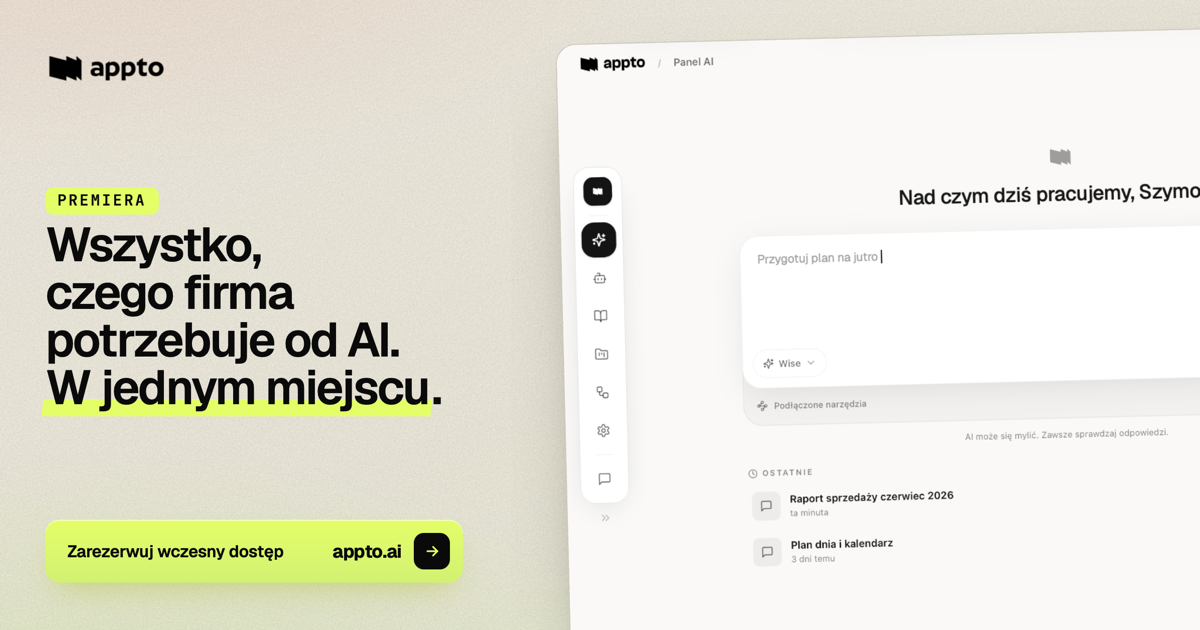
Appto gives company teams role-based AI agents that use shared company knowledge and connected tools to complete tasks such as proposals, support replies, and reports. Administrators manage assistants, access, and context centrally.
One of 599 tools in AI Agents
Who it's for
- Sales teams using a CRM and company pricing or call history to prepare proposals, qualify leads, and draft follow-ups.
- Customer support teams that need replies grounded in their procedures and customer history.
- Operations or leadership teams that want recurring reports and workflows based on company data and documents.
Not the right fit if…
- Teams with fewer than 10 people: the page says off-the-shelf tools are often enough for smaller teams.
- Organizations with more than 500 people seeking a standard self-serve rollout: the page says larger organizations use custom rollouts with more support.
How it fits your workflow
Create an agent for a team or role, then choose its model, tools, context, access, and skills. Add company documents, procedures, or connected knowledge sources so the agent can use that material in its work.
Delegate a task in the appto app or work through Slack, Teams, or email. The agent can use connected tools and company context to prepare an output such as a proposal, redline, summary, or reply for review.
For repeatable work, configure a routine with a trigger, instructions, and a notification destination. Routines can run on a schedule or when a connected-tool event occurs.
Pricing
Free: The page offers a free start, says no card is required, and says account creation takes about 30 seconds. The included limits or features are not specified.
Pay-as-you-go
The page says customers pay for what they actually use; exact rates are not published in the supplied content.
- · Usage-based payment
Credit package
A package is sized to the team; exact pricing and package details are not published in the supplied content.
- · Credit package sized to the team
Prices checked on Oct 6, 2026 from the vendor's site. They can change; confirm before you buy.
Key features
- Role-based AI agents
- Create agents for areas such as sales, with selected models, tools, context, skills, and access permissions. Agents can use company data to complete delegated tasks.
- Shared company context
- Build a knowledge base from documents, procedures, conversations, and connected remote sources. Context can be shared with teams or the whole organization.
- AI inbox
- Delegate tasks, track work in progress, and review completed outputs, including drafts and documents.
- Background routines
- Set a trigger, instructions, and notification destination to automate recurring or event-based work without code.
- Connected tools
- Connect business tools so agents can draw on relevant company information and prepare or carry out work within connected workflows.
- Coworker in Slack and Microsoft Teams
- Work with appto through Slack or Microsoft Teams as well as through the appto app.
Works with
- Slack
- Microsoft Teams
- Gmail and Outlook
- Google Drive
- Notion
- HubSpot and Pipedrive
- Stripe
- Other integrations
Limitations to know
- The page says appto works best for teams of 10–500 people; organizations above that range require custom rollouts with more support.
Getting started
- Create an account; the page says there is no waiting list and no required call.
- Begin with ready-made assistants and set up the team.
- Add company context, such as documents, processes, and integrations.
- Choose a self-guided or optional expert-led rollout.
Frequently asked questions
What is appto?
Appto is AI with company context, including assistants built around roles, a knowledge base from documents, background processes, memory, and integrations. It can be used in the appto app or through Slack, Teams, and email.
Can we start right away?
Yes. The page says users can create an account and start without a waiting list or an introductory call. An expert-led rollout is optional.
How much work does it take to get running?
The page says users can start in minutes with ready-made assistants, without code or an IT department. Adding company context, documents, processes, and integrations enables the broader feature set.
Is appto suited to small or large teams?
The page says it works best for teams of 10–500 people. Below that, off-the-shelf tools may be enough; above that range, appto offers custom rollouts with more support.
What about data security?
The page states that data is hosted in the European Union, encrypted at rest and in transit, kept in a separate isolated company space, and subject to per-user access. It also says AI models do not learn from customer data.
Which tools can I connect?
The page names Slack, Teams, Gmail, Outlook, Google Drive, Notion, HubSpot, Pipedrive, and Stripe, as well as 40+ more integrations.
What does it cost?
The page describes pay-as-you-go pricing or credit packages sized to the team. It says exact tiers and calculations are discussed on a demo call.
What is a cohort rollout?
It is an optional guided rollout with an expert and other companies. The page describes a process audit, configuration, workshops, and support after launch.