
Offrun
Offrun runs and monitors coding agents side by side on an Apple Silicon Mac, with isolated worktrees, agent reviews, and project memory. Developers use it to coordinate work across their existing agent accounts from one workspace.
One of 672 tools in AI Agents
Who it's for
- Developers using Claude Code, Codex, AGY, or Grok Build who want to run and monitor multiple agents on a Mac.
- Developers assigning concurrent tasks in the same repository who want each agent to work in a separate git worktree.
- Developers who want a second agent to review code changes before they decide whether to request fixes or merge.
Not the right fit if…
- People using an Intel Mac or macOS earlier than 14: Offrun requires an Apple Silicon Mac running macOS 14 Sonoma or later.
- People without an agent CLI they already use: the stated requirements include at least one existing agent CLI.
How it fits your workflow
Install Offrun on a supported Mac, connect the agent CLIs and accounts you already use, then choose a project and assign an agent a task. Each agent in a project gets its own git worktree.
Monitor agents and their usage in the workspace. For a review, select a second agent to read an uncommitted diff; it posts findings in the chat, while you decide whether to request fixes or merge.
Project conventions and agent-specific plans or dead ends are stored as files in the project folder. Offrun also provides in-chat previews and on-device dictation.
Pricing
Free: Offrun is free, including its listed features. Users bring their own agent subscriptions.
Free
$0
- · All features, with no limits or seats to count
- · Unlimited agents and projects
- · Unlimited on-device dictation
- · Free credits for 100+ connectors
Prices checked on Oct 4, 2026 from the vendor's site. They can change; confirm before you buy.
Key features
- Multi-agent workspace
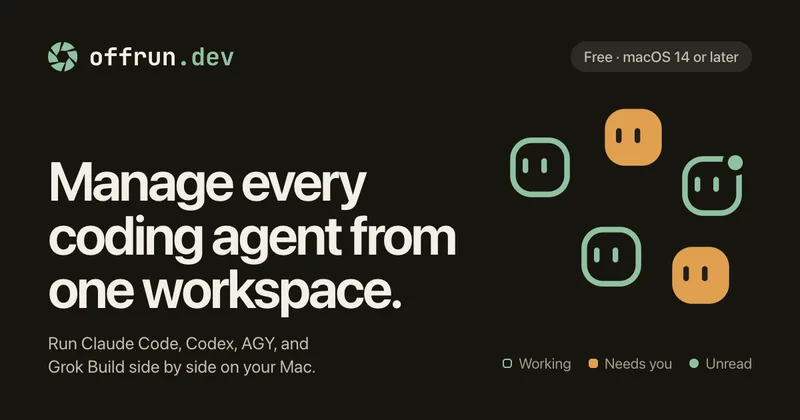
- Run and monitor supported coding agents side by side, with visibility into which agents are working, waiting for input, or have unread answers.
- Isolated git worktrees
- Each agent in a project gets its own git worktree, so agents working on the same repository do not touch the same files. Developers review and merge changes on their own schedule.
- Agent peer review
- Choose another agent to read a diff and post its findings while the work is uncommitted. The reviewer does not change code; the user decides whether to request fixes.
- Account switching when limits are reached
- Connect different logins for an agent and continue a chat with another login that still has usage available. Offrun reports the limit and offers a connected agent to continue the conversation.
- Project memory
- Store repository conventions and agent-specific plans or dead ends as plain files in the project folder. Agents read the context at the start of a session and write updates as they work.
- In-chat previews
- View changed files, diffs with line numbers, rendered markdown and tables, images, PDFs, and a small browser alongside the conversation.
Works with
- Claude Code
- Codex
- AGY
- Grok Build
- Connectors
Limitations to know
- Requires an Apple Silicon Mac (M1 or newer) running macOS 14 Sonoma or later.
- Requires at least one agent CLI the user already uses; Offrun does not replace the agent or its subscription.
- Pi and OpenCode are listed as coming soon, so they are not presented as currently available integrations.
- Peer review reports findings but does not modify code or merge changes automatically.
Alternatives to consider
-
Conductor
Choose it if you want a Mac app for running parallel agents in isolated workspaces against a local repository, with an emphasis on observing, reviewing, and merging agent changes.
-
Waku
Choose it if your priority is a local timeline of coding-agent sessions, transcripts, tool activity, and checkpoints rather than Offrun's worktrees, peer review, and account switching.
Getting started
An Apple Silicon Mac (M1 or newer) running macOS 14 Sonoma or later, and at least one agent CLI you already use.
- Download Offrun for Mac and drag it to Applications.
- Open Settings, then Agents, and connect the agent CLIs and accounts you already use.
- Choose a project, start an agent, and give it a task.
Frequently asked questions
Does Offrun replace Claude Code or Codex?
No. Offrun runs them and gives them a shared workspace; users keep their own accounts and subscriptions.
Does Offrun see my code?
The page says code goes from the Mac to the provider the user is signed into, under their own account. Offrun says it has no server in that path and never handles users' keys.
What does peer review run on?
Peer review runs on one of the user's agent accounts, and the user picks the model in the model picker.
Can peer review change my code?
No. It reads the diff and posts its findings; the user makes the decisions.
Where does project memory live?
It lives as files in the project folder, which users can version if they want.
Does dictation need a network connection?
The page says a network connection is needed only for setup; after setup, dictation runs on the Mac.
What do I need to run Offrun?
An Apple Silicon Mac running macOS 14 Sonoma or later and at least one agent CLI the user already uses.