
Arting
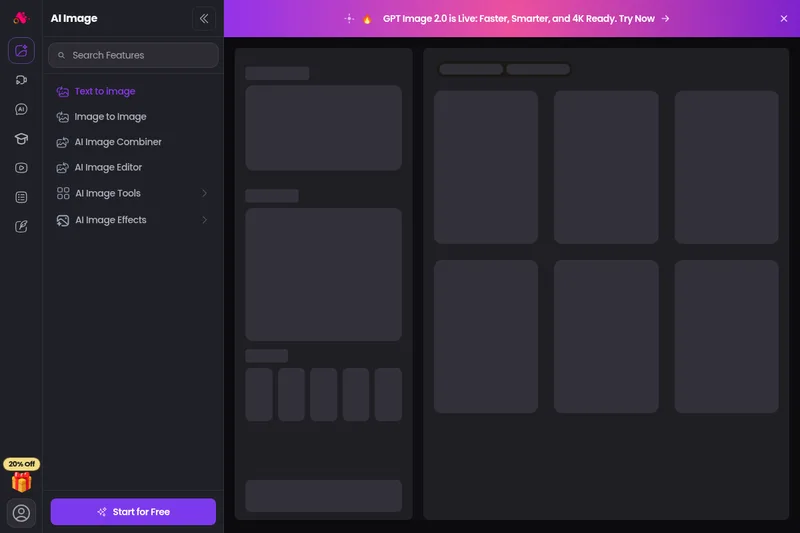
Arting AI is a free, web-based AI image generator and creative suite that converts text and images into high-quality artwork using multiple advanced models (e.g., GPT Image 2.0, Stable Diffusion, Lora). It offers tools for text-to-image, image-to-image, enhancement, watermark removal, video tools, and a smart prompt system with sample galleries.
Arting is image & design software teams evaluate for content & marketing. Use this page to review pricing, integration signals, and the best alternatives before you commit.
Profile facts come from the vendor source. AiMatch labels unknown pricing or API details instead of estimating them.
Review official source →Used in These Packs
Quick Overview
Best for: Content & Marketing
What it does
Image & Design software for decision-makers comparing workflow fit and alternatives.
Best fit
Content & Marketing
Pricing snapshot
Free from Free
Next step
Compare Arting with similar tools before you shortlist it.
Compare this tool before you shortlist it
Review alternatives, pricing posture, and workflow fit side by side.
Arting AI is a browser-based AI creation platform focused on generating images and enhancing visual content. The site provides text-to-image and image-to-image generation, an intelligent prompt system, a curated gallery of examples, and a library of advanced image and video tools. It targets both casual and professional creators, offering model selection, adjustable parameters (size, quality, style), and one-click enhancement and upscaling.
The platform emphasizes accessibility — advertising a free, no-sign-up workflow — and highlights large-scale usage metrics and model support (e.g., GPT Image 2.0, Stable Diffusion, Lora, DALL·E 3, Google Imagen 3). Additional utilities include watermark removal, background removal, and video enhancement tools for social and marketing use.
Arting AI is a free, web-based AI image generator and creative suite that converts text and images into high-quality artwork using multiple advanced models (e.g., GPT Image 2.0, Stable Diffusion, Lora). It offers tools for text-to-image, image-to-image, enhancement, watermark removal, video tools, and a smart prompt system with sample galleries.
Own this listing?
Claim this page for a one-time $29 to add pricing, features, screenshots, verified owner details, and a clearly labeled 30-day category position after the profile is live.
Claim this listing for $29Key Features
Text to Image
Transform text descriptions into AI-generated images using multiple models and adjustable style, size, and quality settings.
Image to Image
Remix or restyle existing images by applying new prompts or model-driven transformations.
Smart Prompt System
Built-in prompt library and random prompt generator to inspire ideas and provide starting points for users at any skill level.
Image Enhancer & Upscaling
One-click AI-powered enhancement and upscaling to improve resolution, sharpness, and color.
Watermark & Background Removal
AI tools to remove watermarks from images and videos and to remove video backgrounds automatically.
Model Selection
Access to a wide range of image models (GPT Image 2.0, Stable Diffusion, Lora, DALL·E 3, Google Imagen 3, etc.) to achieve different creative styles.
Curated Gallery & Examples
Gallery of example images with detailed settings and prompts that users can reuse and adapt.
Pricing
Completely free to use with no sign-up required, per the site copy stating the AI Image Generator is free.
Free
Free- Access to text-to-image and image-to-image tools
- Use of image enhancement and watermark/background removal features
- No sign-up required
Use Cases
Social media and marketing content
Generate images and videos, remove backgrounds or watermarks, and enhance media for YouTube, TikTok, and other marketing channels.
Creative illustration and concept art
Produce concept images from text prompts or remix existing images to iterate on visual ideas quickly.
Image restoration and upscaling
Use the image and video enhancers to restore low-resolution or older media and improve clarity and resolution.
Rapid prototyping and style experiments
Experiment with multiple models and preset settings to discover finished looks or generate variations for design workflows.
Integrations
GPT Image 2.0
Primary image model advertised as faster, smarter, and 4K ready for high-quality image generation.
Stable Diffusion & Lora
Model options mentioned for photorealistic and stylistic control over generated artwork.
DALL·E 3 and Google Imagen 3
Additional supported image models listed as available choices for generation quality and style diversity.
Benefits
Limitations
No verified limitations are available.
Frequently Asked Questions
What is an AI Image Generator?
How Does the AI Image Generator Work?
Are the Generated Images Unique and Original?
Can I Customize the Image Style?
What Types of Prompts Can I Use?
Is Arting’s AI Image Generator Free?
Getting Started
- 1 Step 1: Define your vision — choose the style and elements you want for your image.
- 2 Step 2: Enter a text prompt or upload an image to guide the generation.
- 3 Step 3: Customize parameters (model, size, quality, style) and run the generator.
- 4 Step 4: Download the result or refine using the enhancer, resizer, or other image tools.
Support
No verified support channels are available.
API
Compare Arting with similar tools
See how it stacks up against alternatives
Related Tools
View all 386 →
Aihairstyles
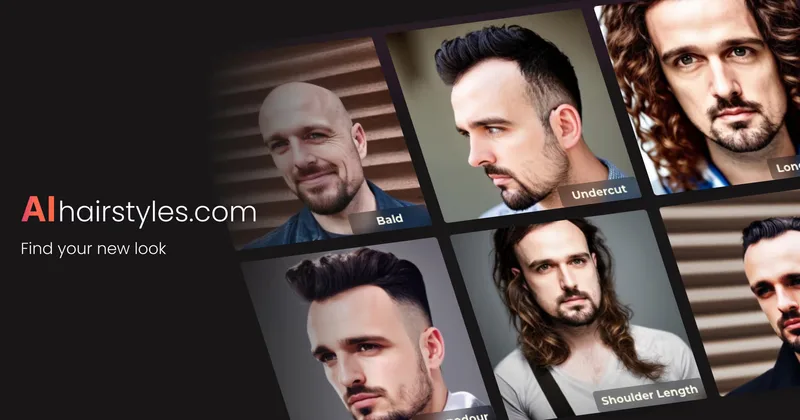
AIhairstyles provides a privacy-first AI virtual hairstyle try-on and hair colour changer that lets users and businesses visualise haircuts and colours on a single selfie in seconds; trusted by salons and barbers and available as an API for integrations.
Trendingprompt
TrendingPrompt is a daily-updated online library of high-performing AI prompts for image generation, organized by category, model, and trend to help creators copy, test, and ship better AI outputs quickly.
Headshotpro
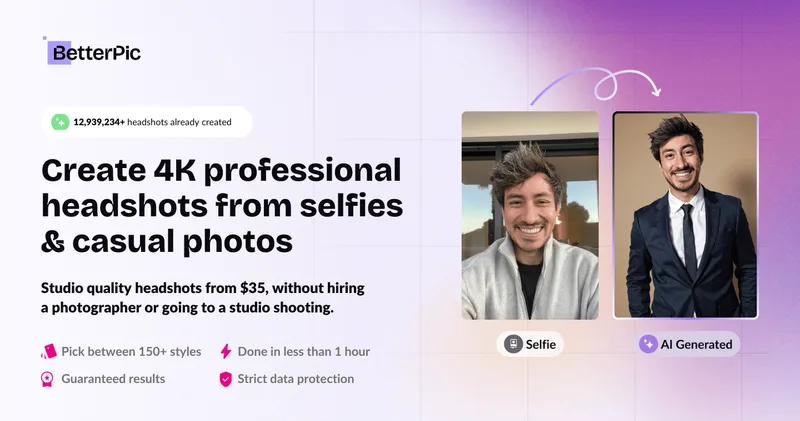
HeadshotPro is an AI-powered service that generates professional business headshots from a small set of selfies, producing hundreds of realistic, production-ready images for individuals and teams.
Premium Alternatives
Ghibli Art Generator
Ghibli Art Generator is a web-based AI tool that transforms user photos into Studio Ghibli–inspired artwork using a proprietary deep-learning style generator, offering multiple film-style filters, batch processing, and downloadable high-resolution outputs.


Realistic AI
Realistic AI is a web-based generator and editing suite for photorealistic images and videos. Users can create from text prompts or photos, choose from multiple AI models, and use additional tools to humanize, restore, upscale, or retouch images.
Prophotos
ProPhotos is a commercial AI-powered headshot generator that creates photorealistic, industry-specific professional headshots from user-uploaded photos, aimed at individuals and enterprises wanting quick, production-ready portraits for LinkedIn, resumes, and corporate use.