
Autoslide AI PowerPoint Add In
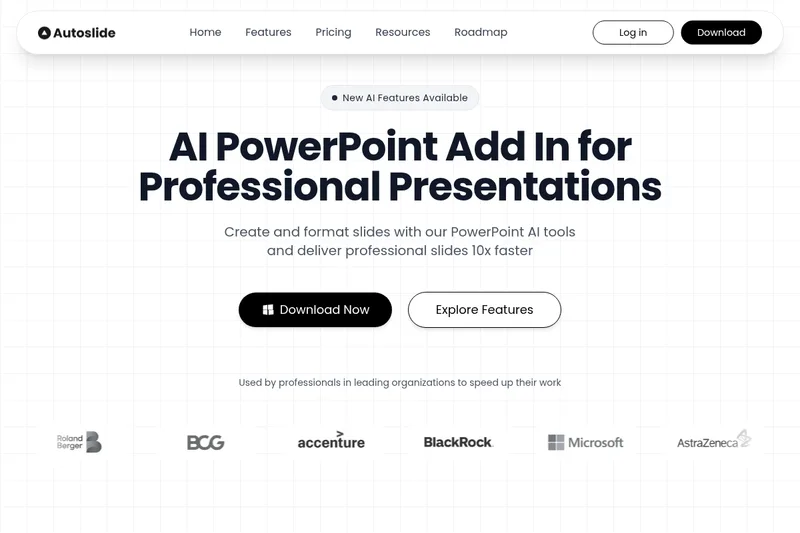
Autoslide adds AI-assisted slide design, content generation, and formatting tools to PowerPoint. Consultants, investment bankers, private equity professionals, and corporate marketers can create and refine slides inside the Windows desktop app.
One of 132 tools in Productivity
Who it's for
- Consultants creating strategy, analysis, or executive communication slides in PowerPoint.
- Investment banking and private equity professionals who need to build and format presentation slides.
- Corporate marketing teams creating or refining professional PowerPoint presentations.
Not the right fit if…
- People who need a Mac add-in: Autoslide currently supports Windows only.
- Teams using PowerPoint versions earlier than 2016: the stated requirement is PowerPoint 2016 or later.
How it fits your workflow
Install the add-in from the downloaded package; it appears as a dedicated ribbon tab when PowerPoint is opened. Use existing slide content or prompts in PowerPoint shapes and text boxes to request layout improvements, generate text, or create visuals.
Pricing
Free: 7-day free trial available; no permanent free version
Paid license
Not specified on the page
- · Full product functionality (license required)
- · 7-day free trial available
Prices checked on Jul 15, 2026 from the vendor's site. They can change; confirm before you buy.
Key features
- Built-in AI models
- Integrates advanced AI models (mentions Google Gemini, Qwen, Flux, OpenAI) for text refinement, slide layout design, and visual generation directly inside PowerPoint.
- AI Slide Formatter
- Automatically improves slide layouts using AI, optimizing graphics placement and following design best practices.
- AI Content Generation
- Generates formatted bullet points, executive summaries, and paragraphs; refines slide text and expands ideas using LLMs.
- Visual Generation
- Creates supporting visuals and images using diffusion models such as Flux and other evaluated image models.
- Adaptive Logic / Intelligent layout engine
- Layout engine adapts to content density to produce templates and layouts suitable for complex ideas.
- Professional Templates Library
- Access to a growing library of professional consulting-inspired slide templates designed for strategy, analysis, and executive communication.
Works with
- Microsoft PowerPoint
- Google Gemini / Qwen / OpenAI / Flux
Limitations to know
- The add-in currently supports Windows only.
- It requires PowerPoint 2016 or later.
- There is no permanent free version; the stated free trial lasts 7 days.
Alternatives to consider
-
SlidesAI
Choose it if you want a presentation add-in that supports both Google Slides and PowerPoint and creates formatted decks from text or prompts.
-
Presentations.AI
Choose it if you want a platform for generating complete, on-brand decks from ideas, documents, or URLs, including API and white-label options for teams and enterprises.
Getting started
Windows and PowerPoint 2016 or later; an internet connection is required for some features.
- Click Get AutoSlide on the website to receive the download package.
- Unzip the package and run setup.exe.
- Open PowerPoint to access the Autoslide ribbon tab.
- To activate a license, enter it through Your Account in the toolbar and restart PowerPoint.
Frequently asked questions
How can I download and install AutoSlide?
Click the Get AutoSlide button on the website to download the package. After unzipping the package, click setup.exe to run the installation.
How can I activate my license?
After installation, click the Your Account button on the rightmost section of the toolbar, input your license, and restart PowerPoint to activate.
Can Autoslide be installed on my company PC?
Yes. Installation does not require administrative privileges.
How is Autoslide different from other AI PowerPoint tools?
Autoslide offers AI features at the slide level (not presentation level) to help with slide layout design and content generation, and its non-AI formatting-shortcut functions run locally.
Is AutoSlide available on both Mac and Windows?
No — currently only Windows is supported. AutoSlide requires PowerPoint 2016 or later and an internet connection to use some features. A Mac version is planned for the future.
Is there a free version available?
No permanent free version, but a 7-day free trial is available from the website allowing exploration of all features for 7 days.
What are the AI PowerPoint features in Autoslide?
Autoslide includes AI-powered slide design, content generation, and slide formatting tools that help create professional slides via text prompts, content generation, and visual design directly within PowerPoint.
How does the PowerPoint addin installation work?
Autoslide installs as a native PowerPoint add-in and adds a dedicated ribbon tab. After downloading and running setup.exe, the add-in appears in PowerPoint the next time you open the application.