
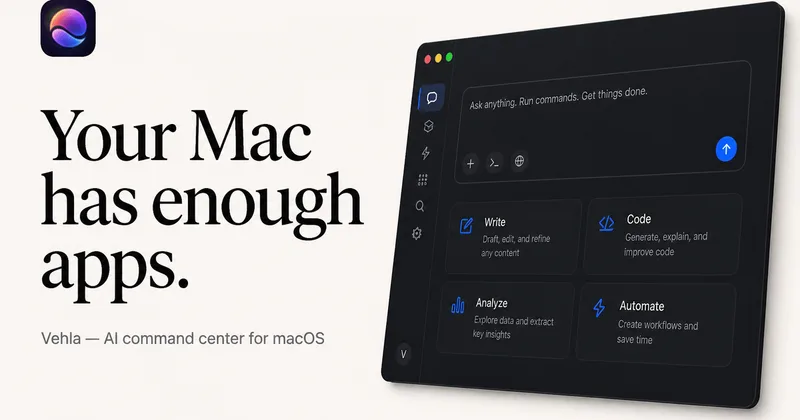
Vehla
Vehla is a native macOS command center that consolidates launch, window management, clipboard history, dictation, on-device AI, shelves, notes, and workflows into one hotkey-driven app, with a free tier and an optional one-time Pro license.
Vehla is productivity software teams evaluate for software & gaming. Use this page to review pricing, integration signals, and the best alternatives before you commit.
Profile facts come from the vendor source. AiMatch labels unknown pricing or API details instead of estimating them.
Review official source →Used in These Packs
Quick Overview
Best for: Software & Gaming
What it does
Productivity software for decision-makers comparing workflow fit and alternatives.
Best fit
Software & Gaming
Pricing snapshot
Freemium from $0 forever
Next step
Compare Vehla with similar tools before you shortlist it.
Compare this tool before you shortlist it
Review alternatives, pricing posture, and workflow fit side by side.
Vehla is a native macOS command center designed to replace a collection of single-purpose utilities (launchers, window managers, clipboard managers, dictation tools, shelves, notes/canvas, text actions) with one system-wide interface accessible via a hotkey. It emphasizes local-first on-device AI (with support for local runtimes like MLX, Ollama, LM Studio and LEKH) while allowing optional connection to cloud providers using user-supplied API keys. Vehla targets users who want an integrated, privacy-focused productivity surface for app launching, text manipulation, window control, clipboard recall, dictation (Flow), temporary file storage (Shelf), workspaces (notes, kanban, canvas), and extensibility via native extensions and integrations.
A native macOS command center with on-device AI, window management, clipboard intelligence, and dictation. Free forever. Pro is $29.99 once, for two Macs.
Own this listing?
Claim this page for a one-time $29 to add pricing, features, screenshots, verified owner details, and a clearly labeled 30-day category position after the profile is live.
Claim this listing for $29Key Features
Launcher (Command Center)
System-wide command palette accessible with ⌘ Space for launching apps, searching files, and running Vehla actions.
QuickGlass (Contextual AI)
AI-powered contextual pane that appears beside the focused content so you can summarize, rewrite, explain, reply, or ask AI without switching windows or copying content.
Shelf
A temporary working memory for the desktop where you can drop files, images, folders, PDFs and links to use later across workflows.
Flow (Dictation)
On-device streaming dictation that types directly into the focused app; supports system-wide voice-to-text with no copy/paste required.
SnapWheel
Pointer-centered gesture control for actions and window management (snap left/right, fullscreen, window controls) around the cursor.
Clipboard Intelligence
Persistent clipboard history and search so Vehla remembers copied items (text, code, URLs, images) even hours later.
Workspaces: Notes, Kanban, Canvas
Integrated workspaces for knowledge/recall, notes, kanban boards and canvas drawing to capture and organize information without opening separate apps.
Extensions & Integrations
Native Swift extensions, dock widgets, MCP servers, custom AI actions, browser integration, Finder actions and third-party integrations to extend Vehla’s interface.
Local-first Privacy
Designed to run models locally on Apple Silicon and store cloud API keys in macOS Keychain; when using cloud providers, requests go directly from your Mac to the provider.
Pricing
Vehla Free is free forever with no card required; includes basic command center features, limited AI sessions per month, and capped notes/snippets.
Vehla Free
$0 forever- Command palette, app and file search
- Native utilities and basic window management
- 50-item rolling clipboard history
- 5 notes and 3 snippets
Vehla Pro (Lifetime)
$29.99 one-time · activate on 2 Macs- Everything in Free, plus all advanced Vehla features
- All workspaces, surfaces, integrations
- Advanced AI actions, Recall, Flow, and MCP
- Larger catalog models and custom MLX imports
Use Cases
Quick app and file launching
Launch applications and open files from anywhere using the system-wide command palette (⌘ Space).
Contextual AI-assisted text work
Summarize, rewrite, translate or generate replies to selected text via QuickGlass without leaving the current app.
On-device dictation and in-app typing
Use Flow to stream voice-to-text directly into the focused app for note-taking, drafting emails or writing without switching context.
Clipboard and temporary file management
Store and retrieve copied items, screenshots, and files using the clipboard history and Shelf for later use in workflows.
Build and run automations or integrations
Extend Vehla with native extensions, custom AI actions, MCP servers and integrations like Finder and browser actions to tailor workflows.
Integrations
Local model runtimes
Supports MLX, Ollama, LM Studio and LEKH for running models on-device.
Cloud providers (BYOK)
Connect OpenAI, Anthropic, Google (Gemini), DeepSeek or OpenRouter with your own API key; keys are stored in macOS Keychain.
Native extensions and system integrations
Native Swift extensions, dock widgets, MCP servers, Finder actions and browser integration to add functionality into the Vehla interface.
Benefits
Limitations
Frequently Asked Questions
What is Vehla?
How much does Vehla cost?
What are the system requirements?
Does Vehla need an internet connection?
Do I need my own API key?
How does Vehla compare to Raycast or Alfred?
Getting Started
- 1 Download Vehla Free from the official site and install the native Apple Silicon macOS app.
- 2 Invoke Vehla with ⌘ Space to open the command center and explore surfaces like QuickGlass, Shelf, Flow and SnapWheel.
- 3 Choose Local AI (MLX/OLLAMA/LEKH) or connect a cloud provider by entering your API key (stored in macOS Keychain); optionally activate Pro with the one-time purchase for advanced features.
Support
Docs
Official documentation and setup guides available from the Vehla website (Docs link).
Community (Discord)
Vehla community and support discussions on Discord as referenced on the site.
Direct contact via [email protected] for questions or support.
Blog / Field Notes
Field notes, comparisons, setup guides and deep-dives published on the site for troubleshooting and learning workflows.
API
Compare Vehla with similar tools
See how it stacks up against alternatives
Related Tools
View all 132 →
Windrunner
Windrunner is an AI-powered project collaboration and work management platform that combines work items, decisions, blockers, evidence, and progress into a single shared workspace to help teams coordinate work and review AI-proposed updates.

threadfork
threadfork is a macOS native, on-device AI notetaker that records, transcribes, and organizes meetings locally on Apple Silicon — generating summaries, threads (commitments/decisions), entities, and semantic search without sending audio to the cloud.


Afterlid, guarded lid closed work for macOS
Afterlid is a native macOS menu‑bar app that keeps downloads, renders, backups, dev servers, remote access, and local AI agents running after you close the lid by offering guarded modes (Sleepy, Awake, Always On) with built‑in battery, thermal, heartbeat, and time limits.
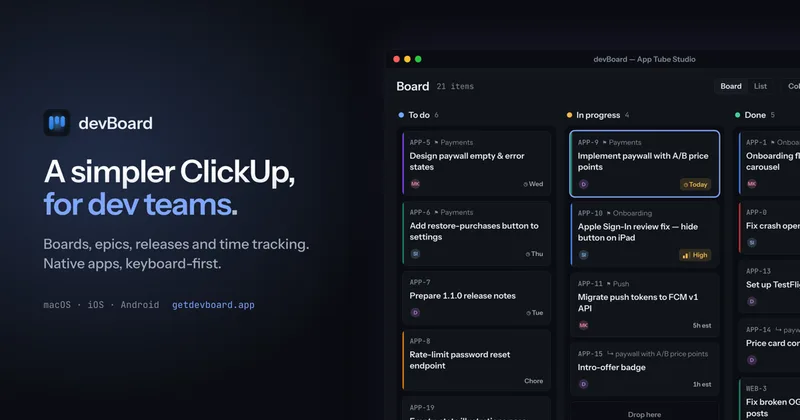

CardGo
CardGo is a Chrome extension and context-management product that stores small, reusable, end-to-end encrypted AI context “cards” you attach to chats (ChatGPT, Claude, Gemini, Perplexity, Grok) so multiple AI tools can access the right user context without sharing your full profile.
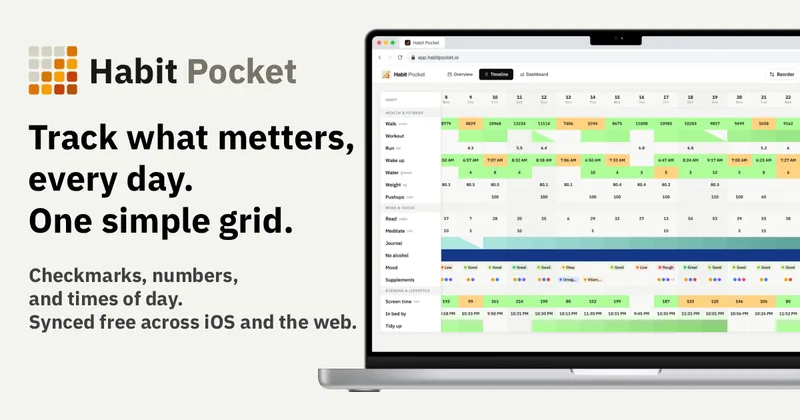
Habit Pocket
Habit Pocket is a multi-platform habit tracker that logs yes/no checks, numeric values, times, and categorical selections in a single grid, plus charts and AI integrations to reveal correlations between habits, sleep, mood, and energy.
Premium Alternatives

AI Summarizer (summarizer.org)
AI Summarizer (summarizer.org) is a web-based AI-powered text summarization tool that shortens text while preserving main points, supporting text, DOCX, images and URLs, multiple output styles (paragraphs, bullet points), multiple languages, and optional premium features.

Inbox Zero
Inbox Zero is an AI email assistant that organizes and labels inbox messages, drafts replies in the user's voice, and helps manage email from web, mobile, Slack, or Telegram. It works alongside Gmail or Outlook rather than replacing the email client.
gistreader
GistReader is a web-based read-it-later app that uses AI to summarize articles and remove distractions, supporting individual pages and RSS feeds while syncing content across devices.
Writingmate
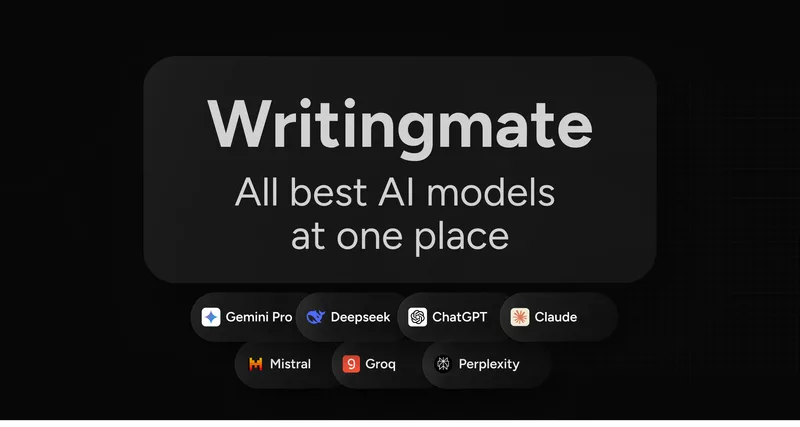
Writingmate is an all-in-one AI workspace that brings chat, files, web search, image and video generation, and 350+ third-party models (GPT, Claude, Gemini, Grok, Sora, Veo, etc.) into a single app designed for productivity, content, and team work.

HigLabo Mail Agent
HigLabo Mail Agent is part of HigLabo, an AI-powered integrated workspace that organizes inboxes and automatically converts actionable emails into tasks to help teams and individuals reduce context switching and work more efficiently.