Bestfaceswap
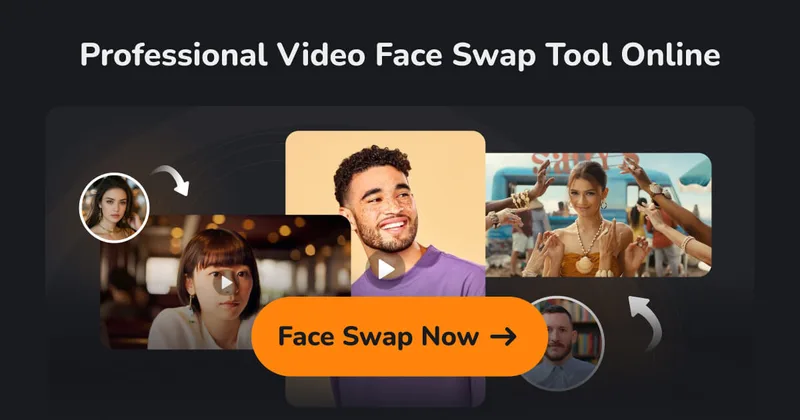
BestFaceSwap is a web-based AI face swapping service for photos and videos that creates realistic, high-quality face swaps using facial landmark detection, 3D reconstruction, and depth maps — aimed at creators and filmmakers.
Bestfaceswap is image & design software teams evaluate for creative & design. Use this page to review pricing, integration signals, and the best alternatives before you commit.
Profile facts come from the vendor source. AiMatch labels unknown pricing or API details instead of estimating them.
Review official source →Used in These Packs
Quick Overview
Best for: Creative & Design
What it does
Image & Design software for decision-makers comparing workflow fit and alternatives.
Best fit
Creative & Design
Pricing snapshot
Contact for pricing
Next step
Compare Bestfaceswap with similar tools before you shortlist it.
Compare this tool before you shortlist it
Review alternatives, pricing posture, and workflow fit side by side.
BestFaceSwap is an online AI face swapping tool for both photos and videos that targets creators and filmmakers who need realistic face replacement. The service emphasizes ease of use (no downloads, a few clicks), high-quality outputs (1080p with 4K coming soon), and support for multiple faces in a single image or video.
The product advertises AI-driven accuracy (106-point facial landmark detection), 3D face reconstruction and depth maps to handle complex swaps, and positions itself for content creators, social media producers, and filmmakers.
BestFaceSwap is a web-based AI face swapping service for photos and videos that creates realistic, high-quality face swaps using facial landmark detection, 3D reconstruction, and depth maps — aimed at creators and filmmakers.
Own this listing?
Claim this page for a one-time $29 to add pricing, features, screenshots, verified owner details, and a clearly labeled 30-day category position after the profile is live.
Claim this listing for $29Key Features
Video Face Swap
Swap faces in video clips for filmmaking or social media content, performed in-browser without downloads.
Photo Face Swap
Replace faces in photos, including head swaps and multi-person images.
Multiple Face Swap
Support for swapping multiple faces in a single photo or video (e.g., family, wedding, party photos).
106-point Facial Landmark Detection
Accurate face recognition using 106-point landmark detection to align and place swapped faces precisely.
3D Face Reconstruction & Depth Maps
Handles complex swaps by reconstructing 3D face geometry and using depth maps for better integration.
High Resolution Output
Delivers 1080p face swaps with '4K resolution coming soon' for higher fidelity results.
Browser-based, No Downloads
User-friendly web interface enabling swaps with a few clicks, requiring no software installation.
Pricing
Current pricing details are not available from the vendor source.
Use Cases
Filmmaking & Video Content
Swap faces in video clips to produce creative filmmaking effects or to generate social media content.
Photo Editing for Events
Swap or replace faces in family photos, wedding photos, and party photos using the multi-face swap capability.
Social Media & Creator Content
Create engaging or humorous content for social platforms by swapping faces in images and short videos.
Integrations
No verified integration details are available.
Benefits
Limitations
Frequently Asked Questions
No verified FAQs are available.
Getting Started
- 1 Step 1: Upload a photo or video clip to the web app.
- 2 Step 2: Upload the target face image you want to swap in.
- 3 Step 3: Click the 'Face Swap' button to generate the result.
Support
Contact (web)
Use the site's 'Contact Us' page to reach support (link available from the main site).
Docs / Policies
Terms & Conditions, Privacy Policy and Content Monitoring Policy are listed on the site for guidance and rules.
API
Related Tools
View all 386 →
Aiconvert
Promptigen (on AI Convert) converts any uploaded image into ready-to-use AI image prompts with three modes—Concise, Professional, and Nano Banana Pro—providing OCR, physics-aware descriptions, and prompts optimized for modern editing/generation models. The tool is free and requires no registration.

Nanobananapro
Nano Banana Pro is a web-based AI image creation workspace that produces natural language-driven, hyper-realistic, physics-aware images with sharper 2K imagery, intelligent 4K upscaling, improved text rendering, and enhanced character consistency for creative and API-driven workflows.
EzMaker AI
EzMaker AI is a free, browser-based AI photo editor and image generator for removing objects and backgrounds, enhancing and upscaling images, and making edits from text prompts. The page says it requires no sign-up and supports commercial use subject to obtaining any necessary authorization.
Premium Alternatives


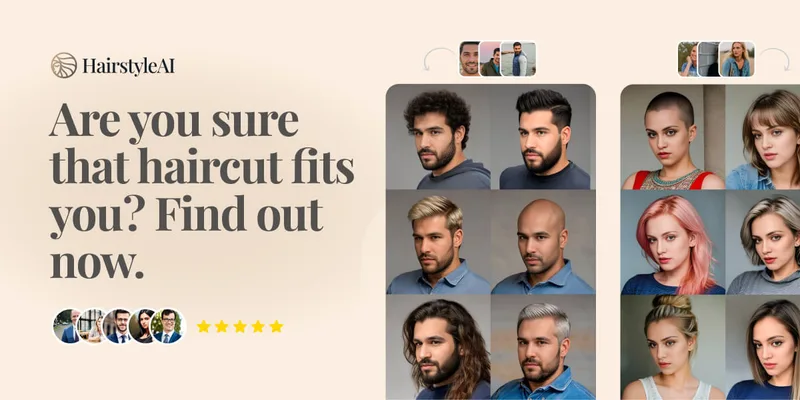
Hairstyleai
HairstyleAI is a virtual AI hairstyle try-on service (powered by HeadshotPro.com) that lets users preview new haircuts on their photos before committing to a real cut, offering dozens of generated looks and downloadable HD images.



Prompt Hunt
Prompt Hunt is a web platform for creating, browsing, and sharing AI-generated art using curated prompt templates and its in-house Chroma model, aimed at creatives, teams, and prompt engineers.

drawingpics
DrawingPics is a native macOS app for Apple Silicon that converts sketches into photorealistic or stylized images in real time using Core ML and the Apple Neural Engine. It runs fully offline, is available as a one-time purchase, and targets creators and small studios.