

Bluedothq
Bluedot is a privacy-first, bot-free AI meeting note taker that captures, transcribes, and summarises online and in-person meetings across platforms, and syncs notes and action items to CRMs, ATSs, Notion and more.
Bluedothq is transcription software teams evaluate for transcription. Use this page to review pricing, integration signals, and the best alternatives before you commit.
Profile facts come from the vendor source. AiMatch labels unknown pricing or API details instead of estimating them.
Review official source →Quick Overview
Best for: Transcription
What it does
Transcription software for decision-makers comparing workflow fit and alternatives.
Best fit
Transcription
Pricing snapshot
Freemium from Free (lifetime trial for first 5 meetings)
Next step
Compare Bluedothq with similar tools before you shortlist it.
Compare this tool before you shortlist it
Review alternatives, pricing posture, and workflow fit side by side.
Bluedot is a bot-free, privacy-first AI note taker that captures, transcribes, and summarises meetings—online or in-person—without joining calls as a bot. It works across browsers, desktop apps, mobile devices and even Apple Watch, and supports transcription and summaries in 100+ languages. Bluedot provides searchable transcripts, AI-generated summaries and action items, a built-in AI chat for querying meeting content, and post-meeting automation to sync notes and tasks to CRMs, ATSs, Notion and other tools via the Bluedot API & MCP. The product emphasizes privacy and compliance: GDPR compliant, SOC 2 audited, and states user data is not used to train or improve AI models.
Bluedot is a privacy-first, bot-free AI meeting note taker that captures, transcribes, and summarises online and in-person meetings across platforms, and syncs notes and action items to CRMs, ATSs, Notion and more.
Own this listing?
Claim this page for a one-time $29 to add pricing, features, screenshots, verified owner details, and a clearly labeled 30-day category position after the profile is live.
Claim this listing for $29Key Features
Bot-free capture
Records meetings without inviting a bot or requiring calendar access, using a Chrome extension or dedicated desktop/mobile apps to discreetly capture audio/video.
Multi-platform recording
Works on Google Meet, Zoom, Microsoft Teams, Webex, Slack huddles, phone calls, and in-person meetings via mobile apps; available as a Chrome extension, web, desktop (Mac/Windows), and mobile apps (iOS/Android/Apple Watch).
Transcription & summaries in 100+ languages
Transcribes meetings and generates structured summaries in over 100 supported languages.
Built-in AI chat
Ask questions and find key insights across multiple meetings using an integrated AI chat that references transcripts and summaries.
Post-meeting automation & integrations
Automatically syncs meeting notes, transcripts, and action items to CRMs, ATSs, and other tools via the Bluedot API & MCP.
Upload and transcribe files
Supports uploading MP4, MP3, M4A and other common audio/video formats for instant transcription and summary generation.
Searchable shared memory
Creates searchable transcripts and summaries that teams can revisit, share via links, comment on, and clip highlights.
Accuracy and speaker identification
AI meeting notes claim high accuracy with technical terms, to-dos, abbreviations, and speaker identification.
Pricing
Free plan allows all core features for your first 5 meetings (lifetime trial); after that free members can view/share recordings but must upgrade for unlimited recording and transcription.
Free
Free (lifetime trial for first 5 meetings)- Try all core features for your first 5 meetings
- View and share recordings as a free member
Paid (unlimited)
Contact Bluedot / see website for plan pricing- Unlimited recording and transcription (paid plan)
- Post-meeting automation and integrations
Use Cases
Recruiting & interviews
Focus on the candidate while Bluedot handles note-taking, follow-ups, and keeps your ATS up to date.
Sales calls
Capture sales insights and action items, then automatically update CRMs to streamline follow-ups and pipeline tracking.
Customer success & check-ins
Produce meeting summaries and action items to stay on top of renewals, customer interactions, and handoffs.
Engineering meetings & decision documentation
Document decisions, tasks, and technical discussions in a searchable place to reduce rework and knowledge loss.
In-person interviews and research
Use mobile apps to record face-to-face interviews or on-site meetings and receive the same transcripts and summaries as online calls.
Integrations
CRMs
Sync meeting notes, transcripts, and action items to CRMs automatically.
ATS
Keep applicant tracking systems updated with interview notes and highlights.
Notion
Auto-update Notion with meeting summaries and transcripts.
Bluedot API & MCP
Programmatic integration and automation for syncing notes and action items to other tools.
Benefits
Limitations
Frequently Asked Questions
How is Bluedot different from other AI note takers?
Do I need to be the meeting host to record?
Does Bluedot work with Google Meet, Zoom, and Microsoft Teams?
Can I record in-person meetings?
Can I use Bluedot’s AI meeting note taker free of charge?
Can I upload and transcribe existing files?
Do I need to get consent to record?
Getting Started
- 1 Install the Bluedot Chrome extension or download the desktop (Mac/Windows) or mobile (iOS/Android) app.
- 2 Create an account and start for free to capture your first meetings.
- 3 Record a meeting (browser call, Zoom/Teams/Meet, phone call, or in-person) and view the generated transcript and summary.
- 4 Connect integrations or configure the Bluedot API/MCP to sync notes and action items to your CRM, ATS, or documentation tools.
Support
Docs
Help Center and product documentation available from the Bluedot website (Help Center link shown in site footer).
Case studies
Case studies and customer stories are available on the website for usage examples and outcomes.
Demo
Book a demo via the website to see product features and onboarding assistance.
API
Compare Bluedothq with similar tools
See how it stacks up against alternatives
Related Tools
View all 51 →

StageWhisper Lite
StageWhisper Lite is a free, on-device Mac app that listens to calls and produces local transcripts, summaries, and action items without uploading audio or screen content to external servers.
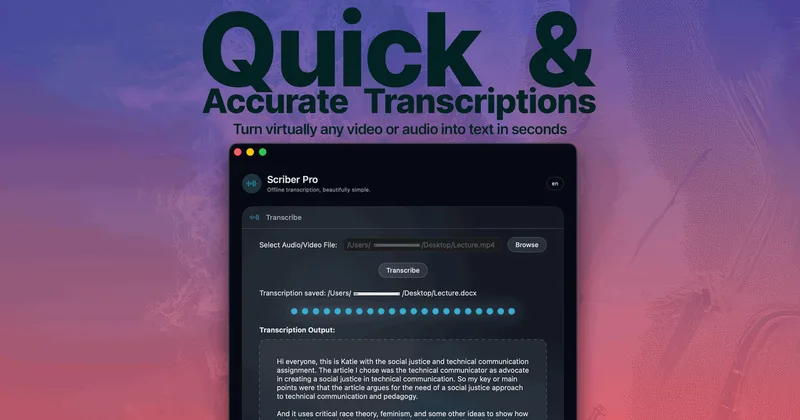
Scriber-Pro 2.0
Scriber Pro 2.0 is a macOS app for transcribing audio and video locally, including files, YouTube links, and M3U8/HLS web streams. It saves transcripts in a searchable library and exports them in several document formats.
TrueScribe
TrueScribe is a Windows and Linux desktop app for transcribing, editing, searching, translating, and researching audio and video recordings. Processing runs locally by default, with optional cloud models for selected features.

Recly
Recly is a free, open-source recorder and transcription app for Galaxy Watch, Apple Watch, iPhone, Mac, and Windows. It stores recordings and transcripts in your Google Drive, with on-device transcription or transcription through a provider you choose using your own API key.

Transpocket
TransPocket is an AI-enhanced online audio and video transcription service that converts audio/video files and live recordings to text using Whisper Large-v3 and a high-speed turbo model, offering multi-language support, speaker recognition, and enterprise-grade security.
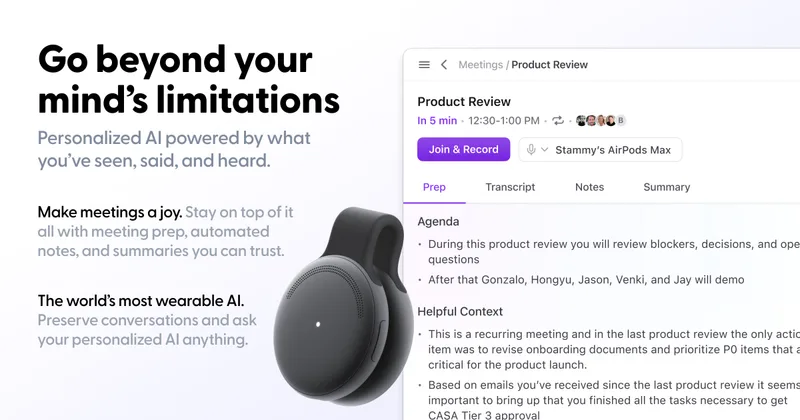
limitless-ai
Limitless was an AI-enabled wearable and software company (notably the Pendant and Rewind app) focused on personal AI and meeting recording/transcription; the company has been acquired by Meta and will continue limited support for existing Pendant customers through 2026.
Whispernotes
Whisper Notes is a native iPhone and macOS app that performs fully offline speech-to-text using OpenAI's Whisper family of models (including Whisper Large V3 Turbo). It targets professionals who need private, on-device transcription for meetings, lectures, interviews, and dictation, with a one-time purchase model rather than subscriptions.
Premium Alternatives



transcripci-n
Transcripción+ ofrece servicios de transcripción de audio a texto combinando transcripciones profesionales humanas y transcripción automática potenciada por IA, además de resúmenes, identificación de hablantes, traducción y una API para integraciones.


MeetNote
Meetnote is an AI meeting assistant that captures browser audio without joining calls as a bot, then generates speaker-labeled transcripts, summaries, action items, and searchable meeting records. It works through a Chrome extension and web workspace for Google Meet, Microsoft Teams, Zoom, and other browser audio.