

ChatterMate
ChatterMate is an open-source, self-hostable AI customer support platform that indexes your documentation to provide grounded, cited answers across multiple channels, with human handover, lead capture, and developer tooling for customization and self-hosting.
ChatterMate is chatbots & assistants software teams evaluate for business operations. Use this page to review pricing, integration signals, and the best alternatives before you commit.
Profile facts come from the vendor source. AiMatch labels unknown pricing or API details instead of estimating them.
Review official source →Quick Overview
Best for: Business Operations
What it does
Chatbots & Assistants software for decision-makers comparing workflow fit and alternatives.
Best fit
Business Operations
Pricing snapshot
Freemium from Free for the first 300 chats (free forever for first 300 chats as stated on site)
Next step
Compare ChatterMate with similar tools before you shortlist it.
Compare this tool before you shortlist it
Review alternatives, pricing posture, and workflow fit side by side.
ChatterMate is an open-source, AI-powered customer support platform designed to learn from your documentation and answer customer queries with grounded, cited responses across channels. It combines AI agents with human oversight: the system handles routine queries, automatically escalates to humans when needed, and captures qualified leads during conversations. The product targets businesses seeking omnichannel support, self-service help centers, and developer-friendly, self-hostable tooling.
The platform supports rapid deployment with a one-line widget for websites, CLI tooling and a self-hostable MCP server for enterprises that want to run the stack on their own infrastructure. It also offers no-code workflows, integrations (Slack, Shopify, Jira, webhooks, REST API), and features for converting conversations into sales-qualified leads.
AI-powered customer support platform with AI agents and human oversight.
Own this listing?
Claim this page for a one-time $29 to add pricing, features, screenshots, verified owner details, and a clearly labeled 30-day category position after the profile is live.
Claim this listing for $29Key Features
Document-based grounding
Scans, chunks and indexes PDFs and URLs so the agent answers from your docs with citations — no tagging or training data required.
Grounded & cited answers
Answers are grounded in indexed knowledge and include citations to source documents to reduce hallucinations.
Omnichannel support & single inbox
Supports multiple channels with one shared inbox showing open, pending and closed views across every channel; AI and human-handled chats coexist in the same inbox.
Human handover
One-click transfer to a human with full context; detects when a customer is frustrated or stuck and escalates accordingly.
Lead capture & qualification
Converts conversations into qualified leads by asking targeted questions at the right moment and routing leads to sales, Slack or CRM.
Auto-built help center
Builds a fully-branded, searchable help center from the same knowledge that powers the agent, with AI search that answers and cites.
No-code workflows
Drag-and-drop visual workflows to build multi-step flows with conditions, forms, messages and human handoff without engineering.
Developer tooling & self-hosting
CLI for signup, agents, knowledge and workflows; MCP server with personal access tokens; scriptable commands and self-hostable architecture.
MCP tools & API actions
Connect MCP tools so the agent can take actions mid-conversation (look up orders, issue refunds, create tickets, call your APIs).
Customizable chat widget
Multiple presets and full theming (colors, shape, typography, position) with live preview; paste a single script to go live.
Pricing
Free forever for your first 300 chats; start free — 300 chats.
Free
Free for the first 300 chats (free forever for first 300 chats as stated on site)- Open source
- Self-hostable option
- 300 free chats to start
Growth
Not listed on the page- Intended for higher-volume use (page references Growth as a fit for ~800 orders/week)
Enterprise
Not listed on the page- Self-hosting, MCP server, tokens and enterprise tooling referenced (no on-page prices)
Use Cases
24/7 customer support
Provide round-the-clock, AI-handled support that answers from company documentation and hands off to humans when necessary.
Help center & self-service
Automatically build a branded help center from the agent's knowledge so customers can self-serve and avoid opening tickets.
Lead generation and qualification
Turn support conversations into pipeline by qualifying intent and routing leads to sales or CRM without upfront forms.
Developer-driven, self-hosted deployments
Run agents, knowledge sources and workflows from the terminal, integrate MCP server and tokens, and host the stack on your own infra.
Omnichannel support management
Unify chats from multiple channels into a single inbox for consistent handling, search, reassignment and Jira/Zendesk ticket creation.
Integrations
Slack
Route qualified leads or notifications to Slack channels and integrate chat workflows.
Shopify
Integrate with Shopify for order lookups and commerce-related actions via MCP tools.
Jira
Create Jira tickets directly from conversations.
Webhooks
Trigger external workflows or notifications via webhooks.
REST API / MCP
Wire the MCP server into AI clients with personal access tokens and call your own APIs mid-conversation.
Benefits
Limitations
No verified limitations are available.
Frequently Asked Questions
How fast can I go live?
What happens when the AI can't answer?
Is it really open source?
Getting Started
- 1 Step 1: Create your account — sign up with email and land in the dashboard (free for first 300 chats).
- 2 Step 2: Feed it & shape it — drop PDFs or URLs, write the agent's personality prompt, and preview answers in real time.
- 3 Step 3: Paste one line of code — copy the widget snippet into your site and go live in under two minutes.
Support
Docs
CLI docs and platform documentation referenced on the site (e.g., 'Read the CLI docs').
GitHub
Open-source repository and community on GitHub (site references GitHub and star count).
Blog / Help
Blog posts, help center articles and an on-site help/search experience built from agent knowledge.
API
API and CLI documentation are referenced on the site (CLI docs, MCP server and token usage are described on the site).
Compare ChatterMate with similar tools
See how it stacks up against alternatives
Related Tools
View all 161 →
chatterdocs-ai
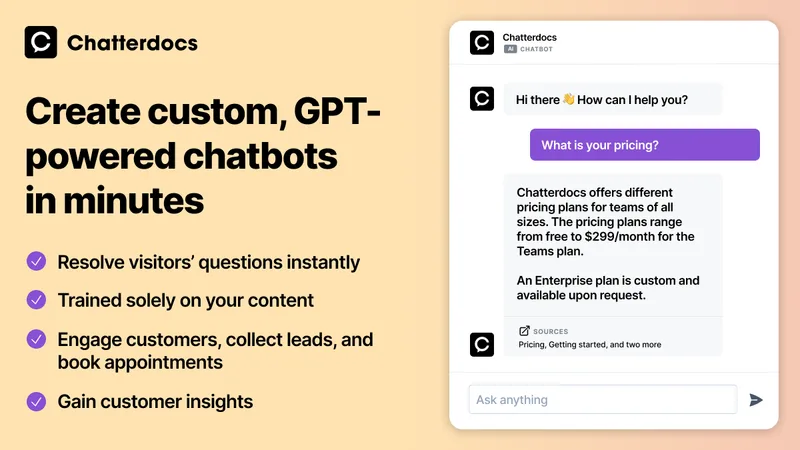
Chatterdocs (now merged into ResolveAI custom AI Chatbots) is a no-code platform to create GPT-powered chatbots that answer support questions, capture leads, and book appointments using your website and knowledge sources.


remail
Remail is an AI-powered browser assistant with tools for drafting and replying to emails, chatting with AI models, summarizing web content, writing, translating, and more. It is available as a Chrome extension and is designed for professionals who want AI assistance across their browser workflows.

raggenie
RAGgenie is a low-code platform for building retrieval-augmented generation (RAG) conversational AI 'copilots' from your existing data, enabling teams and individuals to create, run locally, and integrate custom GenAI assistants without advanced technical skills.

Dewstack
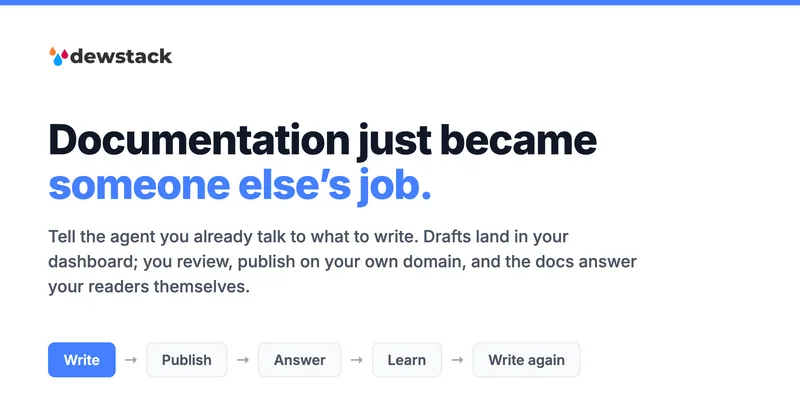
Dewstack is an AI-powered documentation platform that centralizes content, auto-generates SOPs and manuals from recorded workflows, and provides SmartDocs AI for instant, source-cited answers to user questions. It targets teams and enterprises that need searchable, brandable knowledge bases and self-serve support.

Premium Alternatives



trainmy-ai
TrainMyAI builds custom, on-premise or cloud-hosted AI chatbots using retrieval-augmented generation (RAG) for private content, with access via WhatsApp, the web, and a private API while keeping all data on your own server.




MARA
MARA is AI-powered hotel reputation management software that helps hotel teams draft review replies in their brand voice, analyze guest feedback, and manage reputation workflows across properties. It combines a shared review inbox, analytics, surveys, widgets, and integrations.
innerai-com
Inner AI é uma plataforma brasileira que reúne mais de 50 modelos de IA pagos (como GPT-5, Claude 4.6, Gemini 3.1 e Grok) oferecendo acesso centralizado, bibliotecas de prompts, templates de documentos, assistentes personalizados, cursos com certificado e aplicativos web/móvel — tudo com foco em equipes e uso profissional.