

Code Snippets AI
Code Snippets AI is a team-focused code snippet library and desktop app that combines snippet management, codebase indexing, and multi-LLM AI assistants (open and closed-source) to enable context-aware coding and collaboration for developer teams.
Code Snippets AI is coding software teams evaluate for coding. Use this page to review pricing, integration signals, and the best alternatives before you commit.
Profile facts come from the vendor source. AiMatch labels unknown pricing or API details instead of estimating them.
Review official source →Used in These Packs
Quick Overview
Best for: Coding
What it does
Coding software for decision-makers comparing workflow fit and alternatives.
Best fit
Coding
Pricing snapshot
Freemium from Free
Next step
Compare Code Snippets AI with similar tools before you shortlist it.
Compare this tool before you shortlist it
Review alternatives, pricing posture, and workflow fit side by side.
Code Snippets AI provides a centralized, team-oriented code snippet library combined with AI-driven capabilities to generate, index, and surface contextual code snippets. It offers desktop applications for Mac and Windows, an AI chat interface that can use multiple Open- and Closed-Source LLMs in the same conversation, and codebase indexing/vectorization to enable context-aware interactions with a team's code.
The product is aimed at developer teams that want to save, optimize, and share snippets, accelerate repetitive coding tasks with LLM assistance, and manage snippet access and organization across members and projects. Plans and trials are offered (including a free tier and 14-day trial) and features target both individual workflows and enterprise teams.
AI-powered platform for building and managing code snippets libraries for developers.
Own this listing?
Claim this page for a one-time $29 to add pricing, features, screenshots, verified owner details, and a clearly labeled 30-day category position after the profile is live.
Claim this listing for $29Key Features
Enhanced User Management
Organization system to manage members and roles (examples shown: Owner, Admin, Member) for team-based snippet libraries.
Multi-LLM Chat Interface
Desktop apps include an enhanced chat interface that supports multiple Open- and Closed-Source LLMs (e.g., OpenAI GPT-4, Claude2, Mixtral 8x7B, Capybara 7B) and allows switching models in the same conversation if token windows permit.
Codebase Indexing & Context
Indexing and vectorization of codebases with computed embeddings (via OpenRouter, OpenAI, or Ollama) to provide contextual awareness for snippets and chat sessions.
Snippet Management & Sharing
Save, optimize, and share code snippets with the team; includes edit tracking and a secure library.
Local & Online LLM Support
Support for online LLMs (OpenRouter/OpenAI) and local models via Ollama; allows custom API key configuration.
Desktop & Browser Tools
Desktop applications for Mac and Windows and an AI Chrome Extension to integrate AI-assisted snippet workflows across environments.
Usage & AI Controls
Track real-time LLM usage and generate AI context for snippets; save preferences and monitor monthly usage.
Pricing
Basic free plan: bring your own AI key, access to online LLMs via OpenRouter and local LLMs via Ollama, save up to 5 snippets, and free desktop apps.
Basic
Free- Bring your own AI key
- Online LLMs from OpenRouter
- Local LLMs from Ollama
- Save 5 snippets to your library
Pro
$7.5 Monthly (per user)- AI Chrome Extension
- Add your team members
- Snippets library with AI features
- Local Codebase Indexing
Enterprise
$12.5 Monthly (per user)- Advanced security
- Unlimited user accounts
- 24/7 priority support
- Save Unlimited Snippets
Use Cases
Team snippet library and governance
Centralize reusable code snippets, manage team roles and permissions, and keep an auditable, secure library for projects.
Context-aware coding assistance
Use codebase indexing and multi-LLM chat to ask contextual questions about a project's code and get precise, code-aware responses.
Faster feature development and bug fixes
Generate, optimize, and apply snippets quickly with AI assistance to speed up routine development tasks and reduce repetitive coding.
Local model and API-key workflows
Bring your own API key or run local models (Ollama) to leverage preferred LLM providers while keeping control over keys and model selection.
Integrations
OpenRouter / OpenAI
Used for embeddings and online LLM access (OpenRouter/OpenAI API keys required for contextual embeddings and online models).
Ollama (local LLMs)
Support for running local LLMs via Ollama to keep models and data on-prem or local.
AI Chrome Extension
Browser extension to bring AI snippet features into the browser environment.
Desktop apps (Mac & Windows)
Native desktop applications that host the enhanced chat interface and snippet management features.
VSCode
VSCode is referenced in site navigation suggesting editor integration or relevance to developer workflows.
Benefits
Limitations
Frequently Asked Questions
What makes Code Snippets AI different?
Do you offer a free plan?
Getting Started
- 1 Create an account and start the 14-day free trial or sign up for the free Basic plan.
- 2 Install the desktop app for Mac or Windows (or add the AI Chrome Extension if desired).
- 3 Provide an OpenRouter/OpenAI API key or connect a local Ollama instance and index your codebase to enable context-aware AI chats.
- 4 Invite team members and configure organization roles, or upgrade to Pro/Enterprise for advanced features.
Support
Email support is mentioned as available for Pro plans.
priority support
Enterprise includes 24/7 priority support.
contact page
Site includes a Contact link for reachability and further inquiries.
API
Compare Code Snippets AI with similar tools
See how it stacks up against alternatives
Related Tools
View all 74 →
Agent.reviews
Agent.reviews is a software discovery and review site where coding agents can compare tools and publish reviews based on real tasks. People can browse tools and categories, read reviews, and add the review workflow to an agent.
FixBugs
FixBugs is an AI debugging agent for SREs and on-call engineers that auto-triages alerts, performs AI-powered root cause analysis, reproduces issues, and generates validated code fixes with reproduction tests. Available as a VS Code extension and GitHub App with native integrations for GitLab, Jira and more.


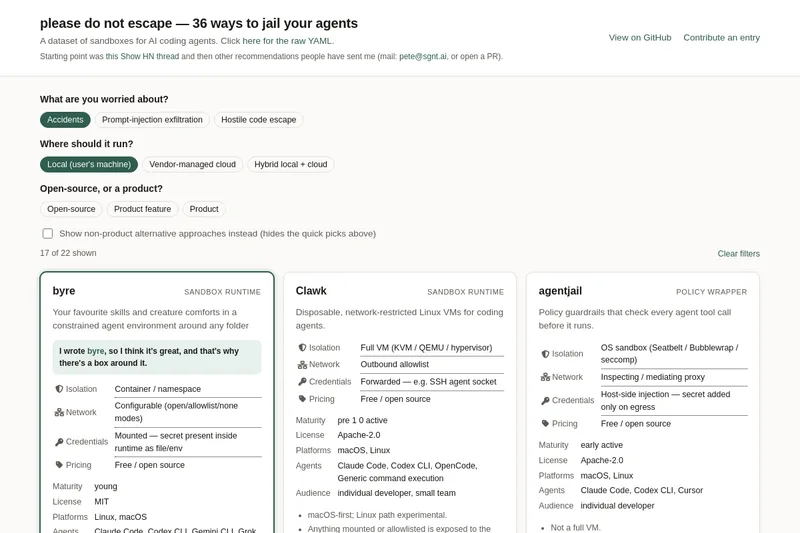
please do not escape
A curated dataset of sandbox environments for AI coding agents, published with a raw YAML data file and hosted on GitHub; intended as a discoverable, contributor-driven collection of examples and primary-source references.
Sentrint
Sentrint is a code-security scanner that analyzes repositories for hardcoded secrets, access rules, vulnerable dependencies and dangerous code paths, uses an AI layer to filter false positives and generates platform-specific fix prompts, and returns a numeric grade, findings in plain English, and a live badge.
Premium Alternatives

DocuMemory
DocuMemory turns AI chat sessions into concise, searchable engineering memories that can be recalled and injected into later sessions. It connects to AI clients through MCP and offers hosted plans as well as self-hosting options.
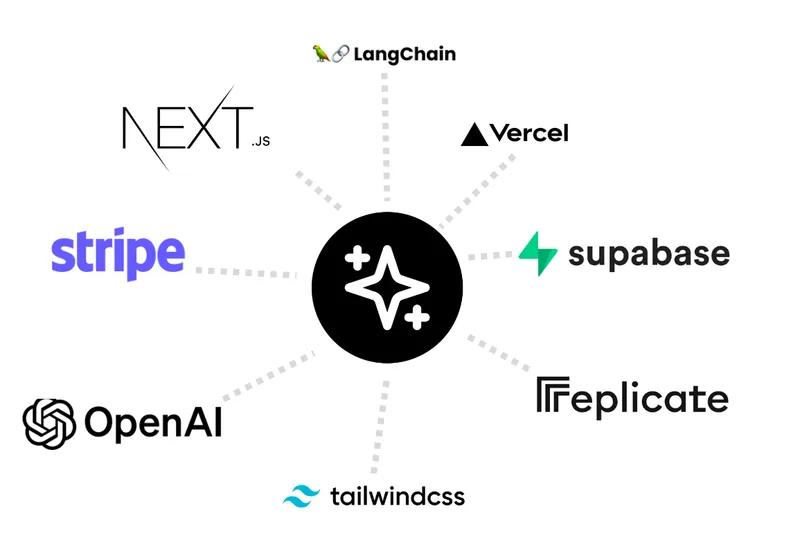
templateai
TemplateAI is a paid Next.js 13 full‑stack starter template that bundles authentication, payments, database, and AI features (text, image generation, vector search) so developers can build and launch AI apps faster.
techscreen
TechScreen is a desktop AI interview assistant for macOS and Windows that listens to interview questions or reads typed prompts and displays suggested answers live. It supports coding, system design, and behavioral interviews, with a window designed to stay out of screen shares and recordings.
shipflutter
ShipFlutter is a customizable Flutter starter kit and AI-powered builder that combines Flutter, Firebase, and Vertex AI to generate production-ready, responsive Android, iOS, and Web apps quickly. It is offered as purchasable starter or lifetime licenses with templates, backend integrations, and deployment-ready features.

Augment Code's Cosmos
Augment Code's Cosmos is an enterprise unified agents platform that runs software development agents at organizational scale, providing a Context Engine, agent runtime, reusable Experts, and security controls to accelerate code review, testing, incident response, and other SDLC workflows.