
cosine
Cosine provides Lumen, a family of coding-focused AI models and accompanying developer tooling (CLI and Cloud) designed to generate maintainable, production-quality code and to be deployed where customer data lives — from public cloud to fully air-gapped environments.
cosine is coding software teams evaluate for coding. Use this page to review pricing, integration signals, and the best alternatives before you commit.
Profile facts come from the vendor source. AiMatch labels unknown pricing or API details instead of estimating them.
Review official source →Used in These Packs
Quick Overview
Best for: Coding
What it does
Coding software for decision-makers comparing workflow fit and alternatives.
Best fit
Coding
Pricing snapshot
Contact for pricing
Next step
Compare cosine with similar tools before you shortlist it.
Compare this tool before you shortlist it
Review alternatives, pricing posture, and workflow fit side by side.
Cosine is focused on a coding-first AI product family called Lumen, engineered specifically to produce maintainable, production-quality software rather than broad general-purpose outputs. The offering includes on-device/low-cost models (Lumen Scout), higher-quality production models (Lumen Outpost), and enterprise-focused Sovereign deployments for customers requiring strict security controls. Cosine provides both a terminal-native CLI experience and a collaborative Cloud product, with deployment options ranging from public cloud to managed single-tenant environments and fully air-gapped installations to meet compliance needs.
AI software engineer for codebase understanding, task execution, and collaboration.
Own this listing?
Claim this page for a one-time $29 to add pricing, features, screenshots, verified owner details, and a clearly labeled 30-day category position after the profile is live.
Claim this listing for $29Key Features
Coding-specialist models (Lumen family)
A family of models trained and post-trained specifically for coding tasks: Scout (lightweight, device-capable), Outpost (high-quality production tasks), and a forthcoming Frontier model for hard engineering problems.
Optimised for maintainability
Models are optimised for maintainability, readability, and production-quality outputs rather than generating bloated or irrelevant code.
Niche and legacy language support
Post-trained support for enterprise and niche languages including COBOL, Fortran, Verilog, Rust, and complex SQL.
Terminal-native CLI
A terminal-first interface with a local-to-remote execution model and multi-agent orchestration for developer workflows.
Collaborative Cloud product
Cosine Cloud enables running multiple coding tasks in parallel, planning large changes, and collaborating across engineers, PMs, and stakeholders in shared projects.
Flexible deployment (security-first)
Deployment options include public cloud (fully managed), managed single-tenant cloud operated for an organisation, and fully air-gapped installations that run inside a customer's security perimeter.
External tool access via MCP
Supports external tool access through MCP to integrate with additional tooling in workflows.
Pricing
Current pricing details are not available from the vendor source.
Use Cases
Local developer workflows (CLI)
Use Cosine's terminal-native CLI to iterate on code, run local-to-remote executions, and orchestrate multi-agent coding tasks directly from developers' terminals.
Team collaboration and project planning (Cloud)
Run parallel tasks, plan large changes, and collaborate across engineers, product managers, and stakeholders using the Cosine Cloud shared project environment.
Enterprise & regulated deployments
Deploy Cosine in a managed single-tenant environment or fully air-gapped inside an organisation's security perimeter to meet compliance and data residency requirements.
Support for legacy and niche systems
Generate and maintain production-quality code for legacy and niche languages and complex SQL used in long-lived enterprise systems.
Integrations
MCP (external tool access)
Enables external tool access from the terminal-native interface to integrate additional tooling into the coding workflow.
Benefits
Limitations
Frequently Asked Questions
No verified FAQs are available.
Getting Started
- 1 Step 1: Visit the Cosine website and explore product pages for Lumen and deployment options (https://cosine.sh/).
- 2 Step 2: Try the terminal-native experience by installing the Cosine CLI (page references brew install and CLI onboarding).
- 3 Step 3: Evaluate Cosine Cloud for collaborative workflows or contact Cosine for managed single-tenant or fully air-gapped deployments.
Support
Docs
Documentation linked from the site (Docs section) for product and developer guidance.
Contact
Contact Cosine via the website (Contact us link) for sales, enterprise deployments, and support.
Newsroom / Blog
Newsroom and blog entries on the site provide updates, research, and announcements.
API
Compare cosine with similar tools
See how it stacks up against alternatives
Related Tools
View all 74 →
Agent.reviews
Agent.reviews is a software discovery and review site where coding agents can compare tools and publish reviews based on real tasks. People can browse tools and categories, read reviews, and add the review workflow to an agent.
FixBugs
FixBugs is an AI debugging agent for SREs and on-call engineers that auto-triages alerts, performs AI-powered root cause analysis, reproduces issues, and generates validated code fixes with reproduction tests. Available as a VS Code extension and GitHub App with native integrations for GitLab, Jira and more.


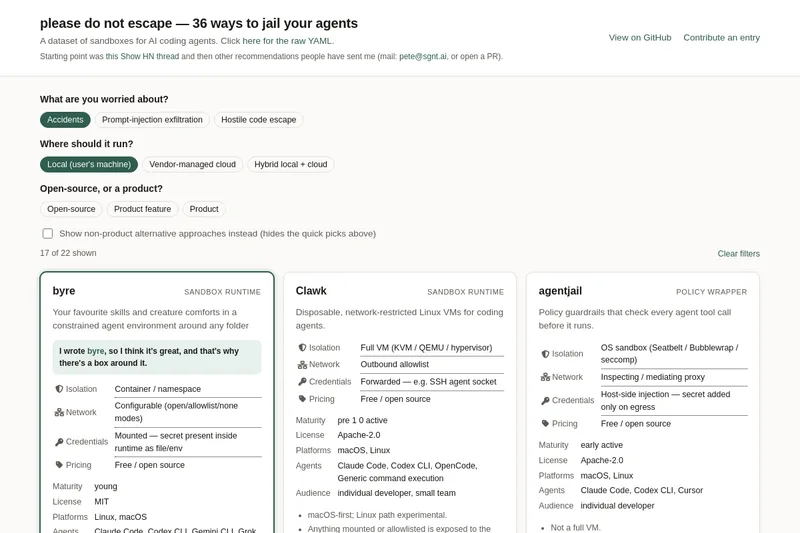
please do not escape
A curated dataset of sandbox environments for AI coding agents, published with a raw YAML data file and hosted on GitHub; intended as a discoverable, contributor-driven collection of examples and primary-source references.
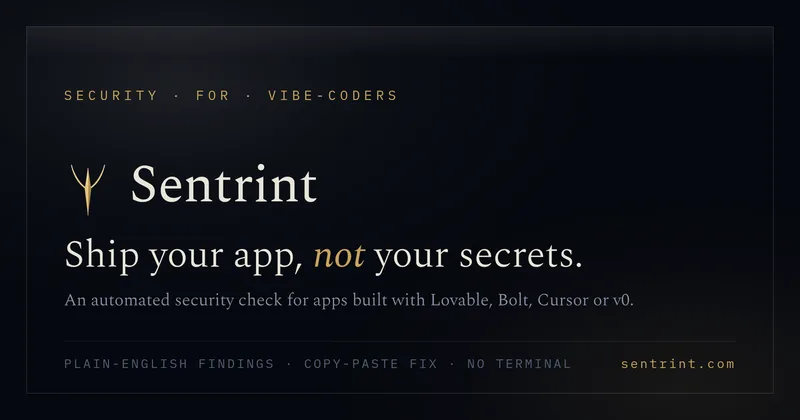
Sentrint
Sentrint is a code-security scanner that analyzes repositories for hardcoded secrets, access rules, vulnerable dependencies and dangerous code paths, uses an AI layer to filter false positives and generates platform-specific fix prompts, and returns a numeric grade, findings in plain English, and a live badge.
Premium Alternatives

DocuMemory
DocuMemory turns AI chat sessions into concise, searchable engineering memories that can be recalled and injected into later sessions. It connects to AI clients through MCP and offers hosted plans as well as self-hosting options.
templateai
TemplateAI is a paid Next.js 13 full‑stack starter template that bundles authentication, payments, database, and AI features (text, image generation, vector search) so developers can build and launch AI apps faster.

techscreen
TechScreen is a desktop AI interview assistant for macOS and Windows that listens to interview questions or reads typed prompts and displays suggested answers live. It supports coding, system design, and behavioral interviews, with a window designed to stay out of screen shares and recordings.

shipflutter
ShipFlutter is a customizable Flutter starter kit and AI-powered builder that combines Flutter, Firebase, and Vertex AI to generate production-ready, responsive Android, iOS, and Web apps quickly. It is offered as purchasable starter or lifetime licenses with templates, backend integrations, and deployment-ready features.

Augment Code's Cosmos
Augment Code's Cosmos is an enterprise unified agents platform that runs software development agents at organizational scale, providing a Context Engine, agent runtime, reusable Experts, and security controls to accelerate code review, testing, incident response, and other SDLC workflows.