
Emma
Emma is a platform for quickly building custom AI-powered assistants (chatbots) that connect to an organization's data and integrations, using OpenAI models to provide conversational support across web, desktop, integrations, and an API.
Emma is chatbots & assistants software teams evaluate for chatbots & assistants. Use this page to review pricing, integration signals, and the best alternatives before you commit.
Profile facts come from the vendor source. AiMatch labels unknown pricing or API details instead of estimating them.
Review official source →Used in These Packs
Quick Overview
Best for: Chatbots & Assistants
What it does
Chatbots & Assistants software for decision-makers comparing workflow fit and alternatives.
Best fit
Chatbots & Assistants
Pricing snapshot
Contact for pricing
Next step
Compare Emma with similar tools before you shortlist it.
Compare this tool before you shortlist it
Review alternatives, pricing posture, and workflow fit side by side.
Emma enables organizations to create AI-powered conversational assistants in minutes. The platform is built to connect assistants to business data, integrations, and uploaded files so the assistant can answer team and customer inquiries without manual searches. Emma supports multiple access channels including a chat webpage, a desktop application, integrations (e.g., Slack, Zapier), and an API, and it advertises quick setup time and customization for different teams and workflows.
Platform to build custom AI assistants with GPT technology, connect to data, and automate tasks.
Own this listing?
Claim this page for a one-time $29 to add pricing, features, screenshots, verified owner details, and a clearly labeled 30-day category position after the profile is live.
Claim this listing for $29Key Features
Custom AI Assistants
Create a personalized assistant for teams, projects, or workflows that can be tailored to specific data sources and roles.
Data Connections & Uploads
Connect tools, databases, or upload files and documents so the assistant can use organizational resources to answer questions.
Pre-built Use Templates
Templates and examples for common assistants such as help-desk chatbots to get running quickly.
Trained Assistant (manual training)
Train an assistant by answering questions about the information you want it to know; the assistant learns from manual input when no data is provided.
Multi-channel Access
Interact via chat webpage, desktop application, integrations, or the Emma API.
Access & Data Controls
Control which data sources each assistant can access and customize access for different use cases or teams.
Pricing
Current pricing details are not available from the vendor source.
Use Cases
Help-desk Chatbot
Run a help-desk assistant by connecting support applications, documents, and integrations to provide instant responses to common support inquiries.
Team-specific Knowledge Assistants
Create assistants for marketing, accounting, or other teams that are connected only to the relevant tools and data for each team.
Document & File Q&A
Upload files or documents and let assistants answer questions based on the uploaded content.
Integrations-driven Workflows
Embed assistants into workflows by connecting them to tools like Slack, Zapier, email software, and other business applications.
Integrations
Slack
Integrate the assistant into Slack to provide conversational access inside team channels.
Zapier
Connect Emma to many other apps and automation workflows via Zapier.
Email software
Integrate with email tools to surface assistant functionality in email workflows.
Support applications & Databases
Connect support platforms, databases, spreadsheets, and other business tools to enable the assistant to use organizational data.
Benefits
Limitations
No verified limitations are available.
Frequently Asked Questions
How many assistants can I create?
Can I limit which data is provided to an assistant?
What level of customization is possible with the AI assistant's interface and functionality?
How long does it take to set up and launch the assistant?
Can I customize my assistant’s chat page?
Getting Started
- 1 Step 1: Create an account on Emma.
- 2 Step 2: Set up your assistant (choose name, appearance, and initial settings).
- 3 Step 3: Connect data sources or upload documents, or train the assistant manually; then deploy via web, desktop app, integration, or the Emma API.
Support
Contact page
Site includes a Contact link for inquiries and support.
Help-center / Developers
Site navigation references a Help-center and Developers resources for additional assistance and developer-focused information.
Documentation / Examples
Examples and 'Get Started' guides are available on the site to help onboard users.
API
Compare Emma with similar tools
See how it stacks up against alternatives
Related Tools
View all 175 →
Cluely
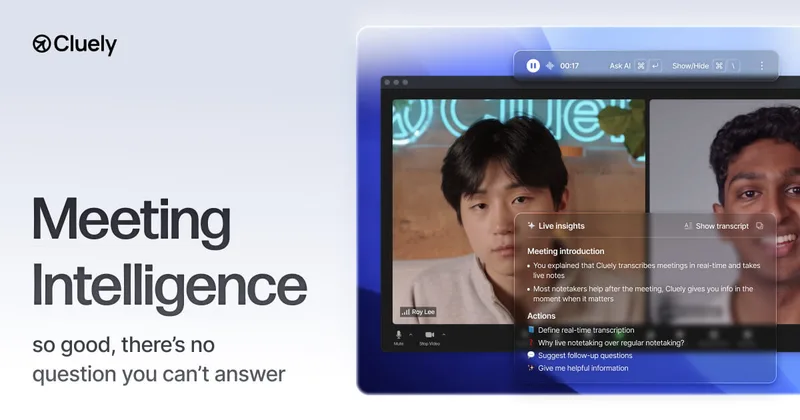
Cluely is an AI meeting assistant that listens to conversations in real time and provides answers, meeting notes, follow-up questions, recaps, and next steps. It runs without joining meetings as a bot and is designed to remain invisible to other participants and screen shares.
guestguru-ai
Guest Guru AI automates guest messaging and answers common questions for short-term rental hosts and property managers. It connects with property management systems and major booking channels; the site says it is joining Zeevou and invites users to join a waitlist.



Premium Alternatives


chatlease
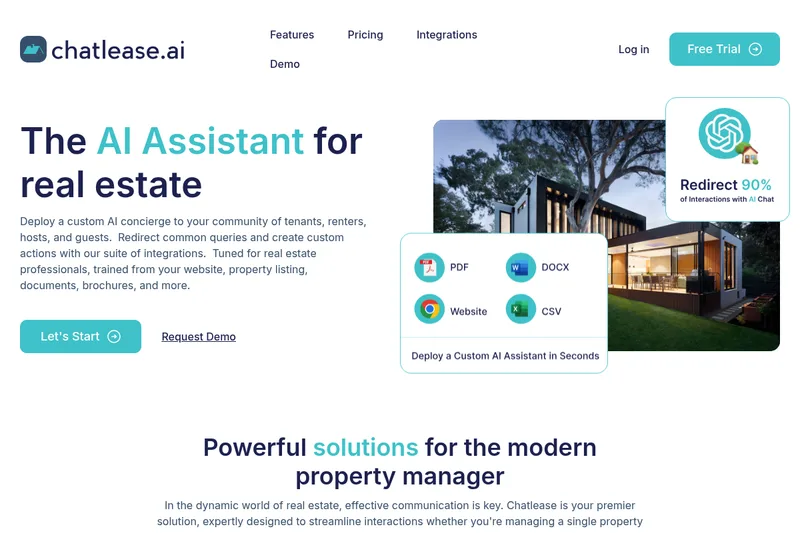
Chatlease is an AI concierge for real estate professionals that answers tenant, renter, guest, and prospect questions using property-specific content. It can also support lead capture, viewing appointments, and customer conversations across web chat and other channels.
innerai-com
Inner AI é uma plataforma brasileira que reúne mais de 50 modelos de IA pagos (como GPT-5, Claude 4.6, Gemini 3.1 e Grok) oferecendo acesso centralizado, bibliotecas de prompts, templates de documentos, assistentes personalizados, cursos com certificado e aplicativos web/móvel — tudo com foco em equipes e uso profissional.


MARA
MARA is AI-powered hotel reputation management software that helps hotel teams draft review replies in their brand voice, analyze guest feedback, and manage reputation workflows across properties. It combines a shared review inbox, analytics, surveys, widgets, and integrations.