
focu
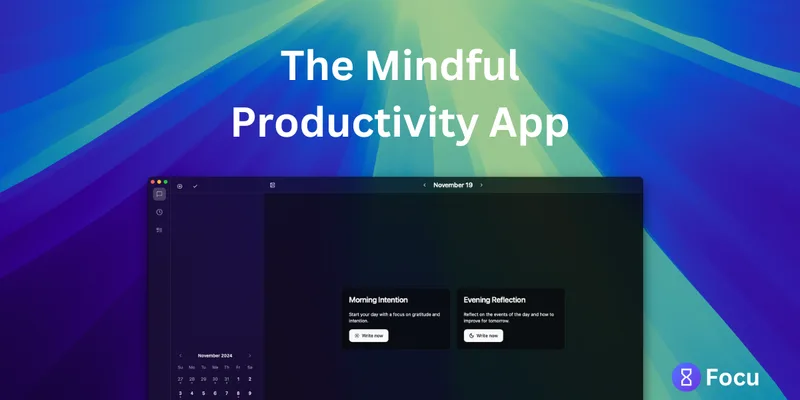
Focu helps Mac users plan tasks, run Pomodoro focus sessions, and reflect on their workday with journaling and AI-assisted task extraction. It runs locally by default and is described as free and open source.
One of 132 tools in Productivity
Who it's for
- Mac users who want a task list and Pomodoro timer together on a focus page.
- People who want AI to extract tasks from conversations and add them to their workday list.
- People who want journaling and daily check-ins in a productivity app that runs local AI by default.
Not the right fit if…
- People who need a Windows app: the page offers a Mac download and does not identify a Windows version as currently available.
How it fits your workflow
Use the focus page to enter tasks yourself or have AI extract tasks from conversations. The resulting tasks are added to the task list.
Keep the Pomodoro timer in the menu bar while you work, and use check-ins, journaling, and reflections to plan or refocus through the day.
Focu runs locally by default, including AI processing. If preferred, configure cloud AI through OpenAI or OpenRouter with your own API key; automatic backups can be directed to a preferred location such as iCloud.
Pricing
Free: Focu is described as 100% free and open source. The page says it does not require a subscription.
Free and open source
100% free; the page says no subscription is required.
- · Mac app download
- · Local AI functionality
Prices checked on Oct 21, 2026 from the vendor's site. They can change; confirm before you buy.
Key features
- Focus page and task list
- A dedicated focus page brings a task list and Pomodoro timer together. Users can enter tasks themselves or use AI to extract them from conversations.
- Menu-bar Pomodoro timer
- The built-in timer lives in the menu bar so users can run focus sessions while working.
- AI task extraction
- AI can identify tasks in conversations and add them to the task list.
- AI-guided journaling and check-ins
- The app offers guided journaling, smart check-ins, and reflections to support planning and staying focused during the day.
- Local and cloud AI options
- Focu works out of the box with local AI. It also supports cloud AI through OpenAI or OpenRouter using the user's own API key.
- Keyboard shortcuts
- Keyboard shortcuts let users interact with the app while avoiding distractions.
Works with
- OpenAI
- OpenRouter
- iCloud
Limitations to know
- The page offers a Mac download; it does not identify a Windows version as currently available.
Alternatives to consider
-
Work Life Panda
Choose it if you want a cross-platform app combining tasks, calendars, and notes with private on-device AI, rather than Focu's Mac focus page and Pomodoro-centered workflow.
-
Magicflow
Choose it if you want a focus coach that tracks work and distractions and provides productivity metrics and recommended actions.
Getting started
Mac; the page provides a Mac download.
- Download the Mac app from the Focu website.
- Start with the local AI option, which the page says works out of the box.
- Optionally configure OpenAI or OpenRouter cloud AI with your own API key.