
Headshotphoto
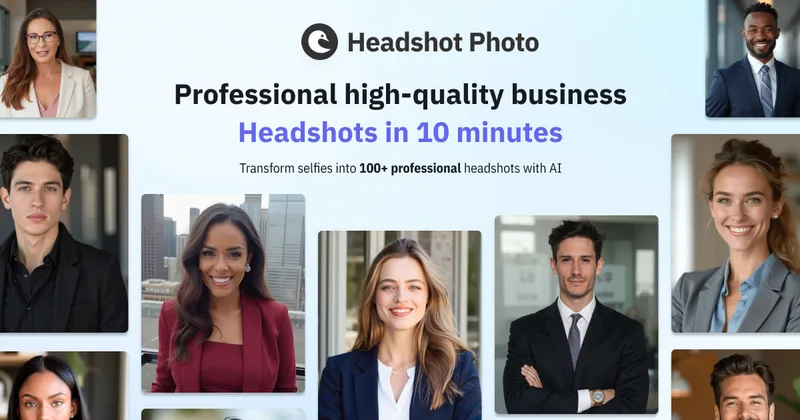
Headshot Photo is an AI-powered service that generates professional-quality headshots from a few selfies in about two minutes, aimed at individuals and teams for LinkedIn, resumes, corporate profiles, and branding.
Headshotphoto is image & design software teams evaluate for image & design. Use this page to review pricing, integration signals, and the best alternatives before you commit.
Profile facts come from the vendor source. AiMatch labels unknown pricing or API details instead of estimating them.
Review official source →Used in These Packs
Quick Overview
Best for: Image & Design
What it does
Image & Design software for decision-makers comparing workflow fit and alternatives.
Best fit
Image & Design
Pricing snapshot
Freemium from $34 (one time fee)
Next step
Compare Headshotphoto with similar tools before you shortlist it.
Compare this tool before you shortlist it
Review alternatives, pricing posture, and workflow fit side by side.
Headshot Photo is an online AI headshot generator that transforms a small set of selfies into large packs of professional headshots in about two minutes. The service targets professionals and teams who need LinkedIn, resume, corporate, or branding photos and emphasizes speed, customization (backgrounds and outfits), and security (ISO 27001). The site highlights usage metrics (1,453,623 headshots delivered) and customer satisfaction (4.7/5) and offers individual and team plans with one-time pricing.
Headshot Photo is an AI-powered service that generates professional-quality headshots from a few selfies in about two minutes, aimed at individuals and teams for LinkedIn, resumes, corporate profiles, and branding.
Own this listing?
Claim this page for a one-time $29 to add pricing, features, screenshots, verified owner details, and a clearly labeled 30-day category position after the profile is live.
Claim this listing for $29Key Features
AI headshot generation
Transforms uploaded selfies into many professional-grade headshots using AI; marketed as producing up to 100 headshots from a few selfies.
Fast turnaround
Typical generation times advertised as ready in 2 minutes; specific plan turnaround times range from 2 minutes to 3 hours depending on plan.
Customizable backgrounds & outfits
Choose from 120+ backgrounds and 60+ outfit styles; offers background and outfit swapping and LinkedIn preview.
Edit credits & reshoots
Plans include edit credits for customizing images; enterprise plan includes one free reshoot (reupload training photos for new results).
Team & enterprise packages
Offers Individual and Teams/Enterprise plans with different headshot quantities, backgrounds, outfit styles, and edit credits.
Security & guarantees
States ISO 27001 compliance and a 100% money-back guarantee.
LinkedIn preview
Provides a preview tool to see how generated headshots will appear on LinkedIn before downloading.
Pricing
The site states it 'offers one of the best free AI headshot generators' but does not provide detailed free-tier terms or limits on this page.
Basic (Individual)
$34 (one time fee)- 40 headshots
- 4 unique backgrounds and outfits
- 3 hours turnaround time
- 10 unique clothing styles
Premium (Most Popular)
$39 (one time fee)- 80 headshots
- 8 unique backgrounds and outfits
- 30 minutes turnaround time
- 10 unique clothing styles
Enterprise
$59 (one time fee)- 100 headshots
- 10 unique backgrounds and outfits
- 2 minutes turnaround time
- 10 unique clothing styles
Use Cases
LinkedIn & professional profiles
Create polished LinkedIn headshots and profile pictures optimized for professional networking.
Resumes & portfolios
Generate high-resolution headshots suitable for resumes, portfolios, and corporate bios.
Corporate & team photos
Produce consistent, branded headshots for teams and company websites using team packages and enterprise plans.
Social media & personal branding
Create multiple profile pictures with different styles and backgrounds for social platforms and personal branding.
Integrations
No verified integration details are available.
Benefits
Limitations
Frequently Asked Questions
What are professional headshots and why do I need one?
How to create a headshot image?
Can I use AI-generated headshots for LinkedIn?
Can I customize the background of my headshot?
How long does it take to generate an AI headshot?
Getting Started
- 1 Step 1: Upload a set of selfies (the site recommends 8 selfies taken in good lighting).
- 2 Step 2: Choose styles, backgrounds, and outfit preferences for the AI to apply.
- 3 Step 3: Wait for the AI to generate the headshots and download your favorites; use edit credits or reshoot if needed.
Support
Docs/FAQ
On-site FAQ and guides (e.g., guide on how to take a good headshot) available from the product site.
Contact page
Contact Us link and legal pages (Refund Policy, Privacy Policy, Master Service Agreement) are listed on the site footer.
Social
Social channels listed in the footer (X, Facebook, Instagram, LinkedIn) for updates and outreach.
API
Compare Headshotphoto with similar tools
See how it stacks up against alternatives
Related Tools
View all 386 →

Pixian
Pixian.AI is a web and API service that removes image backgrounds using a custom AI model, offering a free tier for small images and paid processing for high-resolution images. It targets both casual users and developers with drag-and-drop web tools, an API, and features like face stickers and multiple output options.

StockLibrary.ai
StockLibrary.ai is an AI-powered platform for generating customized, royalty-free stock images on demand using user-provided descriptions and adjustable style, size, and brand preferences.
iColoring AI
iColoring AI is a free online AI-powered coloring page generator that converts photos or text prompts into high-quality, printable coloring pages and offers tools for coloring, bulk generation, and creating coloring books — with downloads in PNG/PDF and no watermarks for free use.

Jpg-to-excel
Online JPG-to-Excel converter that uses AI OCR to extract tables and text from images (JPG, PNG, HEIC, screenshots) into editable Excel (.xlsx) or CSV files with a split‑screen editor for verification and corrections.
Premium Alternatives
RoomAI
RoomAI is a web-based AI room-design tool that restyles real room photos while preserving the room geometry (walls, windows, openings, ceiling height and camera angle). It offers 300+ styles, 20+ room presets, virtual staging and decluttering with fast, full-resolution results for property listings, designers, photographers and homeowners.

Ghibli Art Generator
Ghibli Art Generator is a web-based AI tool that transforms user photos into Studio Ghibli–inspired artwork using a proprietary deep-learning style generator, offering multiple film-style filters, batch processing, and downloadable high-resolution outputs.

Prompt Hunt
Prompt Hunt is a web platform for creating, browsing, and sharing AI-generated art using curated prompt templates and its in-house Chroma model, aimed at creatives, teams, and prompt engineers.
Photostudio
Blockode AI Photo Studio is an AI-powered photoshoot generator that trains a custom model from your uploaded selfies to produce stylized, high-resolution AI photoshoots. It targets users who want custom-generated portraits with options for commercial use.

Artiphoria AI
Artiphoria AI is a web-based AI image generation software that creates unique images in one click using neural networks and machine learning, aimed at artists, designers, creators and businesses.
phopet
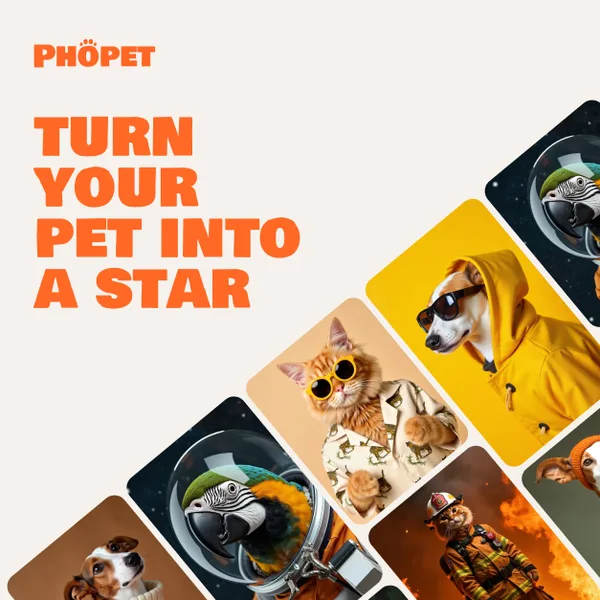
Phopet is a pet-focused image-generation service that trains a custom AI model from user-uploaded pet photos to produce themed, studio-quality images, upscaled prints, and merchandise-ready assets. It targets pet owners who want personalized photo packs and creative stories featuring their pets.

GPT Image 2.5
GPT Image 2.5 is a prompt-based image generation and editing workspace offering two model modes—Flare for fast creative exploration and Sunburst for detail-focused edits—designed for product visuals, portraits, campaigns, and other content creation workflows.