Klipmeapp
Klipme is a web-based visual AI clip maker that automatically creates short-form promotional clips (TikToks, Reels, Shorts) and summaries from long-form video using generative and visual AI technologies.
Klipmeapp is video software teams evaluate for video. Use this page to review pricing, integration signals, and the best alternatives before you commit.
Used in These Packs
Quick Overview
Best for: Video
What it does
Video software for decision-makers comparing workflow fit and alternatives.
Best fit
Video
Pricing snapshot
Contact for pricing
Next step
Compare Klipmeapp with similar tools before you shortlist it.
Compare this tool before you shortlist it
Review alternatives, pricing posture, and workflow fit side by side.
Klipmeapp
Klipme is a hassle-free web app that uses Visual AI and generative models (powered by Cognitive Mill™) to automatically edit and convert long-form video into ready-to-publish short clips for platforms like TikTok, Instagram Reels and YouTube Shorts. It accepts footage from any source — from professional feature films to smartphone recordings — and produces promotional teasers, summaries and stylized clips in minutes.
The product is aimed at creators, marketers, podcasters and video teams who need fast, scalable repurposing of long-form content into multiple short-form assets. Key capabilities include vertical autocrop, audio- and visual-driven clipping, automatic subtitles, beat-synced trimming, and a variety of visual styling and duration controls.
Klipme is a web-based visual AI clip maker that automatically creates short-form promotional clips (TikToks, Reels, Shorts) and summaries from long-form video using generative and visual AI technologies.
Own this listing?
Claim this page to add pricing, features, screenshots, and verified owner details.
Claim this listingKey Features
Visual AI clip maker
Automatically analyzes visuals and audio to identify highlight moments and assemble short promo clips without manual timeline editing.
Generative AI styling
Applies trendy animated and stylistic treatments to transform footage into attention-grabbing short-form content.
Vertical AI autocrop
Automatically crops horizontal footage into portrait/vertical aspect ratios optimized for mobile-first platforms like Reels and TikTok.
AI Subtitles
Automatically generates speech-based subtitles to improve accessibility and engagement.
AI Beatpulse clips
Synchronizes clip pacing and cuts to the rhythm of chosen music, producing beat-aligned edits.
Multiple clipping modes
Choose visual-driven, audio-driven, music-driven or regular promo/summarization modes to control how clips are selected and cut.
Duration control
Set target clip lengths (examples include 20–60 second promos and summaries up to 2 minutes).
Smart video crop
Automatic landscape-to-portrait cropping tailored to mobile viewing experiences.
Visual styling and music
Add effects, styles and soundtrack selections to make clips more engaging and platform-ready.
Bulk output
Produce multiple prepped clips from a single AI run (the site cites up to 25 clips per run).
Pricing
Claim this listing to add current pricing tiers.
Use Cases
Create social teasers and short-form posts
Automatically produce TikToks, Instagram Reels and YouTube Shorts from long-form content for social cross-posting and promotion.
Summarize long-form content
Generate concise summaries or highlight reels from long videos such as travel vlogs, events, or year-in-review compilations.
Repurpose podcasts and interviews
Use audio-driven clipping to extract compelling moments from podcasts and interviews, adding subtitles and vertical crop for social sharing.
Promotional clips for marketing
Produce short promo assets for product launches, trailers and event highlights with tailored visual styling and music syncing.
Integrations
Cognitive Mill™
Core AI engine powering Klipme's visual and generative capabilities (platform attribution mentioned on the site).
Social platform outputs
Output is tailored for TikTok, Instagram Reels and YouTube Shorts (platform-specific export/posting workflows implied for short-form distribution).
Benefits
Limitations
Frequently Asked Questions
What types of input videos does Klipme accept?
How many clips can I get from a single AI run?
Can I control how clips are chosen?
Are subtitles generated automatically?
Is API access available?
How do I get support or contact Klipme?
Getting Started
- 1 Step 1: Sign up for an account on the Klipme web app.
- 2 Step 2: Upload your footage (any source or quality is supported).
- 3 Step 3: Choose clipping parameters — select mode (visual, audio, music), target duration and styling options.
- 4 Step 4: Run the Visual AI to generate a batch of clips (the site references up to 25 clips per run).
- 5 Step 5: Review, customize if needed, then export and publish to your social platforms.
Support
Email support available at [email protected].
docs
Site pages include About, Features, How it works, Privacy Policy and Terms of Use for self-service information.
social
Active social channels listed on the site: Instagram, YouTube, TikTok, Twitter and LinkedIn for updates and community engagement.
API
Compare Klipmeapp with similar tools
See how it stacks up against alternatives
Related Tools
View all 85 →

Autocaption
AutoCaption is an AI-powered tool that generates editable subtitles and captions for videos in seconds, supporting 99+ languages and optimized for full HD vertical content. It's aimed at online creators who need fast, high-quality captions for social video formats.
.jpg)
Wondercraft
Wondercraft is an AI video studio that combines best-in-class models for video, voice, images, music, and text into guided workflows, enabling teams and creators to generate business-ready video and audio (podcasts, ads, meditations) quickly without deep video expertise.


anyclip-the-genius-platform
AnyClip is an AI-powered video intelligence platform that transforms traditional video content into intelligent, searchable, measurable, personalized, and interactive assets, enabling businesses to automate workflows, enhance engagement, and monetize video content effectively.

Premium Alternatives

Stringartgenerator
String Art Generator is a web-based tool that converts photos into precise, printable string-art patterns using an advanced algorithm, customizable settings, and high-resolution exports for hobbyists and professionals.

Auralis
Auralis is an enterprise AI-powered customer support platform that deploys customizable AI agents to automate up to ~60% of support processes, accelerate resolution times, and improve CSAT while integrating with existing tools and maintaining enterprise-grade security.



Smart AI Offer Builder
Smart AI Offer Builder is an AI-powered platform designed to help businesses create compelling offers that increase sales by up to 10x without changing the product. It enables users to design offers, optimize pricing, and leverage urgency and bonuses to boost conversions.

prefixbox-com
Prefixbox is an AI-powered product search and discovery solution designed for e-commerce retailers to increase conversion rates and online revenue through personalized search, AI agents, and product recommendations.
3daistudio
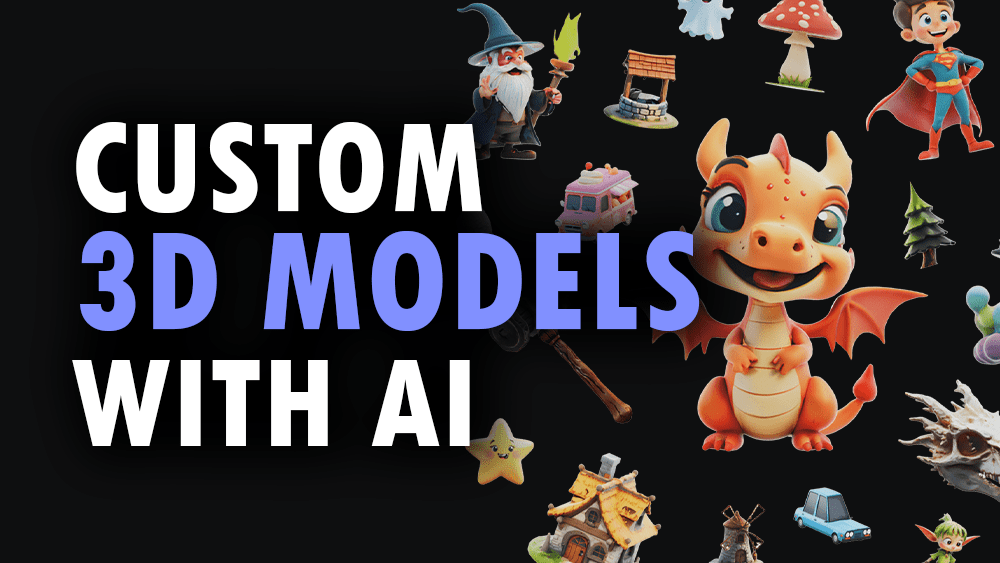
3D AI Studio is an AI-powered platform that generates production-ready 3D models, textures, and optimized meshes from text prompts or images in seconds. It targets creators, game developers, studios, and 3D printing users who need fast, export-ready assets without manual modelling.