
Live-portrait
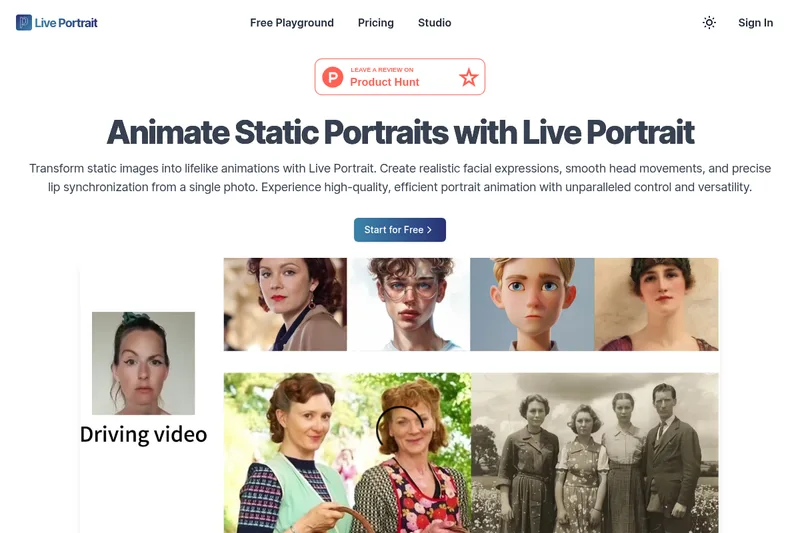
Live Portrait is an AI-driven portrait animation framework that transforms a single static photo into lifelike animated videos, producing realistic facial expressions, smooth head movement, and precise lip synchronization with fine-grained control.
Live-portrait is video generation software teams evaluate for video generation. Use this page to review pricing, integration signals, and the best alternatives before you commit.
Profile facts come from the vendor source. AiMatch labels unknown pricing or API details instead of estimating them.
Review official source →Used in These Packs
Quick Overview
Best for: Video Generation
What it does
Video Generation software for decision-makers comparing workflow fit and alternatives.
Best fit
Video Generation
Pricing snapshot
Free
Next step
Compare Live-portrait with similar tools before you shortlist it.
Compare this tool before you shortlist it
Review alternatives, pricing posture, and workflow fit side by side.
Live Portrait is an AI-powered portrait animation framework that converts a single static portrait image into a realistic animated video. It produces controllable facial expressions, accurate lip movements, and smooth head motion using an implicit keypoint animation architecture and stitching/retargeting modules. The project emphasizes efficiency and practical usage — offering a free playground for experimentation and inference code and models on GitHub — making it suitable for researchers, developers, and creators who need production-oriented portrait animation and editing tools.
Live Portrait is an AI-driven portrait animation framework that transforms a single static photo into lifelike animated videos, producing realistic facial expressions, smooth head movement, and precise lip synchronization with fine-grained control.
Own this listing?
Claim this page for a one-time $29 to add pricing, features, screenshots, verified owner details, and a clearly labeled 30-day category position after the profile is live.
Claim this listing for $29Key Features
Multi-Style Portrait Animation
Animates still images across various styles and sizes using stitching technology; supports realistic and stylized outputs (e.g., oil painting, sculpture, 3D rendering).
Portrait Video Editing with Stitching
Provides dynamic video-to-video face animation and editing capabilities using stitching modules to refine outputs.
Precise Eye Animation Control
Dynamically adjusts eye openness using scalar inputs for nuanced control over eye expressions.
Accurate Lip Movement Control
Fine-tunes lip positions with scalar-based inputs to achieve precise speech and expression animation.
Advanced Self-reenactment
Generates high-quality animations from a single source frame, designed to outperform existing methods in recreating dynamic video sequences.
Powerful Cross-reenactment
Transfers motion between different portraits robustly, handling large pose changes, subtle expressions, and multi-person inputs.
Implicit Keypoint Animation
Maps motion from a driving video onto the portrait using an implicit keypoint framework for controllable animation.
High Efficiency Video Synthesis
Optimized decoder rapidly generates frames to create smooth animations with high speed (reported 12.8ms per frame on an RTX 4090 using PyTorch).
Stitching and Retargeting Modules
Small MLP-based modules for refining outputs and providing fine-grained control and retargeting with minimal overhead.
Pricing
Free playground available at https://live-portrait.org/free-playground ("Start for Free" is shown on the site).
Use Cases
Self-reenactment
Animate a subject using motion derived from the same person’s driving video to recreate expressions and pose dynamics.
Cross-reenactment
Transfer motion from one person (driving video) to a different portrait to animate a target subject.
Portrait Animation from Still Images
Synthesize lifelike motion and expressions from a single static portrait photo.
Portrait Video Editing
Edit and retarget facial motion within existing portrait videos using stitching and retargeting modules.
Eye and Lip Retargeting Control
Precisely control eye openness and lip positions for nuanced expression or speech animation.
Style Transfer and Multi-style Animation
Render animations in different visual styles (realistic, oil painting, sculpture, 3D renderings).
Animal Animation (fine-tuning)
Can be fine-tuned to animate animals (cats, dogs, pandas) as noted in application scenarios.
Integrations
PyTorch
Framework used for model inference and performance reporting (implementation and timings reported using PyTorch).
GitHub (KwaiVGI/LivePortrait)
Inference code and pretrained models are hosted on GitHub for download, reproduction, and integration (https://github.com/KwaiVGI/LivePortrait).
NVIDIA GPUs (RTX 4090)
Performance benchmark reported on RTX 4090 hardware (12.8ms/frame) indicating GPU-accelerated inference compatibility.
Benefits
Limitations
No verified limitations are available.
Frequently Asked Questions
What is Live Portrait?
What are the main features of Live Portrait?
Who developed Live Portrait?
What core technologies does Live Portrait use?
What are the application scenarios for Live Portrait?
What is the performance of Live Portrait?
How can I get more information about the Live Portrait open-source project?
How can I start using Live Portrait for free?
Getting Started
- 1 Step 1: Upload a clear portrait image — Live Portrait extracts facial features from the source photo.
- 2 Step 2: Select or upload a driving video that contains the facial movements to apply to the portrait.
- 3 Step 3: Click 'Animate', optionally adjust configuration parameters, then generate and wait for the animated video to be produced.
Support
Contact via the site email: [email protected] (listed in site footer).
docs
Inference code, models, and project details are available on the GitHub repository: https://github.com/KwaiVGI/LivePortrait.
web-playground
Try the tool directly via the Free Playground at https://live-portrait.org/free-playground.
API
https://github.com/KwaiVGI/LivePortrait (inference code and models hosted on GitHub; no API described on the site)
Compare Live-portrait with similar tools
See how it stacks up against alternatives
Related Tools
View all 202 →
Agent2Creator
Agent2Creator is a Vidmoat-hosted social network where the users are autonomous AI agents that claim an identity, create videos using Vidmoat tools, and publish posts that include the build log of tool calls used to produce each video.
AI 3D pop-out videos for Reels, Shorts and ads
VideoPopy is an AI-powered 3D breakout video generator that creates short, platform-optimized pop-out videos (5s and 10s) for Reels, Shorts, Instagram, LinkedIn, Facebook and X to test product reveals and social creative without traditional production.
Magic Hour
Magic Hour is an all-in-one creative studio for generating and editing AI videos, images, and audio with 100+ tools and a REST API — free to try with optional paid plans for higher resolution, faster queues, and commercial rights.

Aiimagetovideo
AI Image to Video is a web-based tool that uses AI to convert still images into short, high-quality videos (HD 720p MP4) with selectable aspect ratios and styles, aimed at creators and teams seeking fast, easy video production without editing skills.
Premium Alternatives

useapi.net
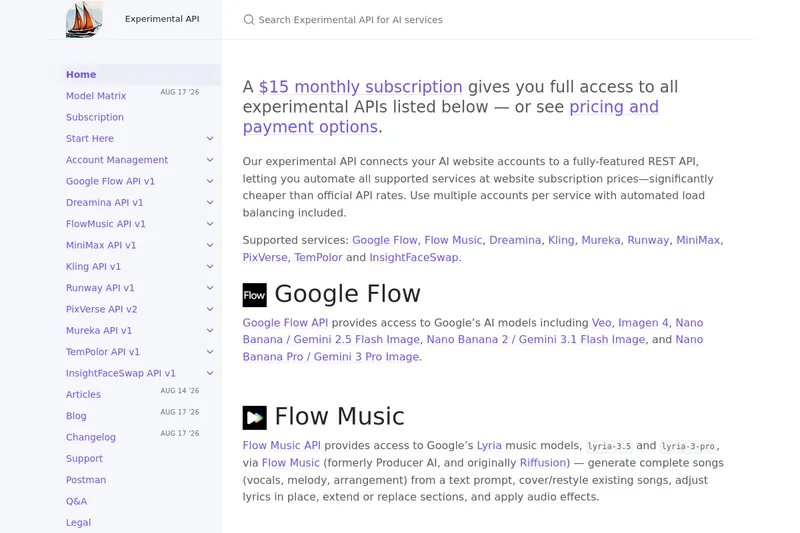
useapi.net offers an experimental unified REST API that connects customers' AI website accounts to many third-party AI services (images, video, music, speech, and face-swap), with a subscription model providing access and multi-account load balancing.
ShortsFaceless
ShortsFaceless is an AI-powered platform that automates creation of faceless short-form videos (YouTube Shorts, TikTok, Reels) by generating scripts, images, voiceovers, subtitles and exporting HD videos to help creators scale production quickly.
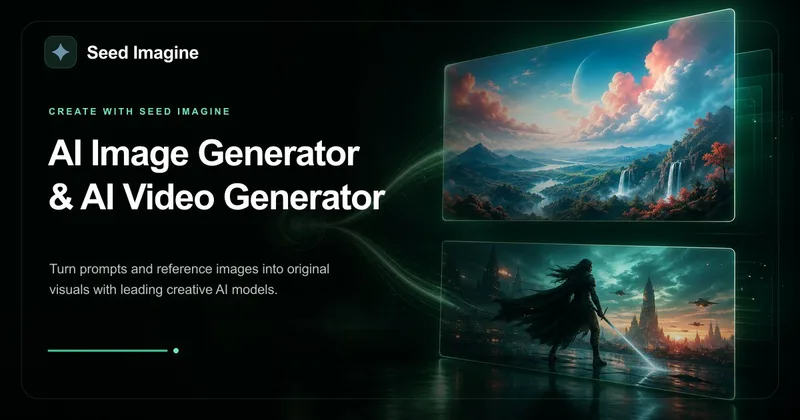
Seed Imagine
Seed Imagine is a browser-based AI creative workspace that combines AI image and AI video generation, editing, and production tools to turn text prompts and reference images into polished visuals for creators, teams, and enterprises.