

MacVisor Runs VMs with VLANs and Firewall on Apple Silicon
MacVisor is a native Apple Silicon virtualization platform for running and managing macOS and Linux VMs, with Windows 11 and AI sandboxes available as Tech Previews. It includes snapshots, templates, VLAN networking, host-enforced firewall controls, and CLI automation.
MacVisor Runs VMs with VLANs and Firewall on Apple Silicon is developer tools software teams evaluate for software & gaming. Use this page to review pricing, integration signals, and the best alternatives before you commit.
Profile facts come from the vendor source. AiMatch labels unknown pricing or API details instead of estimating them.
Review official source →Used in These Packs
Quick Overview
Best for: Software & Gaming
What it does
Developer Tools software for decision-makers comparing workflow fit and alternatives.
Best fit
Software & Gaming
Pricing snapshot
Paid from Free for 30 days
Next step
Compare MacVisor Runs VMs with VLANs and Firewall on Apple Silicon with similar tools before you shortlist it.
Compare this tool before you shortlist it
Review alternatives, pricing posture, and workflow fit side by side.
MacVisor is a native virtualization platform for Apple Silicon Macs. It runs macOS and Linux virtual machines, with Windows 11 on ARM offered as a Tech Preview. Users can operate VMs through a native desktop app, a persistent local host, or the bundled mvz CLI for headless and automated workflows.
The platform combines VM lifecycle management, APFS-based snapshots, templates, flexible storage, guest tools, and advanced networking. Its networking features include named shared-NAT and host-only networks, 802.1Q VLAN bridges, address reservations, port forwarding, and host-enforced IPv4 firewall policy. AI sandboxes are also available as a Tech Preview, allowing coding agents to work in disposable VMs with changes reviewed before they are applied.
MacVisor runs macOS and Linux VMs on Apple Silicon, and Windows 11 and AI sandboxes as Tech Previews, with snapshots, templates, flexible storage, advanced networking, guest tools, and CLI automation.
Own this listing?
Claim this page for a one-time $29 to add pricing, features, screenshots, verified owner details, and a clearly labeled 30-day category position after the profile is live.
Claim this listing for $29Key Features
Apple Silicon virtual machines
Run native macOS and Linux VMs on Apple Silicon. Windows 11 on ARM is available as a Tech Preview.
Snapshots and recovery
Create disk-only or live snapshots that include disk and memory, revert safely, and create or export VMs from snapshots. Checkpoints can also be used to roll back AI sandboxes.
Templates and storage
Create reusable templates and copy-on-write or linked clones. Manage multiple internal or external storage locations, import and export VMs, and migrate stopped or running VMs.
VLANs and firewall policy
Create host 802.1Q VLANs and physical or VLAN bridge uplinks. Configure per-network DHCP, stable address reservations, TCP/UDP forwarding, and host-enforced IPv4 firewall policy.
Named networks and port forwarding
Use default NAT, named shared-NAT, and host-only networks. VMs can be reached by name, and cloud-image VMs support automatic TCP and UDP port forwarding.
CLI and headless operation
Use the mvz CLI for VM creation, shells, execution, snapshots, networking, port forwards, autostart, and serial-console access. VMs can run headlessly and start automatically.
Guest integration
Guest tools support clipboard synchronization, bidirectional file transfer, port tunnels, live guest information, and shared folders on supported macOS and Linux guests. The page also describes guest-agent support for Windows VMs.
AI sandboxes (Tech Preview)
Create a separate Linux or macOS VM for a coding agent, restrict internet access to listed sites, keep API keys in the Mac's Keychain, and review a diff before applying changes to the project.
VM operations and visibility
Track VM state, CPU, memory, disk, GPU, and network activity. The background service manages autostart, tasks, and runner health.
Pricing
A free 30-day trial is available.
Free 30-day trial
Free for 30 days- Trial access to MacVisor
MacVisor license
$39 one-time launch price until general availability; the page says the price will increase at GA.- Same license for every 27.x update
MacVisor Business
$99 per Mac per year at launch- Priority email support
- Price locked for as long as the license is renewed
MacVisor Enterprise
Starts at $49 per Mac per month, billed annually, for 10 or more Macs; quoted for the deployment- 24x7 support with an SLA
- Deployment help with MDM
- CI/CD and build-farm guidance
- Firewall, VLAN, and network design help
Use Cases
Development and OS testing
Create Linux or macOS development VMs, use guest tools and shared folders, and take snapshots before testing changes.
Local CI and automation
Use the mvz CLI and headless VM operation to script repeatable environments and local CI workflows.
Mac-based VM host and lab
Run persistent services or multi-VM environments with named networks, VLAN bridges, port forwarding, address reservations, and firewall policy.
Isolated coding-agent experiments
Run a supported coding agent in a disposable VM, review its changes, then apply them or discard the sandbox.
Integrations
Coding agents
AI sandboxes support Claude Code, Codex, Goose, Aider, and OpenCode, with the option to bring another agent.
Local model servers
AI sandboxes can use models served by Ollama, LM Studio, oMLX, or llama.cpp on the Mac.
Cloud model providers
The page names Claude, GPT, and OpenRouter as cloud-model options. MacVisor's AI gateway adds the user's key to requests, with keys kept in the Mac's Keychain.
Container and Kubernetes tools
Linux cloud-image setup can install containerd, Docker, Podman, or k3s. The page also describes a Docker socket and Docker context per VM, and kubeconfig for k3s VMs.
MCP
An MCP server lets agents running on the Mac use sandboxes; this is identified as a Tech Preview.
Benefits
Limitations
Frequently Asked Questions
No verified FAQs are available.
Getting Started
- 1 Check that the Mac meets the stated requirement: MacVisor 27 requires macOS 27 and runs on Apple Silicon.
- 2 Install the beta using the documented Homebrew command or download it from the MacVisor page.
- 3 Create a VM from a cloud image, macOS installer, or supported Windows 11 ISO, or create an AI sandbox from a project.
- 4 Manage the VM in the app or use the mvz CLI to operate it, configure networking, and create snapshots.
Support
Documentation
The page links to documentation, guides, references, and quickstarts.
The page offers email support and lists priority email support for the Business license.
Issue reporting
The page says users can file an issue.
Priority support and SLA
Business includes priority email support; Enterprise includes 24x7 support with an SLA.
Videos
The page links to YouTube walkthroughs and product videos.
API
Compare MacVisor Runs VMs with VLANs and Firewall on Apple Silicon with similar tools
See how it stacks up against alternatives
Related Tools
View all 148 →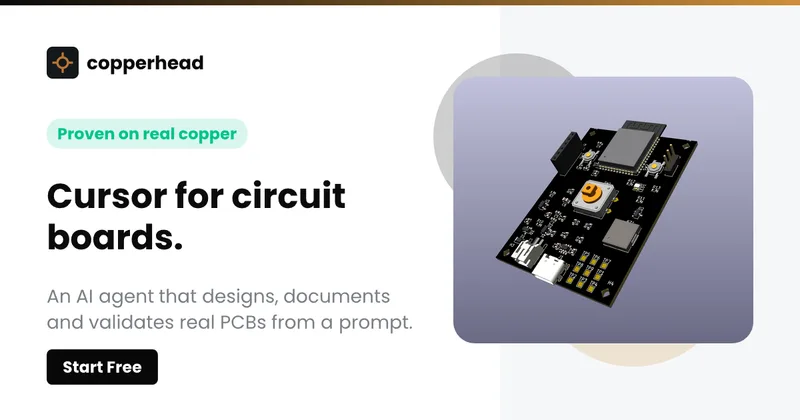
Copperhead
Copperhead is an open-source AI engineering platform and CLI that helps hardware teams design, verify, and ship printed circuit boards by editing KiCad files, running KiCad checks (ERC/DRC), and producing gerbers, firmware, and documentation in a gated, auditable pipeline.


Docs.dev Your Own Hosted Docs Platform in Minutes
Docs.dev is a deployable documentation template that runs as a Cloudflare Worker in your account, using your GitHub repo as the source of truth and agent-powered drafting (e.g., Claude Code or Codex) to generate reviewable docs branches that your team publishes via commit.

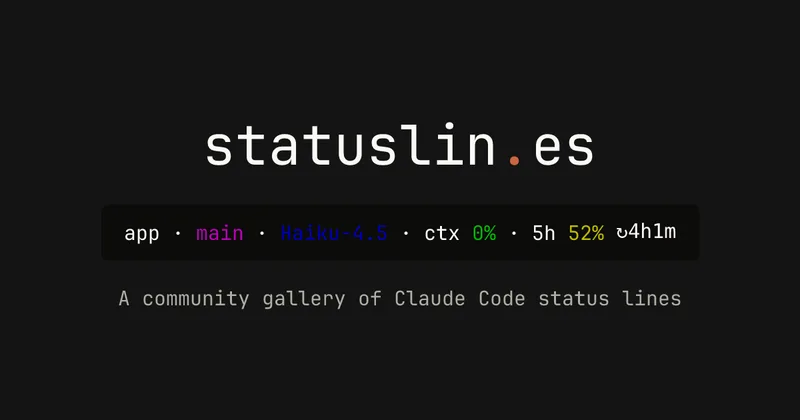
statuslin.es
statuslin.es is a community gallery of Claude Code status lines—copyable, previewed scripts and themes for terminal/status-bar displays that show Claude model stats (tokens, cost, limits), git info, and other runtime metrics.

Bullet · Fast, by design.
Bullet is a fast coding agent and developer tool that routes, searches, and executes code-focused tasks with a tight loop to minimize latency — offered as a macOS download and currently available in private beta.
Budget-Friendly Alternatives
Copperhead
Copperhead is an open-source AI engineering platform and CLI that helps hardware teams design, verify, and ship printed circuit boards by editing KiCad files, running KiCad checks (ERC/DRC), and producing gerbers, firmware, and documentation in a gated, auditable pipeline.
Docs.dev Your Own Hosted Docs Platform in Minutes
Docs.dev is a deployable documentation template that runs as a Cloudflare Worker in your account, using your GitHub repo as the source of truth and agent-powered drafting (e.g., Claude Code or Codex) to generate reviewable docs branches that your team publishes via commit.
Bullet · Fast, by design.
Bullet is a fast coding agent and developer tool that routes, searches, and executes code-focused tasks with a tight loop to minimize latency — offered as a macOS download and currently available in private beta.

Sign in with your ChatGPT account for free AI
Sign in with ChatGPT lets developers add ChatGPT account authentication to web apps so users can access OpenAI AI capabilities (works across free and paid ChatGPT accounts). It provides React components and helper methods to obtain encrypted, locally stored credentials and call the AI SDK from the signed-in account.
