Codify
Codify is a cross-platform tool that declares and automates developer environments as code—via a CLI and dashboard—so teams and individuals can standardize, reproduce, and apply development setups on macOS, Linux, and WSL.
Codify is developer tools software teams evaluate for developer tools. Use this page to review pricing, integration signals, and the best alternatives before you commit.
Profile facts come from the vendor source. AiMatch labels unknown pricing or API details instead of estimating them.
Review official source →Used in These Packs
Quick Overview
Best for: Developer Tools
What it does
Developer Tools software for decision-makers comparing workflow fit and alternatives.
Best fit
Developer Tools
Pricing snapshot
Free
Next step
Compare Codify with similar tools before you shortlist it.
Compare this tool before you shortlist it
Review alternatives, pricing posture, and workflow fit side by side.
Codify lets developers define their development environment as code and apply it across macOS, Linux, and WSL using a CLI or dashboard. It provides configuration-as-code (JSON/Codify files), a dashboard for managing and sharing team workspaces, and an AI Agent that can generate and apply configs from plain-English conversation. The product emphasizes reproducibility, team standardization, automation of installation steps, and open-source transparency—enabling faster onboarding and consistent local setups.
Declare your dev environment as code or describe it in plain English — Codify's AI agent sets everything up. Standardize Homebrew, Python, Node, and more across Mac and Linux.
Own this listing?
Claim this page for a one-time $29 to add pricing, features, screenshots, verified owner details, and a clearly labeled 30-day category position after the profile is live.
Claim this listing for $29Key Features
Configuration as Code
Define your environment declaratively in a single configuration file (codify.jsonc) that is portable, version-controlled, and reproducible.
Codify CLI
Command-line tool to apply configurations (example: codify apply ./codify.jsonc) with system detection, planning, applying, and verification steps.
Dashboard & Team Workspaces
Manage configurations via a dashboard, create team workspaces, collaborate in real time, and share templates across teams.
AI Agent / Assistant
An in-document AI agent that generates configuration from plain-English prompts, proposes diffs, asks clarifying questions, and lets you review before applying.
Cross-platform Support
Supports macOS, Linux, and WSL to standardize environments across different developer machines.
Resource & Plugin Library
A pre-tested library of 50+ core resources (package managers, IDEs, tools) and verified third-party plugins for reliable installs.
Automation Workflow
Automated detect → plan → configure → verify flow to apply environment changes with smart defaults and rollbacks.
Open Source
CLI and resource library are open source, allowing audits and customization.
Security Controls
Built-in protections such as sudo prompting for privileged operations, injection prevention, and plugin verification.
Pricing
Get started for free (the site advertises a free getting-started option; no detailed plan pricing is shown on the provided page).
Use Cases
Developer Onboarding
Provide new hires or team members with a single shared configuration that sets up required tools and versions instantly.
Reproducible Local Environments
Maintain consistent local development environments across machines and OSes using declarative configs and version control.
Language / Stack Setup
Quickly configure language-specific environments (Node.js, Python, Go, etc.) and install dependencies and tooling via codify resources.
Team Workspaces & Collaboration
Share, edit, and collaborate on configuration files in real time within team workspaces to keep everyone in sync.
AI-assisted Configuration
Describe desired setups in plain English to the Codify Agent to generate, review, and apply configurations without hand-writing JSON.
Integrations
Node.js / nvm
Manage Node versions and global settings via nvm resource examples shown.
Python / pyenv
Configure Python versions and packages (examples reference pyenv and Python resource usage).
Homebrew
Install macOS packages and tooling via Homebrew resource support.
Git & Editors (VS Code)
Configure Git settings and install/configure VS Code and extensions through resources.
Containers & Cloud CLIs
Support for Docker and cloud tooling such as AWS CLI and Terraform is listed among supported tools.
Databases
Examples include configuring databases like PostgreSQL as part of environment resources.
Benefits
Limitations
No verified limitations are available.
Frequently Asked Questions
No verified FAQs are available.
Getting Started
- 1 Install the Codify CLI (example provided on site: curl -fsSL https://releases.codifycli.com/install.sh | bash).
- 2 Create or open a configuration file (codify.jsonc) describing your environment or use the dashboard/AI Agent to generate one.
- 3 Run the CLI to apply the config (example: codify apply ./codify.jsonc) or apply changes from the dashboard after reviewing the proposed config.
Support
docs
Documentation is available via the site (Documentation link present in the navigation).
community
Community and resources are referenced on the site (Community link in footer/navigation).
contact
A Contact link is shown in the site navigation for reaching the team.
API
Compare Codify with similar tools
See how it stacks up against alternatives
Related Tools
View all 149 →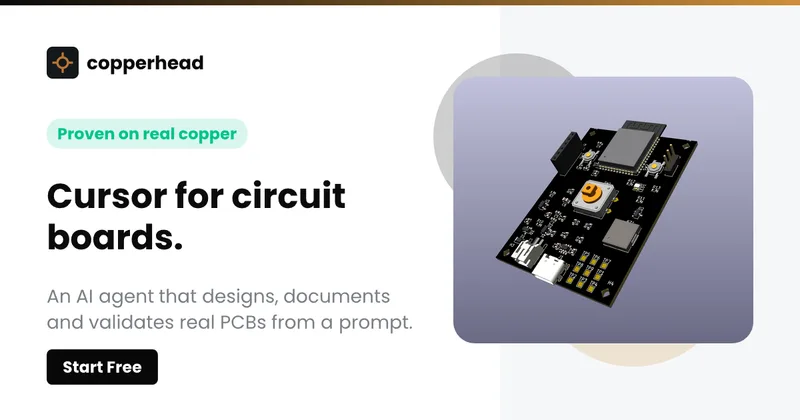
Copperhead
Copperhead is an open-source AI engineering platform and CLI that helps hardware teams design, verify, and ship printed circuit boards by editing KiCad files, running KiCad checks (ERC/DRC), and producing gerbers, firmware, and documentation in a gated, auditable pipeline.



Docs.dev Your Own Hosted Docs Platform in Minutes
Docs.dev is a deployable documentation template that runs as a Cloudflare Worker in your account, using your GitHub repo as the source of truth and agent-powered drafting (e.g., Claude Code or Codex) to generate reviewable docs branches that your team publishes via commit.

Bullet · Fast, by design.
Bullet is a fast coding agent and developer tool that routes, searches, and executes code-focused tasks with a tight loop to minimize latency — offered as a macOS download and currently available in private beta.
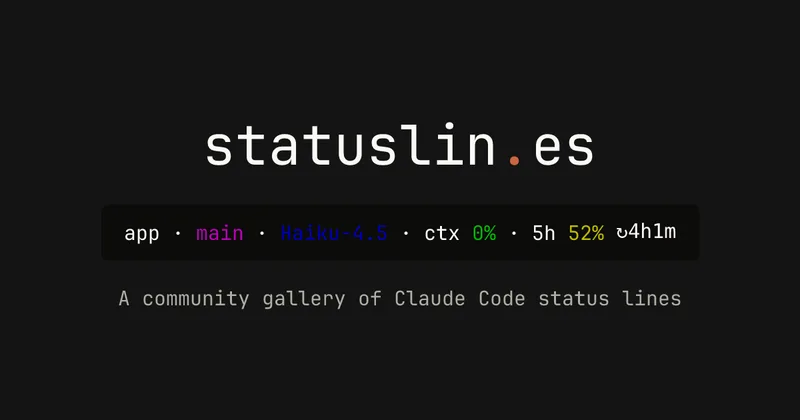
statuslin.es
statuslin.es is a community gallery of Claude Code status lines—copyable, previewed scripts and themes for terminal/status-bar displays that show Claude model stats (tokens, cost, limits), git info, and other runtime metrics.

Premium Alternatives
%22%2F%3E%20%3Ctext%20x%3D%2250%25%22%20y%3D%2250%25%22%20dominant-baseline%3D%22central%22%20text-anchor%3D%22middle%22%20font-family%3D%22system-ui%2C-apple-system%2Csans-serif%22%20font-weight%3D%22700%22%20font-size%3D%2250%22%20fill%3D%22white%22%3EO%3C%2Ftext%3E%20%3C%2Fsvg%3E)
OTP Inspired actor supervisor based full stack templates
ShipStacks provides production-grade, OTP-inspired full-stack SaaS templates that include supervisors/actor patterns, auth, payments, uploads, AI chat and agent playbooks, and Docker-ready deployment in multiple languages and frameworks.
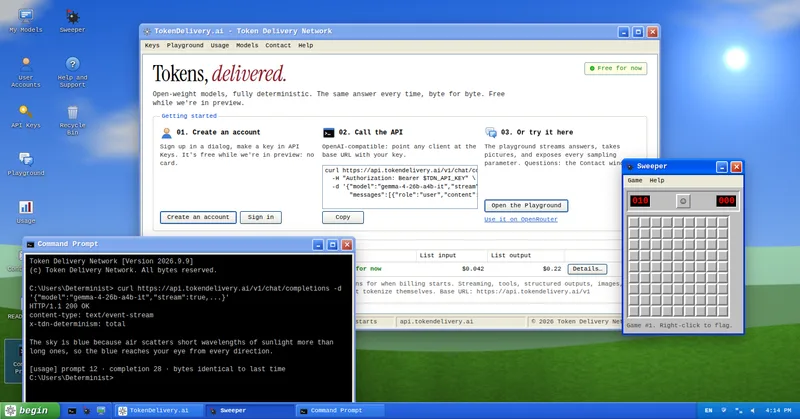
TokenDelivery.ai
TokenDelivery.ai (Token Delivery Network) is an OpenAI-compatible model API and playground that offers reproducible, deterministic model outputs, streaming responses, multimodal inputs (images and short videos), and exposed sampling parameters. It is free during preview and provides API keys, a playground, and a documented base URL for developers.

Servers for AI, not another AWS
RAW offers dedicated GPU and CPU servers specifically built for AI workloads — provision real metal with root access and CUDA via a single API. It emphasizes low cost (claims up to 100× cheaper than AWS), $0 egress, fast provisioning, and enterprise features for inference, training, agents, and vector databases.

MacVisor Runs VMs with VLANs and Firewall on Apple Silicon
MacVisor is a native Apple Silicon virtualization platform for running and managing macOS and Linux VMs, with Windows 11 and AI sandboxes available as Tech Previews. It includes snapshots, templates, VLAN networking, host-enforced firewall controls, and CLI automation.