Mindly

Mindly

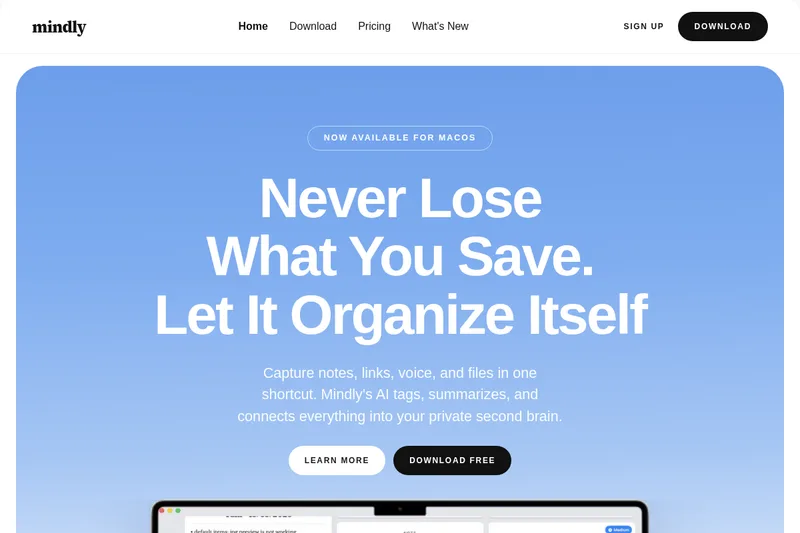
Mindly is a macOS-first "second brain" app that uses on-device AI to capture, tag, summarize, and connect notes, links, files, and voice recordings so users can instantly save and find information.

Mindly is productivity software teams evaluate for productivity. Use this page to review pricing, integration signals, and the best alternatives before you commit.

Freemium Enterprise 70/100
#165 in Productivity (165 tools)
Added 1 year ago
30008 directory views this week

Quick Overview

Best for: Productivity

What it does

Productivity software for decision-makers comparing workflow fit and alternatives.

Best fit

Productivity

Pricing snapshot

Freemium from Free

Next step

Compare Mindly with similar tools before you shortlist it.

Compare this tool before you shortlist it

Review alternatives, pricing posture, and workflow fit side by side.

Mindly

Mindly is an AI-powered "second brain" app focused on capturing and organizing ideas on macOS. It provides a system-wide capture shortcut (⌘M default) to save text, links, files, screenshots, and voice notes. Saved items are automatically tagged, summarized, and linked so users can search by meaning and rediscover connected threads. Mindly also offers a focused editor for writing, a live mind-map view of connections, and the ability to chat with individual documents so answers come from the user's own material.

Mindly is a macOS app that lets you capture any content quickly and automatically organizes, tags, summarizes, and connects your ideas to create a personal knowledge base.

Own this listing?

Claim this page to add pricing, features, screenshots, and verified owner details.

Claim this listing

Key Features

Instant Capture

A system-wide shortcut (⌘M by default, customizable) opens a small overlay so you can paste, type, drop a file, or record voice from anywhere on your Mac.

Automatic Organization

When you save something, Mindly auto-applies tags, creates summaries, links related items, and places content into your library without manual folders or cleanup.

Chat With Your Documents

Open any note, PDF, or saved item and ask questions; Mindly provides answers derived from your own material and surfaces related saves.

Voice Notes with Transcription

Record voice notes in multiple languages and get an instant transcript; transcripts are tagged, summarized, and searchable on save.

Universal Search (Meaning-based)

Search across notes, links, files, voice transcripts, and images using natural language; Mindly understands meaning, not just filenames.

Integrations

Connect Notion, Google Drive, Dropbox, and Readwise so content from those tools flows into Mindly's library with AI tagging and summaries.

Live Mind Map

Your library becomes a living mind map where you can follow threads and zoom into connected ideas.

Multi-format Support

Supports notes, links, files, PDF, images, videos, CSV, Markdown, JSON and more; additional types (like email) listed as coming soon.

Focused Editor

Create everything from quick thoughts to full documents in a calm, distraction-free editor inside Mindly.

Themes

Multiple themes (light, dark, ocean, etc.) to customize the look and feel.

Pricing

Free Tier Available

Free for macOS with no account required; optional Pro tier available (price not shown on page).

Free

Free
  • Download and start saving immediately on macOS
  • Basic capture and search capabilities

Pro (optional)

Not listed on page
  • Unlocks unlimited storage
  • Instant tagging and summaries
  • Priority processing

Use Cases

AI Second Brain

Capture and connect ideas automatically to build a searchable personal knowledge base.

PDF Organizer

Save PDFs that are auto-tagged and summarized to make content quickly findable and linkable to other notes.

Meeting Notes

Record meeting audio, transcribe it, and store searchable notes linked to related project items.

Bookmark & Reading Manager

Save links and Readwise highlights; items are summarized and connected to your other research and notes.

Note-taking & Research

Take research notes, link ideas, and use meaning-based search to rediscover relevant materials during projects or studies.

Screenshot & Asset Organizer

Drop screenshots, images, and design exports into Mindly to keep assets alongside related project notes and files.

Integrations

Notion

Connect your Notion workspace so Mindly pulls pages into the second-brain library and makes them searchable and connected.

Google Drive

Index chosen Google Drive files (Docs, PDFs, text, Markdown, images) and add AI tags, summaries, and connections.

Dropbox

Point Mindly at a Dropbox folder so it reads contents (PDFs, Markdown, text, code) and indexes them into your library while files remain in Dropbox.

Readwise

Import highlights from Readwise so book and article highlights flow into Mindly as tagged, summarized items connected to your notes.

Benefits

Capture instantly from anywhere on macOS with a global shortcut and avoid interrupting your workflow.
Automatic tagging, summaries, and linking reduce manual organization and cleanup.
Search by meaning across multiple data types so nothing gets lost in folders or filenames.
Private-by-default, local-first storage on your Mac unless you enable integrations or features that require external services.
Integrates with existing tools (Notion, Google Drive, Dropbox, Readwise) so existing content is searchable in one library.

Limitations

Platform support currently limited to macOS ("Mindly supports macOS").
Email support is "on the way" (not yet broadly available as of the page content).

Frequently Asked Questions

Is Mindly free?
Yes. Download and start saving immediately, for free. Optional Pro unlocks unlimited storage, instant tagging and summaries, priority processing, and more.
What platforms does it support?
Mindly supports macOS.
Is my content private?
Yes. Mindly keeps your notes, links, and files on your Mac. Nothing leaves your machine unless you explicitly choose a feature that requires it.
How does the AI actually organize things?
The moment you save something, Mindly analyzes it, connects it to relevant items in your space, and makes it findable and organized automatically.
What types of content can I save?
You can type notes, paste links, upload PDFs, drop screenshots, add files, record voice (transcribed), and more; Mindly supports notes, links, files, images, voice, PDFs, videos, CSVs, Markdown, JSON, and other formats.
How do I capture without breaking flow?
Trigger capture with a customizable shortcut (⌘M is the default); a small overlay opens so you can paste, type, drop a file, or record voice.
What is the mind map for?
It is a live view of how your saves connect—follow links between ideas, zoom into a thread, and rediscover related items without digging through folders.

Getting Started

  1. 1 Download the app from the site: "Download free" for macOS.
  2. 2 Install and open Mindly; no account is required to start using it.
  3. 3 Trigger capture with the default shortcut (⌘M) and begin saving notes, links, files, or recording voice.
  4. 4 Optionally connect integrations (Notion, Google Drive, Dropbox, Readwise) to pull content into your library.

Support

Docs / Guides

Product guides and how-tos are available on the site under "All Guides" (e.g., Build a Second Brain, Personal Search Engine).

Contact page

A "Contact" link is provided in the site navigation for inquiries.

Email (coming soon)

The site notes that email support is on the way.

API

Available: No

Compare Mindly with similar tools

See how it stacks up against alternatives

Related Tools

View all 165 →
Freemium Featured
Autoslide AI PowerPoint Add In

Autoslide AI PowerPoint Add In

Autoslide is a Windows-only PowerPoint add-in that integrates advanced AI models to generate slide content, design layouts, and visuals directly inside PowerPoint to help professionals create presentation slides faster.

Productivity Presentations
Contact for pricing
Chapple

Chapple

Chapple is an AI-focused platform positioning itself as a suite of tools to boost creativity and efficiency, offering user account registration and social login options.

Productivity
Freemium
Great Prompt

Great Prompt

Great Prompt is an AI prompt optimizer that refines your input into AI-ready prompts with one click, enhancing context retention and delivering better results. It supports popular AI tools like ChatGPT, Gemini, and Claude and is designed for individuals and teams.

Productivity Productivity
Paid
Obsidian to Notes

Obsidian to Notes

Obsidian to Notes is a macOS utility that imports an Obsidian vault (Markdown files) into Apple Notes while preserving formatting, folder structure, attachments, links and tables. It runs locally on macOS 11+ and is sold as a one-time $14 purchase.

Productivity Productivity
Freemium
Fabric

Fabric

Fabric is an AI-powered, self-organizing workspace and personal cloud for notes, files, links and meetings that automatically captures, understands and connects your ideas and content across devices.

Productivity
Contact for pricing
mydecisionpal

mydecisionpal

MyDecisionPal is an AI-powered partner for principle-based decision-making that helps individuals make confident, values-aligned choices quickly by combining personal principles, AI guidance, and peer/community perspectives.

Productivity
High-growth
Free
NeetoCal

NeetoCal

NeetoCal is a scheduling and meeting management tool (positioned as an affordable Calendly alternative) that lets teams and clients book meetings via shared booking links, automatically checks calendar availability, supports payments, recurring and group sessions, and offers mobile apps and integrations.

Productivity Productivity
Freemium
Try

Try

ClickUp is a unified work platform that converges projects, docs, AI agents, and human collaboration into a single workspace — offering AI Super Agents and 100+ productivity features to replace multiple apps and boost team output.

Productivity

Premium Alternatives

Paid
Stringartgenerator

Stringartgenerator

String Art Generator is a web-based tool that converts photos into precise, printable string-art patterns using an advanced algorithm, customizable settings, and high-resolution exports for hobbyists and professionals.

Design Generators
High-growth
Paid
live-square

live-square

LiveSquare provides 24x7 professional live chat agents and AI-powered chatbots to boost lead generation and enhance customer experience, along with website analytics, popups, and uptime monitoring services.

Chatbots & Assistants
Paid
Business

Business

Adobe for Business delivers enterprise-grade digital marketing and customer experience solutions—combining AI-driven orchestration, content and workflow management, creative production, analytics, campaigns, and document services to personalize experiences across channels at scale.

Business Intelligence
High-growth
Paid
Aiportraitgen

Aiportraitgen

AI Portrait Gen is a web-based generator that creates realistic, high-quality AI portrait photos from a few user-supplied images. Users pick outfits, locations and styles, pay per-use with credits, and receive professional-looking portraits for profiles, social, or personal use.

Image & Design
Paid
botgauge

botgauge

BotGauge is an AI-driven autonomous QA solution that delivers over 80% test coverage within two weeks, enabling faster, more reliable end-to-end testing with human-verified accuracy. It is designed for engineering teams seeking to automate testing without the need for scripting or large QA teams.

Automation
Paid
Coso

Coso

Coso is an AI-powered service that generates, schedules, and publishes a week of social media content for businesses in minutes, learning a brand's voice from its website, existing content, and social channels.

Social Media
High-growth
Paid
Wpmails

Wpmails

Wpmails appears to host or link to AISQ / Squirrly’s marketing infrastructure: a production-grade, AI-orchestrated marketing system that coordinates SEO, content, social, and email into a single, managed platform used by agencies and businesses.

Marketing
Paid
expense-sorted

expense-sorted

ExpenseSorted is an expense-tracking service focused on helping users monitor spending and financial health; the site lists Google Sheets tools, a desktop app, and an API for developers for personal and business expense workflows.

Finance
Enterprise-ready

Explore Related Categories

Explore by Outcome