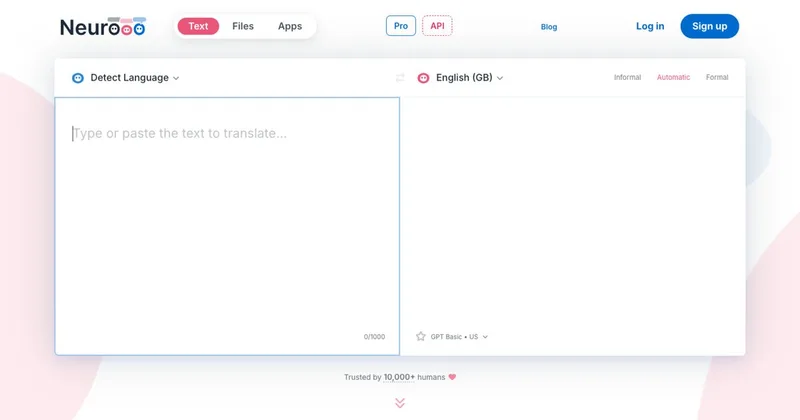
neurooo
Neurooo is a machine-translation service and apps that provide high-quality, context-aware translations in 100+ languages using generalist AI models (default engine: GPT-4o mini). It targets multilingual professionals, translators and teams with web, desktop apps, an API and tiered plans including Pro and Enterprise.
neurooo is translation software teams evaluate for translation. Use this page to review pricing, integration signals, and the best alternatives before you commit.
Profile facts come from the vendor source. AiMatch labels unknown pricing or API details instead of estimating them.
Review official source →Quick Overview
Best for: Translation
What it does
Translation software for decision-makers comparing workflow fit and alternatives.
Best fit
Translation
Pricing snapshot
Freemium from 0€/month
Next step
Compare neurooo with similar tools before you shortlist it.
Compare this tool before you shortlist it
Review alternatives, pricing posture, and workflow fit side by side.
Neurooo is a translation product that offers high-quality machine translations in over 100 languages using a generalist AI engine (notably GPT-4o mini). It emphasizes context-aware translations, idiom handling, and the ability to cope with poorly written or badly formatted source text. The service targets multilingual professionals and translators, providing web access, desktop apps (Windows and Mac), and an API, with tiered plans including Hobbyist (free), Pro and Enterprise.
AI-powered translation tool focusing on context, natural language, and error tolerance.
Own this listing?
Claim this page for a one-time $29 to add pricing, features, screenshots, verified owner details, and a clearly labeled 30-day category position after the profile is live.
Claim this listing for $29Key Features
AI-powered translation (GPT-4o mini)
Uses a generalist AI engine (GPT-4o mini) trained on large amounts of text to produce natural-sounding, context-aware translations and handle idioms.
Tone selection (formal/informal)
Allows selecting the tone of translation (formal or informal) to adapt wording appropriately for different audiences.
Fine-tune translations (word alternatives)
Interactive editing that shows alternative wordings for a word; clicking an option applies the change immediately to refine the translation.
Desktop apps & clipboard shortcut
Neurooo provides apps for Windows and Mac and supports translating or improving text from any app using a keyboard shortcut (Ctrl + C + C).
Plans with privacy controls
Tiered plans that include data-privacy options: Hobbyist stores data for 30 days, while Pro and Enterprise advertise no data stored.
File translation & API
Offers text and file translation capabilities and exposes a Developers API (API Reference listed on the site).
Pricing
Hobbyist: 0€/month with limited usage, up to 2,000 characters at once and data stored for 30 days.
Hobbyist
0€/month- Data privacy: Partial (data stored for 30 days)
- Models: Premium (US & UE) and Basic (US & UE)
- Translation limits: Limited usage (daily & monthly), 2,000 characters at once
- Clipboard watermark
Pro (most popular)
5.99€/month- Data privacy: Full (no data stored)
- Models: Premium (US & UE) and Basic (US & UE)
- Translation limits: Unlimited usage, 10,000 characters at once
- No clipboard watermark
Enterprise
On request- Data privacy: Full (no data stored)
- Enterprise features: Option to restrict to EU models only, Multiple users, centralized invoicing, White Label, On-Premises (optional)
- Includes all features from the Pro plan
Use Cases
Professional translation and localization
Translators and localization teams can use Neurooo for context-aware translations and fine-tuning to produce natural output and manage formality.
Multilingual workplace communication
Employees in multilingual environments can translate emails, documents and messages quickly with tone control and quality improvements.
Translate from any desktop app
Using the Windows/Mac apps and clipboard shortcut, users can translate or improve text directly from other applications without copying into a web interface.
Enterprise deployments and customizations
Organizations can request Enterprise features like on-premises deployment, EU-only models, white-labeling and centralized invoicing.
Integrations
Neurooo API
Developers API and API Reference listed on the site for programmatic access and integration.
Desktop apps (Windows & Mac)
Apps integrate with the OS clipboard to translate text from any app via a keyboard shortcut.
Benefits
Limitations
Frequently Asked Questions
No verified FAQs are available.
Getting Started
- 1 Create an account (Sign up / Log in on the site)
- 2 Choose a plan (Hobbyist, Pro, or Enterprise) and configure privacy/model preferences
- 3 Download the Neurooo app for Windows or Mac or use the web interface
- 4 Use the clipboard shortcut (Ctrl + C + C) or upload files / call the API to translate
- 5 Fine-tune translations using the inline alternative-word interface
Support
Contact (website)
Contact us link on the site for sales and enterprise inquiries
Docs / API Reference
Developers API Reference listed on the site for integration and technical documentation
Blog
Company blog provides additional information and updates
Downloads
Download pages for Neurooo for Windows and Neurooo for Mac available on the site
API
Compare neurooo with similar tools
See how it stacks up against alternatives
Related Tools
View all 29 →

Subtranslateai
Subtranslateai is an AI-powered online subtitle translator that translates SRT and other subtitle/media files into 100+ languages while preserving timing, formatting, and dialogue context for creators, filmmakers, educators, and localization teams.
Immersive Translate
Immersive Translate is an AI-powered translation tool for websites, documents, images, videos, and online meetings. It offers bilingual reading and translation features across browser extensions and mobile apps, supports more than 100 language pairs, and connects to over 20 translation engines.
Openl
OpenL Translate is an AI-powered translation service that provides context-aware translations for text, images, documents, speech, and websites in 100+ languages, with browser extensions and mobile apps and tiered subscription plans for higher limits and professional features.

TranslateBase
TranslateBase is an AI-powered multilingual translation platform that provides free text translation plus document-focused tools including PDF translation (multiple modes), image translation, video subtitle translation, and an AI chat/Document Q&A feature. It supports 100+ languages and offers a Pro subscription for advanced glossary and data-security features.

Premium Alternatives
Subtranslateai
Subtranslateai is an AI-powered online subtitle translator that translates SRT and other subtitle/media files into 100+ languages while preserving timing, formatting, and dialogue context for creators, filmmakers, educators, and localization teams.