
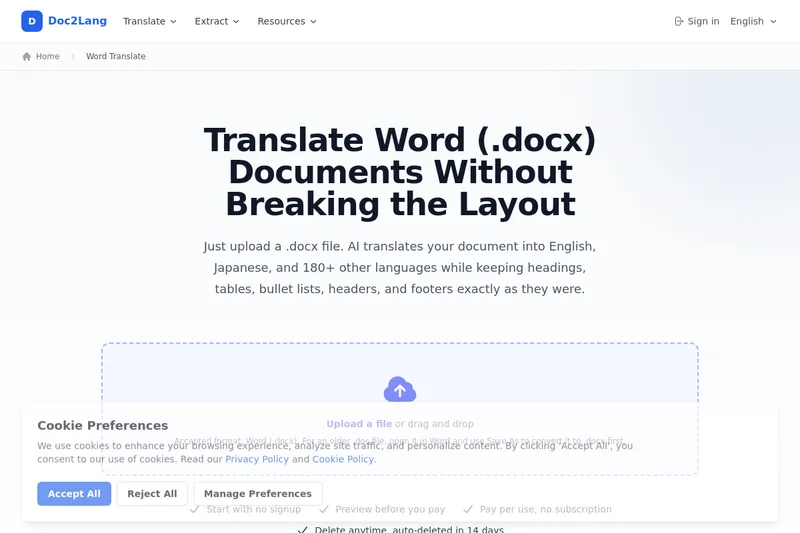
Doc2Lang's Word Translator
Doc2Lang's Word Translator is a browser-based AI service that translates .docx files into 180+ languages while preserving document layout (headings, tables, lists, headers/footers). It provides Pro and Lite models, preview before pay, and pay-per-use billing without signup.
Doc2Lang's Word Translator is translation software teams evaluate for education & research. Use this page to review pricing, integration signals, and the best alternatives before you commit.
Profile facts come from the vendor source. AiMatch labels unknown pricing or API details instead of estimating them.
Review official source →Quick Overview
Best for: Education & Research
What it does
Translation software for decision-makers comparing workflow fit and alternatives.
Best fit
Education & Research
Pricing snapshot
Freemium from Metered pricing based on amount translated; billed per use via Stripe (no subscription).
Next step
Compare Doc2Lang's Word Translator with similar tools before you shortlist it.
Compare this tool before you shortlist it
Review alternatives, pricing posture, and workflow fit side by side.
Doc2Lang Word Translator is a browser-based AI translation service for .docx documents that preserves the original document structure (headings, tables, bullet lists, headers, and footers) while swapping only the text. It supports translation to and from more than 180 languages, offers two models (Pro for quality, Lite for speed/cost), and lets users preview part of the translated document before paying. The service requires no signup, operates on a pay-per-use basis via Stripe, and automatically removes uploaded files after 14 days; files can also be deleted manually.
Online Word translator powered by ChatGPT, offering preview before payment and extensive language support.
Own this listing?
Claim this page for a one-time $29 to add pricing, features, screenshots, verified owner details, and a clearly labeled 30-day category position after the profile is live.
Claim this listing for $29Key Features
Layout-preserving translation
Translates body text, headers, footers, tables, and text inside shapes while preserving paragraph styles, heading levels, tables, merged cells, borders, and list hierarchy; only text is swapped.
Wide language support
Supports translation into more than 180 target languages in either direction (e.g., English ↔ Japanese).
Model choices (Pro and Lite)
Choose Pro for higher quality translations or Lite for faster, lower-cost translations.
Preview before payment
Partial document is translated and shown side-by-side (source and translation) as a preview at no charge so you can evaluate quality before paying.
Pay-per-use billing
No subscription required; billing is handled per translation via Stripe and there is no monthly plan.
Document settings and glossary
Choose translation style (General, Formal, Casual, Academic, Technical, or Custom), add a document description for consistent term handling, and use a glossary to pin company or technical terms across the document.
File retention and deletion
Uploaded and translated files can be deleted by the user and are automatically removed after 14 days.
Cross-format support (related services)
The same translation engine is used for Excel and PDF services; related pages cover translating spreadsheets and PDFs with OCR where applicable.
Pricing
Preview part of the document for free before paying; no signup required.
Pay-per-use
Metered pricing based on amount translated; billed per use via Stripe (no subscription).- No monthly plan
- Choose Pro or Lite model when uploading
- Preview before charging
Use Cases
Academic papers and research
Translate papers before submission or to read foreign-language literature while preserving academic tone and technical terms (Academic style).
Contracts and internal policies
Translate legal and policy documents without disturbing clause numbering or bullet-list hierarchies; use a glossary to preserve defined terms.
Proposals and reports
Produce translated proposals and reports that keep tables, headers, and layouts intact to avoid rebuilding document structure.
Resumes and CVs
Create translated resumes for international applications while maintaining template design, shapes, and photo placement.
Integrations
Stripe
Payment processing is handled via Stripe for pay-per-use billing.
ChatGPT API (guide)
The site includes a guide showing how to automate .docx translation with Python and the ChatGPT API (example code for extracting paragraphs, translating via an API, and writing them back).
Benefits
Limitations
Frequently Asked Questions
Can I use a .doc file from before 2007?
Are footnotes, endnotes, and references translated?
Is my original formatting preserved?
Is it safe to upload confidential documents?
Can I check the quality before paying?
Which languages can I translate my Word document into?
Getting Started
- 1 Step 1: Upload a .docx file in the browser and choose source and target languages, model (Pro or Lite), translation style, document description, and optional glossary.
- 2 Step 2: Read the free preview (side-by-side source and translation) and confirm quality before proceeding to payment.
- 3 Step 3: Pay per use via Stripe to complete translation and download the translated .docx file with original formatting; delete the file manually or wait for automatic removal after 14 days.
Support
Contact via support email at [email protected]
docs
Guides, related articles, and walkthroughs available on the site (e.g., sample translations, bundling files into ZIP, automation guide).
blog
Blog and articles linked from the site for examples and deeper explanations.
API
Compare Doc2Lang's Word Translator with similar tools
See how it stacks up against alternatives
Related Tools
View all 29 →


Torii Image Translator
Torii is an AI-powered translator for manga, manhwa, webtoons, visual novels, text, and documents. It offers browser extensions and a web app with batch translation, an editor, and manga colorization.
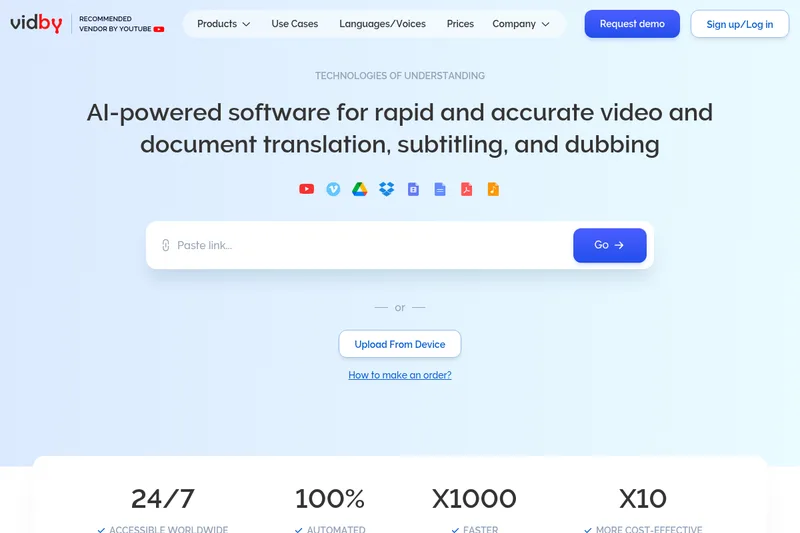

Custom.MT
Custom.MT is an AI translation and localization platform that manages and connects custom and stock machine translation (MT) and GenAI models, provides model training and evaluation, on-premise deployment, and plugins for major CAT and content systems to accelerate localization workflows.

Mangatranslator
Manga Translator is a free, AI-powered web service for translating manga, manhua, and webtoons into 20+ languages while preserving artwork and layout, offering one-click translations and advanced OCR.
Immersive Translate
Immersive Translate is an AI-powered translation tool for websites, documents, images, videos, and online meetings. It offers bilingual reading and translation features across browser extensions and mobile apps, supports more than 100 language pairs, and connects to over 20 translation engines.

TranslateBase
TranslateBase is an AI-powered multilingual translation platform that provides free text translation plus document-focused tools including PDF translation (multiple modes), image translation, video subtitle translation, and an AI chat/Document Q&A feature. It supports 100+ languages and offers a Pro subscription for advanced glossary and data-security features.
Premium Alternatives


Subtranslateai
Subtranslateai is an AI-powered online subtitle translator that translates SRT and other subtitle/media files into 100+ languages while preserving timing, formatting, and dialogue context for creators, filmmakers, educators, and localization teams.