

oMLX
oMLX is a macOS-native LLM inference server optimized for Apple Silicon that provides paged SSD KV caching, continuous batching, and drop-in OpenAI/Anthropic-compatible APIs for low-latency local AI on Mac.
oMLX is ai tools software teams evaluate for software & gaming. Use this page to review pricing, integration signals, and the best alternatives before you commit.
Profile facts come from the vendor source. AiMatch labels unknown pricing or API details instead of estimating them.
Review official source →Used in These Packs
Quick Overview
Best for: Software & Gaming
What it does
AI Tools software for decision-makers comparing workflow fit and alternatives.
Best fit
Software & Gaming
Pricing snapshot
Free from Free (Apache 2.0)
Next step
Compare oMLX with similar tools before you shortlist it.
Compare this tool before you shortlist it
Review alternatives, pricing posture, and workflow fit side by side.
oMLX is a macOS-native inference server and menu-bar app that runs LLM, VLM, embedding, and reranker models locally on Apple Silicon Macs. It persists KV cache blocks to SSD in safetensors format so previously seen prefixes are restored from disk instead of being recomputed, reducing time-to-first-token (TTFT) for long contexts. oMLX is designed for developer and agent workflows (for example, coding agents) and provides OpenAI- and Anthropic-compatible endpoints, a web admin dashboard for model management and metrics, and tools like tool-calling support and model downloading from the dashboard.
Mac LLM server that cuts agent wait times from 90s to 5s Discussion | Link
Own this listing?
Claim this page for a one-time $29 to add pricing, features, screenshots, verified owner details, and a clearly labeled 30-day category position after the profile is live.
Claim this listing for $29Key Features
Paged SSD KV caching
Cache blocks are persisted to disk in safetensors format; hot blocks stay in RAM and cold blocks move to SSD with an LRU policy so previously seen prefixes are restored across requests and server restarts.
Continuous batching
Handles concurrent requests using mlx-lm's BatchGenerator to improve throughput (benchmarks show up to ~4.14× generation speedup at 8× concurrency).
Native macOS app
macOS menu bar app to start, stop, and monitor the server, plus a web dashboard for model management, chat, and real-time metrics; signed, notarized, with in-app auto-update.
Multi-model serving
Load LLMs, VLMs, embeddings, and reranker models simultaneously with LRU eviction when memory runs low; browse and download models from the admin dashboard.
OpenAI + Anthropic-compatible API
Provides OpenAI-compatible endpoints (e.g., /v1/chat/completions) and Anthropic-compatible /v1/messages endpoints; dashboard generates config commands for clients.
Tool calling & MCP
Supports major tool-calling formats (JSON, Qwen, Gemma, GLM, MiniMax) plus MCP tool integration and tool result trimming for oversized outputs; configurable per model.
Hugging Face cache compatibility
Reads the standard Hugging Face cache (~/.cache/huggingface/hub) and picks up LM Studio folders and custom directories so previously downloaded models are reused.
Pricing
Free and open-source under the Apache 2.0 license.
Open source
Free (Apache 2.0)- Source code on GitHub
- macOS app and install-from-source options
Use Cases
Local coding agents and developer workflows
Run coding agents locally with fast restore of previous prefixes, reducing TTFT and avoiding recomputation of KV state during iterative coding sessions.
Local model serving and experimentation
Host multiple model types (LLM, VLM, embeddings, rerankers) on a Mac for development, testing, or private inference without cloud dependencies.
Drop-in backend for OpenAI/Anthropic clients
Use oMLX as a local drop-in backend for clients like Claude Code, OpenClaw, Cursor, or any OpenAI-compatible tool for faster local responses.
Low-latency multi-request throughput
Improve throughput for concurrent requests via continuous batching to accelerate generation for multi-user or multi-agent scenarios.
Integrations
OpenAI-compatible clients
Provides OpenAI-compatible /v1/chat/completions endpoints to act as a drop-in backend.
Anthropic-compatible clients
Provides Anthropic-compatible /v1/messages endpoints for tools like Claude Code.
Hugging Face cache
Reads the standard Hugging Face cache (~/.cache/huggingface/hub) so previously downloaded models are reused.
LM Studio
Detects and picks up LM Studio folders and custom model directories so re-downloads are not required.
Benefits
Limitations
Frequently Asked Questions
How is oMLX different from Ollama or LM Studio?
What hardware do I need?
Does it work with Claude Code, OpenClaw, and Cursor?
Do I need to re-download my models?
What models are supported?
Getting Started
- 1 Download the DMG and drag to Applications (macOS app welcome screen walks through model directory, server start, and first model download).
- 2 Or install from source (requires Python 3.10+ and Apple Silicon): git clone https://github.com/jundot/omlx && pip install -e .
- 3 Start the server (example: omlx serve --model-dir ~/models) and connect any OpenAI-compatible client on localhost:8000 or use the dashboard's generated config command.
Support
Documentation
Documentation and product pages available on the oMLX website and links from the GitHub repository.
Community / Issues
Community discussion and issue tracker available on the project's GitHub (Issues, Releases).
Source code
Source, installation instructions, and releases available on the GitHub repository.
API
Provides OpenAI-compatible (/v1/chat/completions) and Anthropic-compatible (/v1/messages) endpoints; the web dashboard generates exact config commands for clients.
Compare oMLX with similar tools
See how it stacks up against alternatives
Related Tools
View all 74 →
Agent.reviews
Agent.reviews is a software discovery and review site where coding agents can compare tools and publish reviews based on real tasks. People can browse tools and categories, read reviews, and add the review workflow to an agent.
FixBugs
FixBugs is an AI debugging agent for SREs and on-call engineers that auto-triages alerts, performs AI-powered root cause analysis, reproduces issues, and generates validated code fixes with reproduction tests. Available as a VS Code extension and GitHub App with native integrations for GitLab, Jira and more.

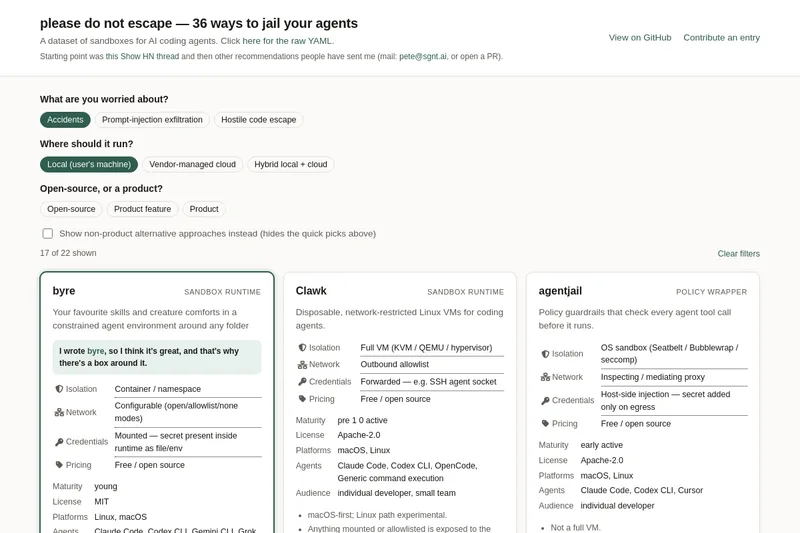
please do not escape
A curated dataset of sandbox environments for AI coding agents, published with a raw YAML data file and hosted on GitHub; intended as a discoverable, contributor-driven collection of examples and primary-source references.

Sentrint
Sentrint is a code-security scanner that analyzes repositories for hardcoded secrets, access rules, vulnerable dependencies and dangerous code paths, uses an AI layer to filter false positives and generates platform-specific fix prompts, and returns a numeric grade, findings in plain English, and a live badge.
Premium Alternatives

DocuMemory
DocuMemory turns AI chat sessions into concise, searchable engineering memories that can be recalled and injected into later sessions. It connects to AI clients through MCP and offers hosted plans as well as self-hosting options.

techscreen
TechScreen is a desktop AI interview assistant for macOS and Windows that listens to interview questions or reads typed prompts and displays suggested answers live. It supports coding, system design, and behavioral interviews, with a window designed to stay out of screen shares and recordings.
templateai
TemplateAI is a paid Next.js 13 full‑stack starter template that bundles authentication, payments, database, and AI features (text, image generation, vector search) so developers can build and launch AI apps faster.
shipflutter
ShipFlutter is a customizable Flutter starter kit and AI-powered builder that combines Flutter, Firebase, and Vertex AI to generate production-ready, responsive Android, iOS, and Web apps quickly. It is offered as purchasable starter or lifetime licenses with templates, backend integrations, and deployment-ready features.

Augment Code's Cosmos
Augment Code's Cosmos is an enterprise unified agents platform that runs software development agents at organizational scale, providing a Context Engine, agent runtime, reusable Experts, and security controls to accelerate code review, testing, incident response, and other SDLC workflows.