
Opengeni
Opengeni gives product and platform developers infrastructure for running AI agents, including durable sessions, sandboxes, tools, and an API. Teams can embed an agent interface in their product or run Opengeni in its cloud or on Kubernetes.
One of 590 tools in AI Agents
Who it's for
- Product engineering teams adding an agent conversation to an existing web application with React.
- Platform teams that need agent sessions, isolated sandboxes, credentials, and tools without building that infrastructure themselves.
- Teams deploying agent infrastructure on Kubernetes that want to self-host using Opengeni’s Helm chart.
Not the right fit if…
- Teams that need to self-host without Kubernetes: the self-hosting option described uses a Helm chart on Kubernetes.
How it fits your workflow
Choose Opengeni cloud or self-host it on Kubernetes. Configure the model provider and connect the tools and user credentials the agent needs.
Use the API and SDK to create and work with sessions. The page describes sessions that can resume after failures and memory that carries information across sessions.
For a product UI, add the React provider and session conversation component. The example routes requests through the customer’s backend so the API key stays there.
Pricing
Opengeni cloud
Model cost plus 5%.
- · Managed cloud service
Self-host
No price stated on the page.
- · Deploy on your cloud
- · Helm chart for Kubernetes
- · Terraform for AWS, Azure, and GCP
Prices checked on Oct 5, 2026 from the vendor's site. They can change; confirm before you buy.
Key features
- Durable sessions
- Sessions can continue after a worker restart or dropped connection; the page illustrates a run resuming at an event.
- Isolated sandboxes
- Provides a sandbox for agent work, described as isolated from application secrets.
- Credential handling
- Supports credentials for individual users, including OAuth tokens, and shows a token refresh in its example.
- Tools and MCP
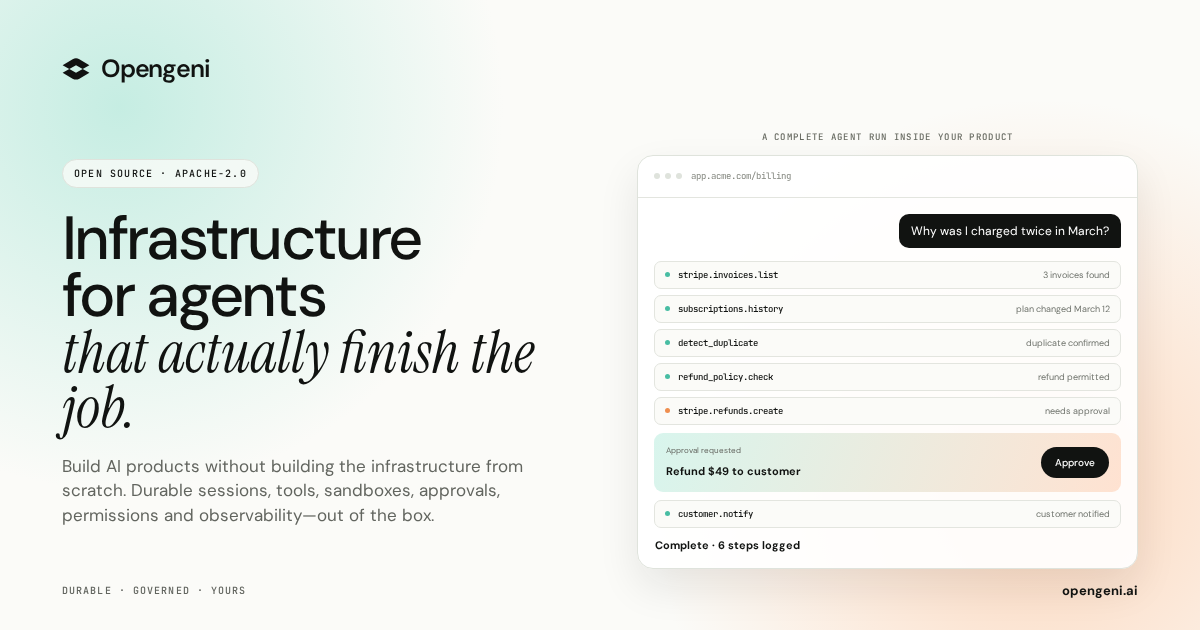
- The page describes plugging tools in so agents can use APIs, and shows tools such as invoice listing and refunds in a billing example.
- Memory
- The page describes memory that carries information across agent sessions, including learned preferences and workspace information.
- Multi-tenancy
- The page describes keeping customers apart and shows row-level security.
Works with
- OpenAI, Azure OpenAI, and OpenRouter
- OpenAI-compatible endpoints
- MCP
- Stripe, GitHub, and Google Drive
- AWS, Azure, and GCP
Limitations to know
- The self-hosting option is described as using a Helm chart on Kubernetes.
Alternatives to consider
-
AI Elements by Vercel
Choose it if you want Vercel agent infrastructure with sandboxed VMs, durable orchestration, and scalable compute.
-
Aden
Choose it if you need a native cloud infrastructure platform focused on deterministic execution and observability for autonomous agent workflows.
Getting started
git clone https://github.com/Cloudgeni-ai/opengeni.gitKubernetes for the described self-hosted deployment.
- Choose the Opengeni cloud or self-hosted option.
- For the cloud option, sign in and start building.
- For self-hosting, clone the repository and follow the self-hosting guide to deploy the Helm chart on Kubernetes.
- Use the SDK and React components to connect a session to your product.