
pdf-gpt
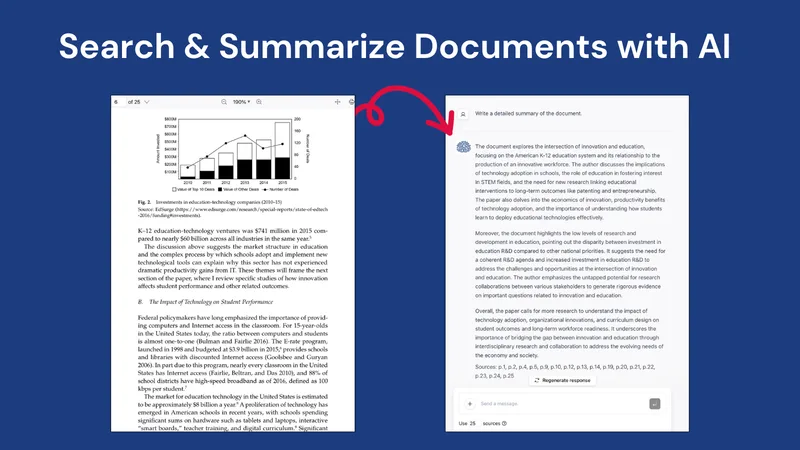
PDF GPT lets researchers, students, and professionals ask questions about PDFs, search across documents, and generate summaries with page citations. It helps users find and review information in their documents.
One of 143 tools in Research
Who it's for
- Researchers reviewing PDF papers who need answers linked to specific pages.
- Students using PDF course materials to create summaries or study guides.
- Professionals searching across multiple PDFs for specific information.
How it fits your workflow
Upload one or more PDFs, then ask questions or search for specific information across the documents. The page also describes tagging documents and chatting with groups organized by tags.
PDF GPT returns answers based on the PDFs with clickable page references and highlights. Users can also request summaries, translations, study guides, and presentations.
Pricing
Free: The page promotes a “Try for Free” option; specific free-plan terms are not stated.
The vendor doesn't publish prices. Check with pdf-gpt directly.
Prices checked on Oct 4, 2026 from the vendor's site. They can change; confirm before you buy.
Key features
- PDF summaries
- Generate summaries of lengthy PDFs to review their contents more quickly.
- Answers with citations
- Ask questions about a PDF and receive answers with clickable page references and highlights.
- Search across PDFs
- Upload multiple documents and search across them for specific information.
- Document tagging and group chat
- Tag documents and chat with groups of PDFs organized by those tags.
- Multilingual support
- The page states that PDF GPT supports more than 90 languages.
- Content generation
- The page promotes generating study guides, presentations, and other content from uploaded PDFs.
Alternatives to consider
-
ChatPDF
Choose it if you need to chat with and analyze document types beyond PDFs, as its description says it supports PDFs and other documents.
-
PDFChat
Choose it if your PDF analysis needs include table interpretation, image analysis, or formula analysis.
-
AI ChatDocs
Choose it if you want to chat with sources such as Word, PPT, TXT, websites, sitemaps, or YouTube videos in addition to PDFs.
Getting started
- Choose the option to try PDF GPT for free or get started.
- Upload a PDF.
- Ask a question about the document or request a summary.
- Review the answer and follow its page citations.
Frequently asked questions
How can I use PDF GPT?
Use it to search, summarize, and understand PDFs. The page says users can ask questions, get citations, and find information.
Does PDF GPT work in other languages?
The page states that PDF GPT supports more than 90 languages.