
qarunbook
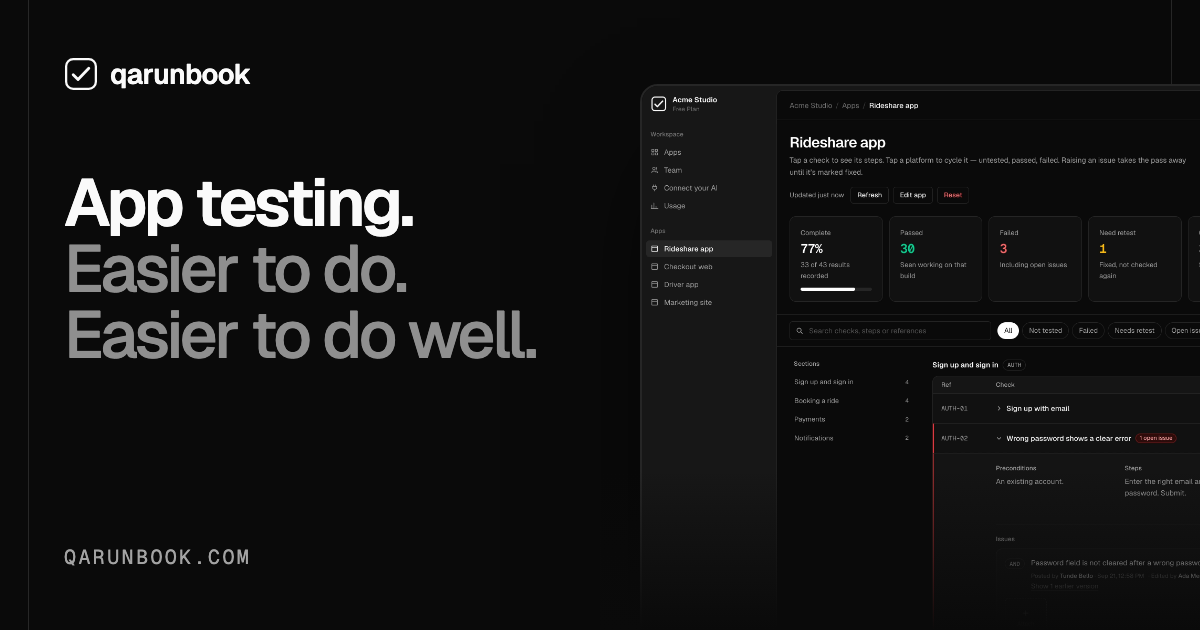
qarunbook helps QA teams and app developers create test plans, record results, and track issues through retesting. Teams can run checks themselves or connect an AI assistant through MCP to help with testing.
One of 132 tools in Productivity
Who it's for
- QA teams testing web, Android, or iOS apps that need test checks, results, and retests kept together.
- App developers using Claude Code, Claude Desktop, Codex, or Cursor who want an AI assistant to read and work with their test plan through MCP.
- Teams testing several apps or client portfolios that need workspace roles, app-level access, and shared test workflows.
How it fits your workflow
Create a workspace and add an app, then create a test plan from scratch or use /test-checklist to draft checks. Each check can include steps, an expected result, and selected platforms.
Run the checks yourself, with teammates, or with a connected AI assistant. Record results in the plan and keep issues linked to the checks and affected platforms.
When an issue is fixed, return to its check and verify it again before marking it passed. Organize multiple apps and their platforms in the same workspace.
Pricing
Free: Free plan for one person testing one app, with 150 checks and 30 issues per month, 2 AI imports per month, and 2 GB of screenshot and recording storage. No card is required.
Free
$0/month
- · One app and one user
- · 150 checks tested per month
- · 30 issues raised per month
- · 2 AI imports per month
Team
$29/month
- · Unlimited testing with no monthly allowance
- · 15 apps and up to 15 members
- · 50 GB of screenshots and recordings
- · MCP connection and both AI skills
Business
$79/month
- · Unlimited testing with no monthly allowance
- · Unlimited apps and up to 50 members
- · 250 GB of screenshots and recordings
- · MCP connection and both AI skills
Enterprise
Custom
- · Unlimited apps, members, and storage
- · MCP connection and both AI skills
- · Invoiced billing with terms to suit procurement
- · API access
Prices checked on Oct 5, 2026 from the vendor's site. They can change; confirm before you buy.
Key features
- Test plan and checklist creation
- Create a test plan from scratch or use the /test-checklist skill to have an AI assistant draft checks from an app. Checks can be edited and include steps and expected results.
- Collaborative test execution
- Run tests alone, with teammates, or with a connected AI assistant. Keep the plan and test results together as work progresses.
- Issue tracking and retesting
- Link each issue to the check that found it and to the affected platforms. Raising an issue takes the check out of the passed state; after a fix, the check waits for someone to verify it again.
- MCP connection and AI skills
- Connect supported AI assistants over MCP so they can read the plan, help with testing, record results, and follow up on fixes. The page also describes /test-checklist and /qa-runbook skills.
- App and platform organization
- Keep each app's sections and platforms organized in one workspace. The page lists Web, Android, and iOS.
- Team access controls
- Assign roles so someone can run one app and only test another, and use join links to invite a group.
Works with
- MCP clients
- GitHub
- Linear
- Web, Android, and iOS
Limitations to know
- The Free plan is limited to one app and one user, 150 checks tested per month, 30 issues raised per month, 2 AI imports per month, and 2 GB of screenshot and recording storage.
- The Team plan supports up to 15 members and the Business plan supports up to 50 members; the page lists unlimited members only for Enterprise.
Alternatives to consider
-
Qase
Choose it if you need CI results and automated test runs unified with manual testing, plus AI-generated test cases converted into scripts for frameworks such as Playwright, Cypress, and Selenium.
-
QA.tech
Choose it if you want autonomous QA agents to run regression, exploratory, and end-to-end validation across web and mobile apps and integrate results into PRs or production.
Getting started
claude mcp add qa-runbook --transport http https://qarunbook.com/api/mcp \ --header "Authorization: Bearer qarb_your_token_here"- Create a workspace and add your first app.
- For an MCP connection, get your workspace endpoint and token.
- Configure your assistant with the endpoint and token using the provided MCP command.
- Add the /test-checklist and /qa-runbook skills to draft a plan and work through its checks.