
Rythmex
Rythmex is an online audio-to-text converter that transcribes audio and video files into editable text using automated (AI/ML) technology, supporting a wide range of formats and languages and offering an advanced editor and API integration for businesses and individual users.
Rythmex is transcription software teams evaluate for transcription. Use this page to review pricing, integration signals, and the best alternatives before you commit.
Profile facts come from the vendor source. AiMatch labels unknown pricing or API details instead of estimating them.
Review official source →Quick Overview
Best for: Transcription
What it does
Transcription software for decision-makers comparing workflow fit and alternatives.
Best fit
Transcription
Pricing snapshot
Free from 50% off your first order (promotional discount mentioned on the site)
Next step
Compare Rythmex with similar tools before you shortlist it.
Compare this tool before you shortlist it
Review alternatives, pricing posture, and workflow fit side by side.
Rythmex is an online audio-to-text converter that lets users upload audio or video files and receive transcriptions quickly using automated (AI/ML) processing. The service supports more than 20 audio/video formats and offers language options (the site references 140+ languages and also mentions support for 60+ languages in another spot). Rythmex provides an advanced in-browser editor where users can play the file, edit timelines and speakers, use keyboard shortcuts, and then download or share the transcript. The product targets a mix of individual and professional users — from students and journalists to enterprises, newsrooms, call centers and transcription agencies — and offers API integration for automated workflows.
Rythmex is an online audio-to-text converter that transcribes audio and video files into editable text using automated (AI/ML) technology, supporting a wide range of formats and languages and offering an advanced editor and API integration for businesses and individual users.
Own this listing?
Claim this page for a one-time $29 to add pricing, features, screenshots, verified owner details, and a clearly labeled 30-day category position after the profile is live.
Claim this listing for $29Key Features
Multi-format support
Supports many audio and video formats (page lists MP3, WAV, OGG, AMR, WMA, XSPF, SWF and many more).
Multi-language transcription
Offers broad language support (page references over 140 languages and also mentions 60+ languages in places).
Advanced editor
In-browser editor that lets users play media, edit timelines and speakers, and use shortcuts to speed up editing.
Fast processing
Claims rapid processing: "In less than 60 seconds you can start editing your text in our advanced editor."
Drag-and-drop upload
Simple upload flow via clicking the drop-down area or drag'n'drop files.
API integration
Provides an API for integrating Rythmex with websites and call-center systems.
Free trial minutes
Offers the first 15 minutes of audio transcription for free (trial).
Pricing
First 15 minutes of audio transcription are offered for free as a trial.
First order promotion
50% off your first order (promotional discount mentioned on the site)- Discount applies to the first purchase according to site messaging
Trial
Free- First 15 minutes of audio transcription free
Use Cases
Radio stations & Podcasts
Transcribe interviews and episodes for radio programs or podcasts to produce articles or show notes.
Enterprise & Call centers
Transcribe recorded conversations and integrate with call-center systems via API to analyze conversations and workflows.
Newsrooms & Journalists
Rapid transcription for reporting, interviews and newsroom workflows to save time and speed publishing.
Education & Students
Transcribe lectures and educational recordings so students don't have to take manual notes.
Transcription agencies
Automate bulk transcription tasks and team workflows.
Legal & Professional
Automated legal transcription for attorneys and legal professionals to save time and reduce manual effort.
Video production & Filmmaking
Transcribe footage for editing, captioning and content production workflows.
Marketing
AI-powered transcription for marketers to turn spoken content into written assets quickly.
Interviews & Research
Transcribe recorded interviews for research, articles and archival purposes.
Integrations
Rythmex API
API for integrating Rythmex with websites and call-center systems to automate uploads and transcription workflows.
Benefits
Limitations
Frequently Asked Questions
How can I test your service before purchase?
I need more than 200 hours to be transcribed. Is there any special rate?
Can't see an answer on my question here. How can I reach you?
What is Rythmex and how does it work?
Getting Started
- 1 Step 1: Upload your audio or video file (click the upload area or drag'n'drop supported formats).
- 2 Step 2: Choose the language for the file (the site references 140+ languages available).
- 3 Step 3: Wait for processing, then edit the transcription in the advanced editor and download or share the result. Sign up is required to get your text after the trial.
Support
Contact via provided email address: [email protected]
phone
Phone support/contact via number listed on site: +1 582-888-2674
contact form
Contact Form on the website for inquiries and pricing discussions.
docs/blog/FAQ
Site includes a Blog and FAQ pages with articles and product information.
API
Compare Rythmex with similar tools
See how it stacks up against alternatives
Related Tools
View all 51 →

StageWhisper Lite
StageWhisper Lite is a free, on-device Mac app that listens to calls and produces local transcripts, summaries, and action items without uploading audio or screen content to external servers.
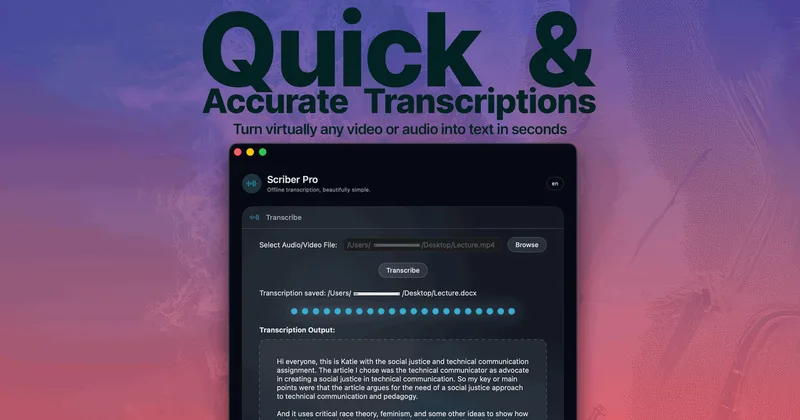
Scriber-Pro 2.0
Scriber Pro 2.0 is a macOS app for transcribing audio and video locally, including files, YouTube links, and M3U8/HLS web streams. It saves transcripts in a searchable library and exports them in several document formats.
TrueScribe
TrueScribe is a Windows and Linux desktop app for transcribing, editing, searching, translating, and researching audio and video recordings. Processing runs locally by default, with optional cloud models for selected features.

Recly
Recly is a free, open-source recorder and transcription app for Galaxy Watch, Apple Watch, iPhone, Mac, and Windows. It stores recordings and transcripts in your Google Drive, with on-device transcription or transcription through a provider you choose using your own API key.
Vatis Tech
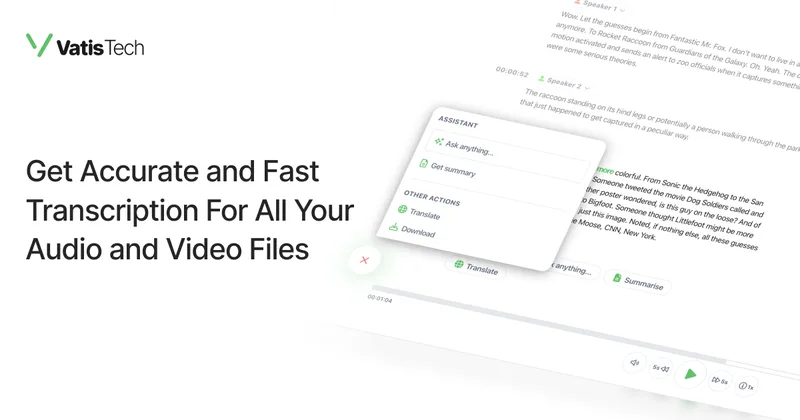
Vatis Tech provides a production-grade speech-to-text platform and API that transcribes audio and video with claimed 98–99% accuracy across 50+ languages, plus audio intelligence (speaker diarization, sentiment, topic detection), on-premise deployment, and enterprise security/compliance.
speaknotes
SpeakNotes is an AI-powered transcription and summarization app that converts meetings, lectures, podcasts, YouTube videos, and other audio into accurate transcripts and structured notes (action items, decisions, summaries) in 50+ languages, used by students, professionals, and creators.
Video2text
Video to Text is an AI-powered online transcription tool that converts video and audio into accurate, timestamped transcripts with speaker labels and support for 99 languages, intended for subtitles, meeting notes, interviews, courses, podcasts, and multilingual workflows.
Premium Alternatives



transcripci-n
Transcripción+ ofrece servicios de transcripción de audio a texto combinando transcripciones profesionales humanas y transcripción automática potenciada por IA, además de resúmenes, identificación de hablantes, traducción y una API para integraciones.


MeetNote
Meetnote is an AI meeting assistant that captures browser audio without joining calls as a bot, then generates speaker-labeled transcripts, summaries, action items, and searchable meeting records. It works through a Chrome extension and web workspace for Google Meet, Microsoft Teams, Zoom, and other browser audio.