
Servers for AI, not another AWS
RAW offers dedicated GPU and CPU servers specifically built for AI workloads — provision real metal with root access and CUDA via a single API. It emphasizes low cost (claims up to 100× cheaper than AWS), $0 egress, fast provisioning, and enterprise features for inference, training, agents, and vector databases.
Servers for AI, not another AWS is developer tools software teams evaluate for developer tools. Use this page to review pricing, integration signals, and the best alternatives before you commit.
Profile facts come from the vendor source. AiMatch labels unknown pricing or API details instead of estimating them.
Review official source →Used in These Packs
Quick Overview
Best for: Developer Tools
What it does
Developer Tools software for decision-makers comparing workflow fit and alternatives.
Best fit
Developer Tools
Pricing snapshot
Paid from $9/mo
Next step
Compare Servers for AI, not another AWS with similar tools before you shortlist it.
Compare this tool before you shortlist it
Review alternatives, pricing posture, and workflow fit side by side.
RAW provides dedicated GPU and CPU servers purpose-built for AI workloads, accessible via a single REST API. The product emphasizes real metal, full root access, CUDA-ready Linux, NVMe storage, and unlimited bandwidth with $0 egress. It targets inference (vLLM, Ollama, TGI), training and fine-tuning (full CUDA, large VRAM), AI agents (persistent always-on workers), and vector databases (Qdrant, pgvector, Milvus) on dedicated hardware.
RAW positions itself as an alternative to cloud providers like AWS by offering per-server flat pricing, no shared GPUs or hypervisor tax, fast provisioning (example: GPU live in 3 seconds), GDPR EU regions, and enterprise security controls including SOC 2 Type II.
Servers for AI. 100% API to create and scale GPU and CPU servers. 100× cheaper, 100× faster, 100× better than AWS. CPU from $9/mo. GPU from $304/mo.
Own this listing?
Claim this page for a one-time $29 to add pricing, features, screenshots, verified owner details, and a clearly labeled 30-day category position after the profile is live.
Claim this listing for $29Key Features
100% API provisioning
Create, resize, rebuild, and destroy dedicated servers over a single REST API with bearer tokens and JSON; example endpoint POST /deploy is shown.
Dedicated CUDA GPUs
Dedicated NVIDIA GPUs with full CUDA support; no time-sliced/shared GPUs and explicit support for vLLM, Ollama, PyTorch and Llama inference and training.
Full root access
Real Linux root SSH access on provisioned servers so you can install anything and keep weights on disk.
Fast provisioning
GPU instances can be created in seconds (advertised GPU live in 3 seconds) and SSH as root immediately.
Unlimited bandwidth and $0 egress
Unlimited bandwidth included and $0 egress is highlighted as a core cost advantage versus typical cloud providers.
NVMe storage
Dedicated NVMe storage on CPU and GPU servers suitable for models, datasets, and vector DBs.
Per-second billing and scale via API
Per-second billing is mentioned and users can scale fleets programmatically (POST /deploy in a loop).
EU/GDPR-ready regions
Multiple regions including Frankfurt and Dublin are called out to support GDPR and EU inference.
CLI & documented workflows
Installable CLI (example: curl -s https://get.rawhq.io | sh) and references to docs and examples on the site.
Pricing
CPU - small
$9/mo- 2 vCPU · 4 GB · 40 GB NVMe
- Dedicated CPU server for agents and vector DBs
CPU - medium
$21/mo- 8 vCPU · 16 GB · 160 GB NVMe
CPU - large
$1,088/mo- 48 vCPU · 192 GB · 960 GB NVMe
GPU - inference
$304/mo- 20 GB VRAM, suitable for model inference
GPU - training
$1,510/mo- 96 GB VRAM · 256 GB RAM, for training and fine-tunes
GPU - max
$2,914/mo- 96 GB VRAM · 768 GB RAM, largest offered GPU server
Use Cases
LLM inference
Run vLLM, Ollama, TGI and OpenAI-compatible endpoints on dedicated GPUs for low-latency inference of Llama, Mistral and other models.
Training and fine-tuning
Full CUDA-enabled servers with large VRAM (examples: 96 GB VRAM) and NVMe for fine-tuning LoRA or training from scratch without cloud GPU waitlists.
AI agents and workers
Create persistent always-on servers, install your agent, and scale worker fleets via the API for agent-based workloads.
Vector databases
Host Qdrant, pgvector, or Milvus on dedicated NVMe without noisy neighbors to preserve recall latency.
Fleet scaling and CI-driven autoscaling
Programmatically deploy, resize, and tear down fleets from CI or orchestration with the same API and pricing per box.
Integrations
vLLM / Ollama / TGI
Supported inference frameworks and LLM servers to run models on the provided GPUs.
PyTorch & CUDA
Full CUDA support and PyTorch for training and fine-tuning workflows.
Llama / Mistral / DeepSeek
Model families explicitly referenced as supported for inference.
Vector DBs (Qdrant, pgvector, Milvus)
Options for running vector databases on dedicated NVMe storage.
OpenAI-compatible endpoints
Mentions OpenAI-compatible endpoints for inference compatibility.
Benefits
Limitations
Frequently Asked Questions
No verified FAQs are available.
Getting Started
- 1 Install the CLI: curl -s https://get.rawhq.io | sh
- 2 Provision a server via the API (example): POST https://api.rawhq.io/deploy -d '{"type":"raw-gpu-44"}'
- 3 SSH into the provisioned server as root, install your stack (CUDA, PyTorch, vLLM, etc.), and scale additional servers via the same API endpoint.
Support
docs
Site references 'Read the docs' and provides documentation resources for API and provisioning.
blog
Blog and Changelog links are present on the site for updates and release notes.
status
Status page link is listed on the site for operational information.
contact
Contact link is available on the site ('Contact us').
API
Read the docs (site references API docs and examples such as POST /deploy and curl examples)
Compare Servers for AI, not another AWS with similar tools
See how it stacks up against alternatives
Related Tools
View all 149 →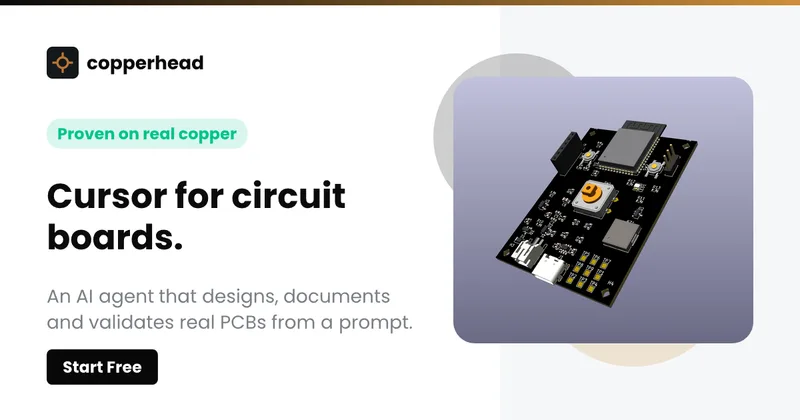
Copperhead
Copperhead is an open-source AI engineering platform and CLI that helps hardware teams design, verify, and ship printed circuit boards by editing KiCad files, running KiCad checks (ERC/DRC), and producing gerbers, firmware, and documentation in a gated, auditable pipeline.



Docs.dev Your Own Hosted Docs Platform in Minutes
Docs.dev is a deployable documentation template that runs as a Cloudflare Worker in your account, using your GitHub repo as the source of truth and agent-powered drafting (e.g., Claude Code or Codex) to generate reviewable docs branches that your team publishes via commit.
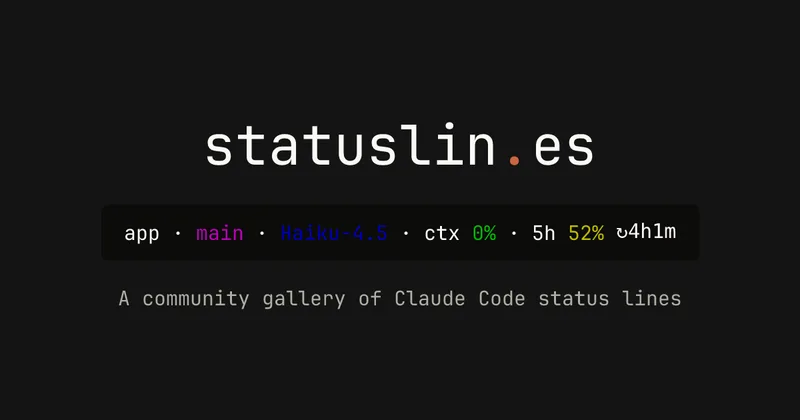
statuslin.es
statuslin.es is a community gallery of Claude Code status lines—copyable, previewed scripts and themes for terminal/status-bar displays that show Claude model stats (tokens, cost, limits), git info, and other runtime metrics.

Bullet · Fast, by design.
Bullet is a fast coding agent and developer tool that routes, searches, and executes code-focused tasks with a tight loop to minimize latency — offered as a macOS download and currently available in private beta.

Budget-Friendly Alternatives
Copperhead
Copperhead is an open-source AI engineering platform and CLI that helps hardware teams design, verify, and ship printed circuit boards by editing KiCad files, running KiCad checks (ERC/DRC), and producing gerbers, firmware, and documentation in a gated, auditable pipeline.
Docs.dev Your Own Hosted Docs Platform in Minutes
Docs.dev is a deployable documentation template that runs as a Cloudflare Worker in your account, using your GitHub repo as the source of truth and agent-powered drafting (e.g., Claude Code or Codex) to generate reviewable docs branches that your team publishes via commit.
Bullet · Fast, by design.
Bullet is a fast coding agent and developer tool that routes, searches, and executes code-focused tasks with a tight loop to minimize latency — offered as a macOS download and currently available in private beta.


Sign in with your ChatGPT account for free AI
Sign in with ChatGPT lets developers add ChatGPT account authentication to web apps so users can access OpenAI AI capabilities (works across free and paid ChatGPT accounts). It provides React components and helper methods to obtain encrypted, locally stored credentials and call the AI SDK from the signed-in account.