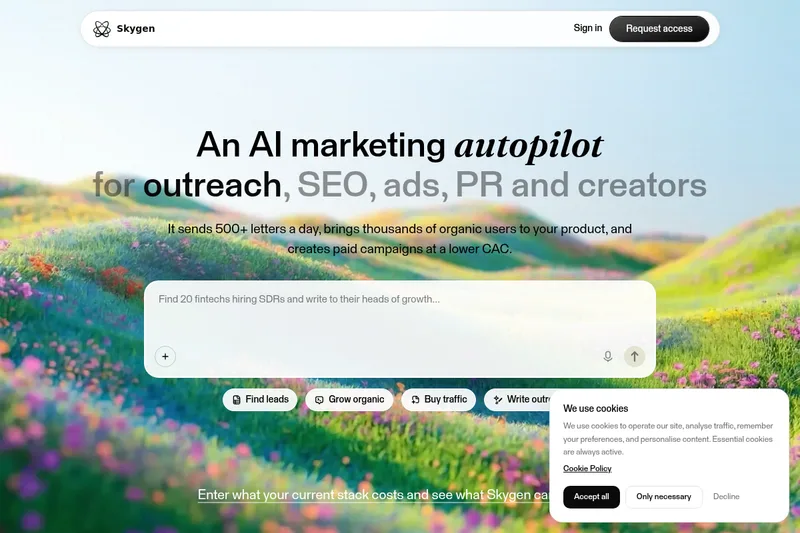
Skygen AI
Skygen is a desktop-first AI agent platform that automates end-to-end tasks across apps and the web, letting users run autonomous agents that perform actions, browse, fill forms, and integrate with 1,000+ apps.
Skygen AI is ai agent software teams evaluate for ai agents. Use this page to review pricing, integration signals, and the best alternatives before you commit.
Quick Overview
Best for: AI Agents
What it does
AI Agent software for decision-makers comparing workflow fit and alternatives.
Best fit
AI Agents
Pricing snapshot
Freemium from $0
Next step
Compare Skygen AI with similar tools before you shortlist it.
Compare this tool before you shortlist it
Review alternatives, pricing posture, and workflow fit side by side.
Skygen AI
Skygen provides AI agents that take tasks described in natural language and execute them end-to-end — from web browsing and form filling to interacting with apps and local files. It is aimed at individuals and teams who want to automate workflows, scale routine work without adding headcount, and retain full visibility into what the agent is doing. The platform offers a desktop app for macOS and Windows, isolated cloud computers for each agent, and connectors to hundreds of third-party services so agents can work across tools and systems.
Submitted via paid AiMatch listing flow.
Own this listing?
Claim this page to add pricing, features, screenshots, and verified owner details.
Claim this listingKey Features
End-to-end AI agents
Agents can take a natural-language task and carry it out from start to finish — browsing the web, filling forms, interacting with apps, purchasing tickets, and more.
Real-time visibility (step logs)
Watch the agent's actions in real time, see step logs, and jump in to collaborate or take control when needed.
Parallel agents / scaling
Run multiple agents simultaneously to handle several tasks in parallel and scale an AI workforce across workflows and roles.
Isolated cloud computers
Each agent runs on its own isolated cloud computer to separate execution from your local machine and files.
Natural language interface
Describe tasks in plain language (any language) without special prompts or commands.
1,000+ connectors
Pre-built connectors to Slack, Gmail, Notion, Salesforce and many more — enabling automation across the apps teams already use.
Desktop app (macOS & Windows)
A desktop application that lets Skygen work with local files and your workspaces; mobile apps are listed as coming soon.
Security-first architecture
Isolated execution environments and enterprise-grade encryption are highlighted to protect data during automated tasks.
Pricing
Start for free — no credit card. Specific limits and feature details are not provided on the page.
Free
$0- Start for free — no credit card
- Access to basic agent functionality (details not specified on page)
Paid / Starting plan
From $9 (as advertised on site)- Ability to run more tasks/agents (implied)
- Access to connectors and desktop app (implied)
Use Cases
Audit subscriptions
Find forgotten subscriptions, cancel unused ones, and show aggregate savings.
Plan a trip end-to-end
Search and book flights, hotels, restaurants, and produce a ready-to-go itinerary.
Research a person or company before a meeting
Produce a briefing including recent news, connections, and talking points.
Apply to jobs automatically
Find relevant job openings, fill applications, write cover letters, and track application status.
Compare shopping deals
Compare prices across stores, check reviews, and surface active discounts.
Turn notes into a polished deck
Transform messy notes into a structured, designed presentation.
Clean up inboxes
Unsubscribe from junk, sort messages by priority, and summarize long threads.
Investigate finances
Categorize spending, spot patterns, flag waste, and prepare tax reports.
Build a landing page
Generate copy and layout from a single sentence and produce a working site quickly.
Organize events
Handle venue research, pricing, guest lists, invitations, and scheduling.
Automate team roles
Run role-specific workflows for engineering, DevOps, QA, security operations, marketing, sales, HR recruiting, and back-office tasks.
Integrations
Slack
Integrate agents with Slack to send messages, read channels, and automate team communications.
Gmail
Connect Gmail to let agents read, summarize, sort, and send emails or unsubscribe from lists.
Notion
Sync with Notion to create, update, or read workspace content as part of workflows.
Salesforce
Integrate with Salesforce to update CRM records, log activity, and enrich leads.
1,000+ connectors
Skygen advertises connectors to over 1,000 apps to automate across a broad ecosystem.
Benefits
Limitations
Frequently Asked Questions
Is there a free tier?
How does Skygen execute tasks and access my data?
What platforms does Skygen support?
Can I watch or intervene while an agent runs?
Getting Started
- 1 Step 1: Sign in to Skygen (Start free — no credit card)
- 2 Step 2: Describe the task you want Skygen to perform (run now or schedule)
- 3 Step 3: Watch the agent work in real time, step in when needed, or let it run autonomously
Support
Docs
Product documents and guides are referenced on the site (some sections marked 'Soon').
Guides
Guides and how-tos are listed as resources for onboarding and use.
Blog
Blog for updates, use cases, and product news.
Community / Social
Links to social channels (Twitter, LinkedIn) and a community library are provided for announcements and community engagement.
API
Compare Skygen AI with similar tools
See how it stacks up against alternatives
Related Tools
View all 336 →
livex-ai
LiveX AI is a unified AI platform that delivers human-like digital and physical agents to automate customer engagement across multiple channels, including chat, voice, kiosks, and holograms, designed for B2C enterprises to boost retention, conversions, and customer support efficiency.
thinkstack-ai
Thinkstack.ai enables users to create fully functional AI agents for their websites in seconds, allowing seamless design of agents that reflect brand identity and streamline workflows.
Gptconsole
GPTConsole is a developer-focused platform for creating, sharing, and monetizing autonomous AI agents (workers) that perform practical, long-running tasks such as building production-ready apps, reviewing code, and generating animated doodles.
Premium Alternatives
Snapfusion
SnapFusion.AI is a subscription-based service that provides access to AI-generated art, marketed as an easy way to experience the creative power of AI.
Palettebrain
PaletteBrain is a macOS productivity app that brings ChatGPT-style AI to any app or website via a global shortcut. It uses your own OpenAI or Azure API keys, supports custom commands and templates, and is sold as a lifetime license with no recurring fees.
prefixbox-com
Prefixbox is an AI-powered product search and discovery solution designed for e-commerce retailers to increase conversion rates and online revenue through personalized search, AI agents, and product recommendations.
Headshotsbyai
HeadshotsByAI is a photorealistic AI headshot generator that creates professional headshots in under 10 minutes from 1–5 casual photos, aimed at individuals and teams who need consistent, studio-quality images without an in-person photoshoot.
Aiactionfiguregenerator
AI Action Figure Generator uses AI (including GPT-4o) to create personalized, high-resolution action figure images from text prompts or uploaded photos, with customizable appearance, outfits, poses, and multiple artistic styles.
unitedtax-ai
UnitedTax.AI offers professional tax preparation services for modern businesses and professionals, combining experienced tax professionals with AI technology to deliver faster, more accurate, and cost-effective tax filing solutions.
Mubert
Mubert is a generative-AI music platform offering royalty-free, customizable music via subscriptions, perpetual licenses and an API. It provides tools for creators, streamers and developers to integrate procedurally generated tracks and license certificates for commercial use under plan terms.