
SUAPP AI
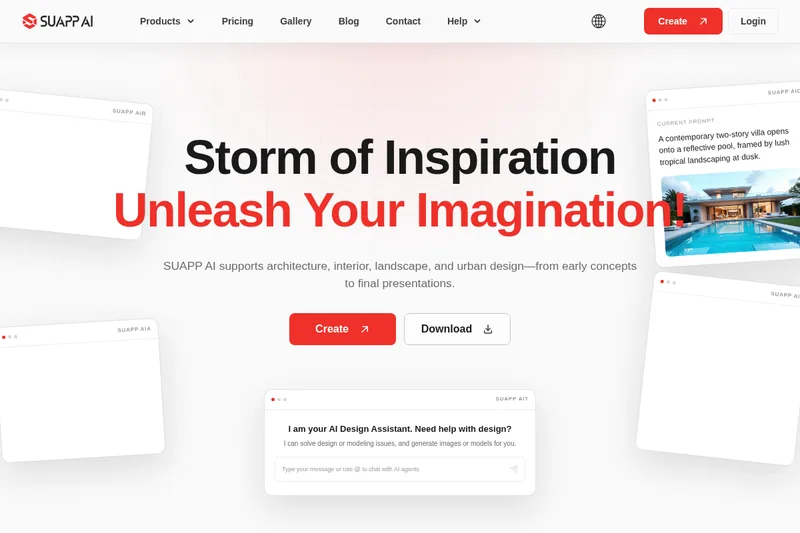
SUAPP AI helps architecture, interior, landscape, and urban design teams generate concepts, renders, animations, and 3D models, then refine them through design dialogue and a shared creative canvas.
One of 379 tools in Image & Design
Who it's for
- Architects exploring massing studies, sketches, or references and developing them into visual directions.
- Interior and landscape designers preparing imagery or motion presentations for project communication.
- Urban design and creative teams that want AI support for spatial concepts, modeling, and iteration alongside existing design software.
Not the right fit if…
- Teams who need a replacement for their existing design software: SUAPP AI says it works alongside existing tools and does not replace them.
How it fits your workflow
Choose among AI Render, AI Concept, AI Animation, AI Modeling, AI Talk, and AI Flow based on the task. Start from a massing study, sketch, reference image, or simple description; the page says complex prompt writing is not required.
Generate and refine visual or model outputs in the cloud. AI Flow can bring images, text, models, drawings, videos, and documents into one canvas, while AI Talk supports project dialogue and design questions.
Use results for design review, communication, or presentation, and continue iterating around the same design intent. SUAPP AI is positioned as a layer alongside existing design software.
Pricing
The vendor doesn't publish prices. Check with SUAPP AI directly.
Prices checked on Jul 15, 2026 from the vendor's site. They can change; confirm before you buy.
Key features
- Cloud Rendering
- One-click cloud rendering to produce high-quality outputs without local device constraints; marketed as avoiding complex prompts, settings, or model training.
- Image-to-Image (Instant Rendering)
- Supports sketches, models and photos for image generation with iterative refinement; typical render times cited as averaging 20 seconds per image (fastest 5 seconds).
- Intelligent Image Transformation
- Style transfer, seasonal shifts, time-of-day changes and various image edits via simple text prompts while preserving original content.
- Realistic Rendering & Ultra-HD Output
- AI-enhanced realistic rendering with ultra-clear outputs up to 8K resolution for photo-realistic quality.
- Seasons & Time Conversion
- One-click conversions to change seasonal appearance or time-of-day lighting and color for images.
- Editing Modes and Tools
- Inpainting, collage import and repainting, sketch-based additions, magic remover brush, person fixer, background remover, image enhancer and outpainting.
Works with
- SketchUp
- Rhino
- Revit
- 3ds Max
- Blender
- Photoshop
Limitations to know
- SUAPP AI is described as working alongside existing design software; the page explicitly says it does not replace that software.
Alternatives to consider
-
AI-Architectures
Choose it if you specifically need photorealistic architectural renders, labeled floor plans, and staged listing photos from sketches, photos, or text descriptions.
-
ArchSynth
Choose it if you need a platform that explicitly converts sketches and images into CAD files as well as visuals, 3D models, and rendering videos.
Getting started
The page says the core workflow can be accessed through a browser using cloud GPUs; listed desktop options include Windows, Windows (ARM), macOS (Apple Chip), and macOS (Intel Chip).
- Open SUAPP AI in a browser or download the application or a listed plugin.
- Choose the relevant AI tool for rendering, concept exploration, animation, modeling, design dialogue, or connected canvas work.
- Provide a massing sketch, reference image, or simple description and create a result.
- Continue refining around the same design intent.