

Fluxai
Flux AI Pro is an advanced image and video generation platform powered by Flux 2 models, offering up to 4MP photorealistic outputs, strong prompt adherence, and tools like upscaling and inpainting for both personal and commercial use.
Fluxai is image & design software teams evaluate for image & design. Use this page to review pricing, integration signals, and the best alternatives before you commit.
Profile facts come from the vendor source. AiMatch labels unknown pricing or API details instead of estimating them.
Review official source →Used in These Packs
Quick Overview
Best for: Image & Design
What it does
Image & Design software for decision-makers comparing workflow fit and alternatives.
Best fit
Image & Design
Pricing snapshot
Freemium from Costs are measured in credits rather than explicit currency prices on the page.
Next step
Compare Fluxai with similar tools before you shortlist it.
Compare this tool before you shortlist it
Review alternatives, pricing posture, and workflow fit side by side.
Flux AI Pro is an advanced AI image and video generation platform built on Flux 2 technology. It provides high-fidelity, photorealistic image generation up to 4MP with a focus on prompt adherence and readable text rendering. The product offers a range of FLUX models (Flux 2 Max, Pro, Flex, Dev, and others) alongside complementary tools such as an image upscaler, inpainting, and image-to-prompt capabilities. Flux AI is positioned for both personal and commercial use and includes a community showcase where users can browse outputs created with the FLUX models.
Flux AI Pro is an advanced image and video generation platform powered by Flux 2 models, offering up to 4MP photorealistic outputs, strong prompt adherence, and tools like upscaling and inpainting for both personal and commercial use.
Own this listing?
Claim this page for a one-time $29 to add pricing, features, screenshots, verified owner details, and a clearly labeled 30-day category position after the profile is live.
Claim this listing for $29Key Features
Advanced Flux 2 Architecture
Utilizes cutting-edge Flux 2 technology for realism, precision, and consistency in generated images.
4MP Photorealistic Output
Generate images up to 4 megapixels with support for any aspect ratio for versatile output.
Precise Prompt Adherence
Designed for superior text-to-image synthesis with strong ability to interpret and faithfully render complex prompts.
Innovative Text Rendering
Excels at rendering clear, readable text within generated images.
Comprehensive Toolkit
Includes complementary tools such as an image upscaler, inpainting, and image-to-prompt capabilities.
Diverse Model Selection
Offers multiple FLUX models (Flux 2 Max, Pro, Flex, Dev) and Flux Lora models to suit different needs and creative options.
Pricing
Free users receive 100 free credits upon signing up.
Per-image credit costs (model-based)
Costs are measured in credits rather than explicit currency prices on the page.- FLUX.1 Schnell: 1 credit per image
- FLUX.1 Dev: 10 credits per image
- FLUX.1 Pro: 20 credits per image
Use Cases
Commercial asset creation
Produce high-quality, photorealistic images suitable for commercial projects, marketing materials, and professional workflows.
Text-rich image generation
Create images that require clear, readable text thanks to the generator's innovative text rendering capabilities.
Creative exploration and community inspiration
Browse the community showcase to explore user-generated content and discover creative approaches using FLUX models.
Image-to-video and multimedia generation
Use Flux Video AI and related image-to-video features to produce video content from generated images and add audio, where supported on the platform.
Integrations
Black-Forest-Labs Flux
Site notes the platform is powered by Black-Forest-Labs Flux.
Benefits
Limitations
Frequently Asked Questions
What is the Flux AI Image Generator?
What image generation models are available in the Flux AI Image Generator?
How do credits work in the Flux AI Image Generator?
What image sizes can I generate with the Flux AI Image Generator?
What makes the Flux AI Image Generator unique?
Can I use the Flux AI Image Generator for commercial purposes?
Is there a community showcase for the Flux AI Image Generator?
Getting Started
- 1 Sign up for an account on the Flux AI site (free users receive 100 free credits upon signing up).
- 2 Choose a FLUX model (e.g., FLUX.1 Schnell, FLUX.1 Dev, FLUX.1 Pro) and review credit costs per model.
- 3 Compose a prompt and generate images, then use complementary tools like upscaler and inpainting as needed.
Support
docs
Site includes Terms of Service, Privacy Policy, Refund Policy, and Content Safety Policy linked in the footer.
contact
The site provides a Contact page (accessible from the site navigation) for inquiries and support.
API
Compare Fluxai with similar tools
See how it stacks up against alternatives
Related Tools
View all 375 →
Spacely
Spacely AI is a web-based and SketchUp-integrated interior design tool that uses AI to generate photorealistic room renders, enable rapid edits (lighting, materials, furniture), and produce client-ready visuals in under a minute for designers, architects, realtors, and space owners.

Aithumbnail
AIThumbnail.so is an AI-powered thumbnail maker for YouTube and creators that generates high-converting thumbnails in under a minute, offering features like Replica Mode, one-photo face integration, and AI smart suggestions to boost CTR and views.


Vectorizer
Vectorizer.AI is a browser-based, AI-powered raster-to-vector conversion service that turns PNG/JPG/GIF/BMP/WebP images into editable vector formats (SVG, EPS, DXF, PDF) for logos, illustrations, print, web, CAD, CNC, and other design workflows.

ImageUpscalerAI
ImageUpscalerAI is a web-based AI image upscaler that enlarges photos, cartoons and other images (up to 400%/200%) using an AI engine; it offers a free limited tier and a PRO subscription with no conversion limits and a commercial usage license.
Premium Alternatives

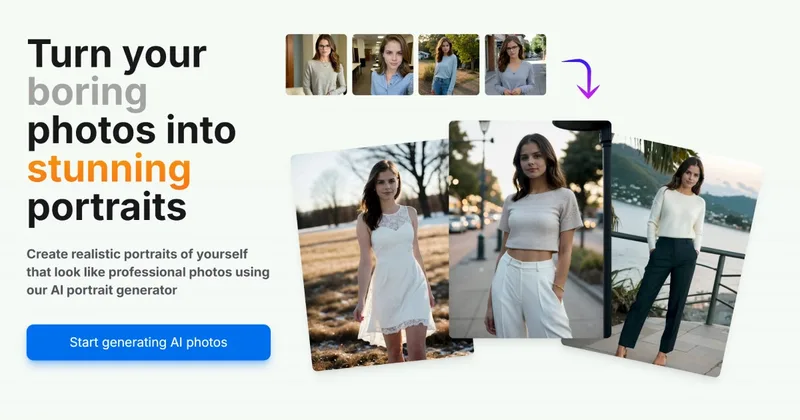
Aiportraitgen
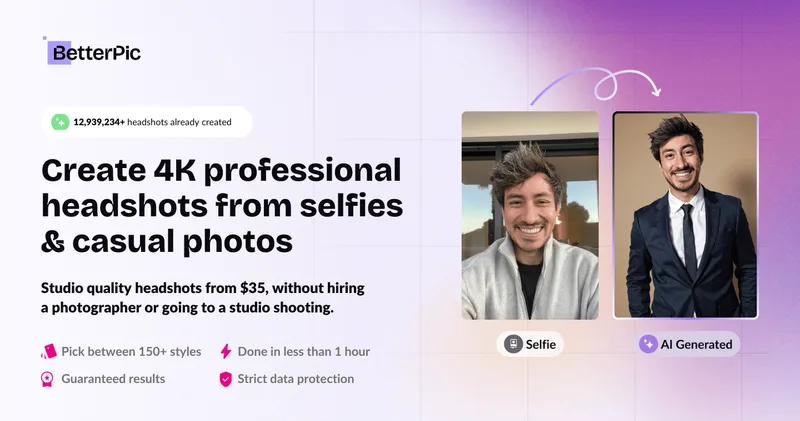
AI Portrait Gen is an online AI portrait generator that creates realistic, high-quality portrait photos from a few user-supplied photos. It offers customizable locations, outfits and styles, pay-as-you-go credits (no subscription), and privacy protections for uploaded images.
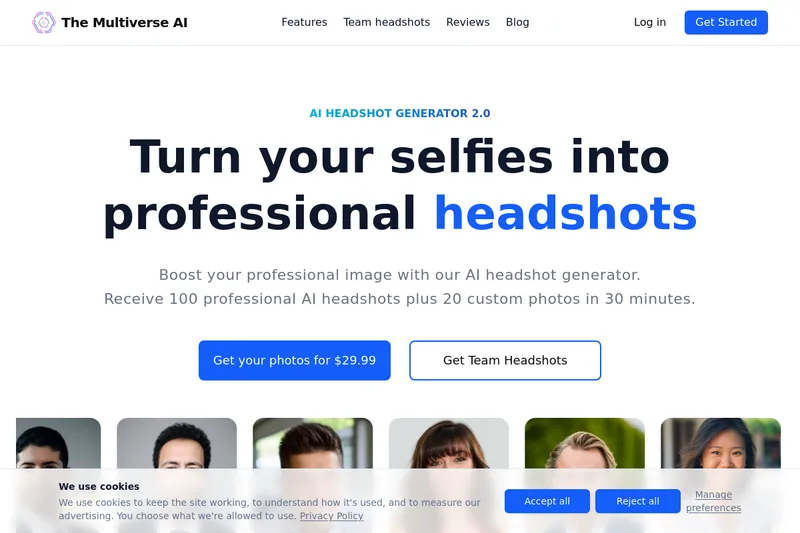
Themultiverse
The Multiverse AI is a commercial AI headshot generator that turns user selfies into professional-quality headshots and team portraits, offering a 30-minute turnaround and an editable set of generated images for individual professionals and corporate teams.


PreCheck
PreCheck is an AI-powered facial recognition and face-search platform that lets users upload a single photo to find where that face appears across the web, and also provides reverse phone and email lookups for identity, reputation management, and fraud prevention.