
UTTER IN
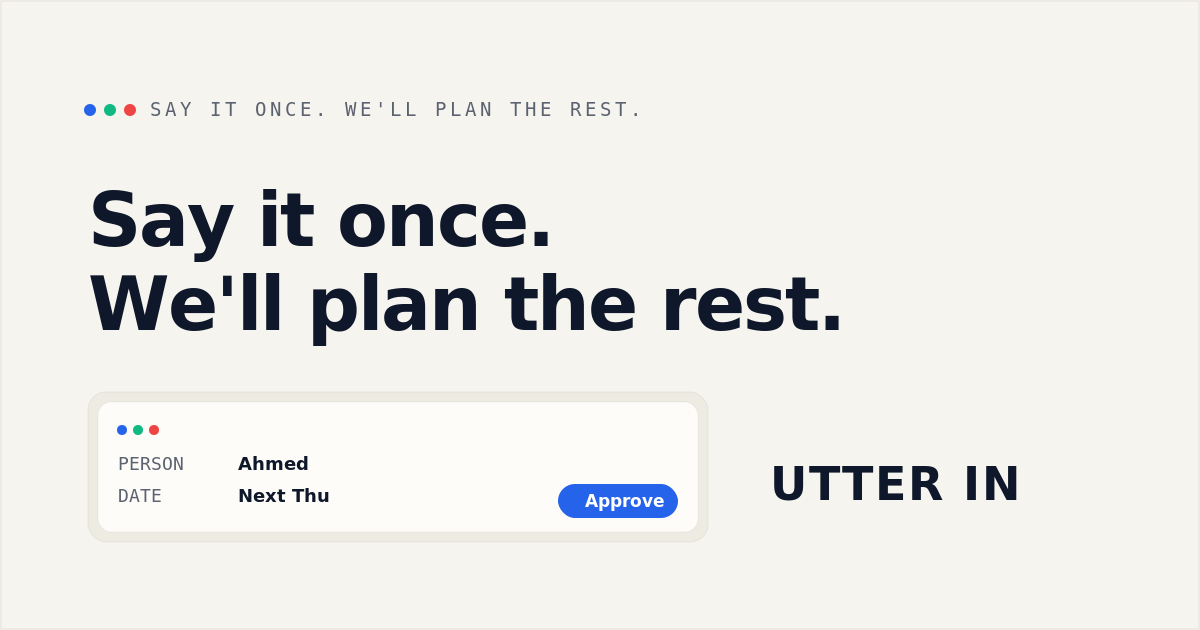
UTTER IN turns voice notes, typed thoughts, and links into proposed reminders, plans, events, and saved notes. Individuals and professionals review and approve each action before it reaches a connected calendar or Notion.
One of 672 tools in AI Agents
Who it's for
- People who want to capture everyday reminders and plans by voice or text instead of sorting them into forms.
- Professionals and executives who want to organize work-related reminders and plans, with monthly usage limits suited to their volume.
- Notion users who want captured notes, ideas, or links saved as pages in a connected database.
Not the right fit if…
- People who need an assistant to execute actions without review: UTTER IN requires approval before anything is saved, scheduled, or sent.
- Teams who need shared planning or family workspaces now: those Executive-plan features are marked as coming.
How it fits your workflow
Speak, type, or share a link in plain language. UTTER IN identifies the people, dates, and intended actions, and can split one capture into multiple proposed plans.
Review the proposed actions, fill in missing details or correct fields, and approve what you want saved. The app checks dates, times, and conflicts with application code.
Approved plans can go to a connected calendar; notes and saved links can go to Notion. Locations can be saved with a map link for directions.
Pricing
Free: The Free plan is $0 per month and includes 10 AI captures and 5 voice minutes per month. The page says no card is required.
Free
$0 per month
- · 10 AI captures per month
- · 5 voice minutes per month
- · Browser and email reminders
- · Save external location links
Plus
$5.95 per month
- · 60 AI captures per month
- · 30 voice minutes per month
- · Smart AI follow-up questions
- · Full history and global search
Premium
$9.95 per month
- · 175 AI captures per month
- · 100 voice minutes per month
- · Full advanced AI planning
- · Early access to new features
Executive
$24.95 per month
- · 500 AI captures per month
- · 300 voice minutes per month
- · Multiple and family workspaces (coming)
- · Shared planning and lists (coming)
Prices checked on Oct 2, 2026 from the vendor's site. They can change; confirm before you buy.
Key features
- Voice, text, and link capture
- Capture thoughts by speaking or typing in plain language, or drop a link for the app to organize.
- Multiple actions from one capture
- A single voice note can be divided into separate reminders, calendar events, plans, and saved links.
- Review and approval before actions
- The app displays what it understood and waits for approval before saving or scheduling anything.
- Clarification for missing details
- When a date or other detail is missing or unclear, UTTER IN asks a follow-up question instead of filling it in by guesswork.
- Date, time, and conflict checks
- Dates, times, and conflicts are checked by application code rather than being left to the AI to guess.
- Calendar and Notion connections
- Approved plans can be sent to Google Calendar, Apple Calendar, or Outlook; notes and saved links can be saved as Notion pages.
Works with
- Google Calendar
- Apple Calendar
- Outlook
- Notion
- Maps app
Limitations to know
- The Free plan is limited to 10 AI captures and 5 voice minutes per month; other listed plans also have monthly capture and voice-minute limits.
- Multiple and family workspaces, and shared planning and lists, are marked as coming on the Executive plan rather than currently available.
- Outlook and Apple Calendar are described as subscribing through a private link; the page describes direct connection and update behavior for Google Calendar.
Alternatives to consider
-
Vellum
Choose it if you want a continuously running personal assistant for broader work automation such as email triage, meeting preparation, delegation, and travel booking.
Getting started
- Sign up using the Start free option.
- Speak, type, or share a link to capture a thought.
- Review the proposed action and answer any follow-up questions or make corrections.
- Approve the action, and connect a calendar or Notion in Settings if needed.
Frequently asked questions
Does the AI take actions without asking?
No. The AI proposes actions, and nothing is saved, scheduled, or sent until the user approves it on the Review Card.
What happens if UTTER IN misunderstands or a detail is missing?
It shows what it understood, marks missing information, and asks rather than guessing. The user can edit a field or provide the missing detail before approving.
Can I speak, type, or share a link?
Yes. The page says users can type, speak, or drop a link in plain language.
Will plans show up in my calendar?
Approved plans and reminders can be added to Google Calendar when connected in Settings. Outlook and Apple Calendar can subscribe through a private link from Settings.
Where do notes go?
Notes have no date and can be saved to Notion if the user connects it.
Is there a free plan?
Yes. The page describes a Free plan with no card required.
Can I review or delete stored memories?
Yes. The page says every memory can be reviewed, corrected, or deleted, and that user data is never sold.