
Vmake
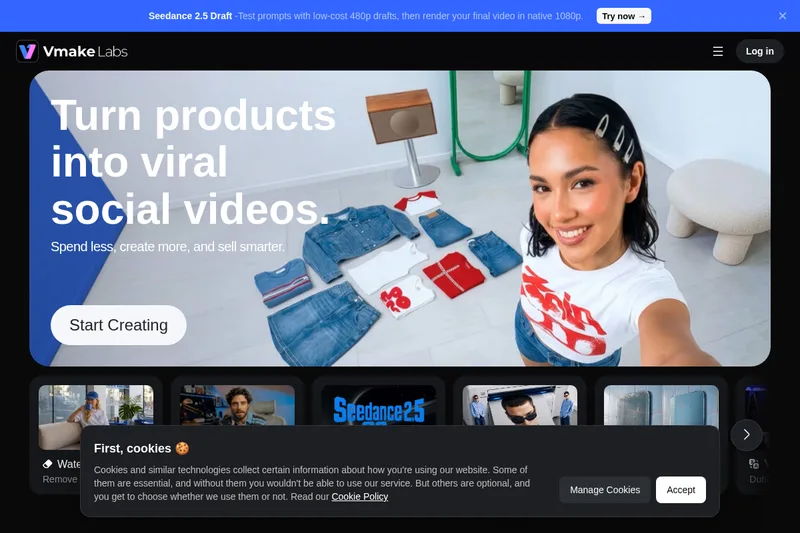
Vmake Labs turns product images, ideas, and existing footage into social videos, then provides tools to edit and optimize them. It is aimed at e-commerce sellers, small businesses, affiliate marketers, and social media teams.
One of 198 tools in Video Generation
Who it's for
- E-commerce sellers who need product videos for ads and social content.
- Social media managers creating or repurposing short-form videos for TikTok, Instagram Reels, or YouTube Shorts.
- Affiliate marketers and local businesses using shoppable videos or social content to promote products and services.
How it fits your workflow
Start with a product, idea, storefront, or existing footage, then choose a tool such as UGC video generation, product showcase, or video recreation.
Generate or edit the video and use available tools to enhance it, translate it, add captions, or clean up audio and visual elements.
Prepare social video content for platforms the page says Vmake is optimized for, including TikTok, Instagram Reels, and YouTube Shorts.
Pricing
Free: A free plan is available with usage and feature limits.
Free plan
$0
- · Free and paid plans are documented. Feature and usage limits depend on the selected plan.
Paid plans
Price not published
- · See the provider pricing page for current rates, billing periods, and usage limits.
Prices checked on Sep 7, 2026 from the vendor's site. They can change; confirm before you buy.
Key features
- Video translator (dubbing & lip sync)
- Translate and dub videos, with lip-sync capabilities to convert videos into different languages.
- AI video generator
- Generate videos using world-class AI models from images or other inputs.
- Video enhancer
- Enhance ecommerce assets and repurposed footage with more natural detail and improved quality.
- Watermark and object remover
- Remove AI watermarks, logos, text, and other unwanted elements from videos and images.
- Recreate viral video styles
- Recreate viral formats and video styles to adapt proven social content to your products.
- AI avatar video
- Create shoppable videos and avatar-driven content without filming creators.
Works with
- TikTok
- Instagram Reels
- YouTube Shorts
- Shopify
- Amazon Inspire
Alternatives to consider
-
MakeUGC
Choose it if you specifically need UGC-style videos at scale with AI actors, custom avatars, automated workflows, an editor, and API access.
Getting started
- Choose Start Creating or Try for free on the Vmake site.
- Begin with a product, idea, storefront, or existing footage.
- Select a video creation or editing tool suited to the content you want to make.
- Generate and refine the video using the available editing, enhancement, or optimization tools.
Frequently asked questions
What is Vmake?
Vmake is an all-in-one UGC video generator that helps small businesses and creators generate, enhance, and optimize high-performing videos for acquisition, conversion, and growth.
What makes Vmake different?
Vmake is built specifically for UGC video creation. It combines generation, editing, enhancement, and optimisation in one workflow, helping businesses and creators make content faster and with less complexity.
How does Vmake work?
Vmake turns ideas, products, storefronts, and existing footage into ready-to-use videos. You can generate, edit, enhance, and optimise content in one streamlined workflow.
What core features does Vmake offer?
Vmake offers AI video generation, viral video recreation, AI avatar videos, product video showcase, video enhancer, watermark remover, background remover, auto caption, visual hooks, video-to-text, and more, plus image tools for generation, enhancement, removal, and thumbnails.
Which platforms is Vmake optimized for?
Vmake is optimised for TikTok, Instagram Reels, YouTube Shorts, Shopify, and Amazon Inspire.